Back to Projects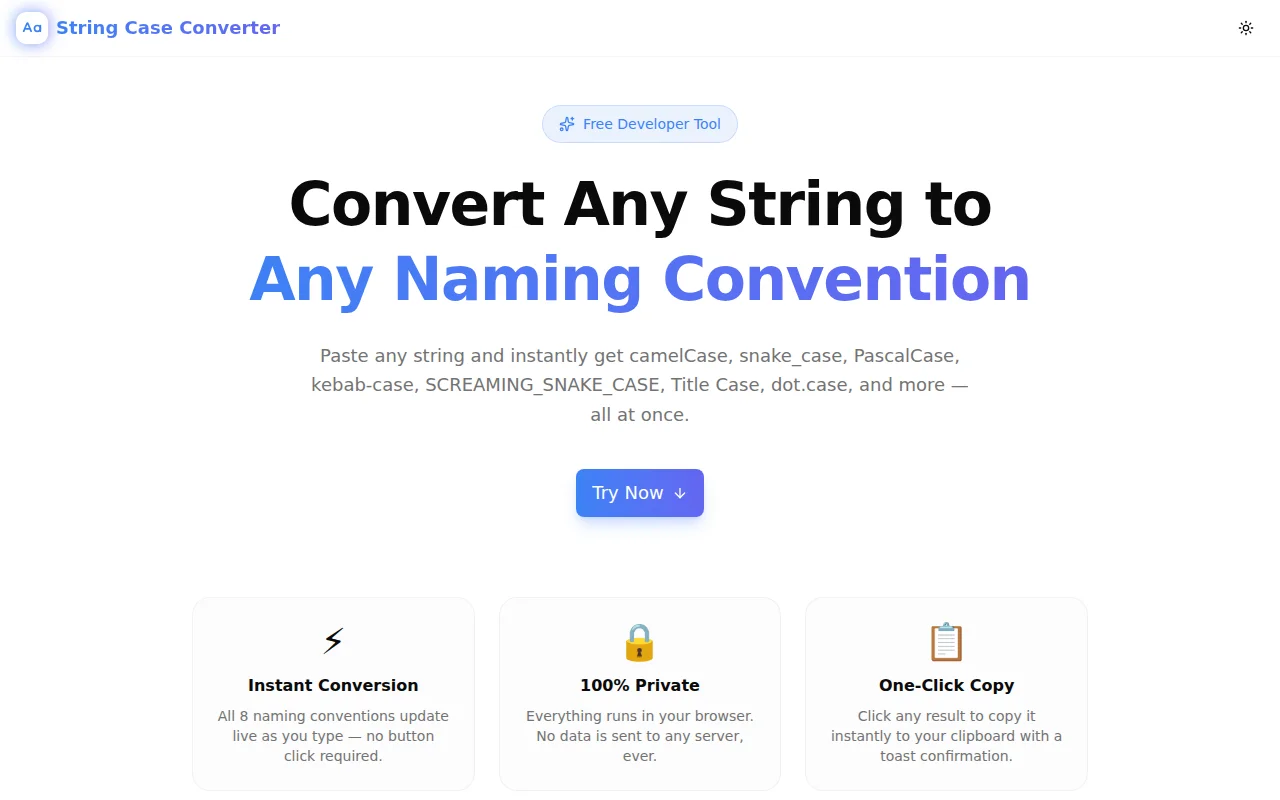
Developer ToolsFeatured
String Case Converter
A free developer tool that instantly converts any string into camelCase, PascalCase, snake_case, SCREAMING_SNAKE_CASE, kebab-case, Title Case, dot.case, and flatcase — all at once, live as you type.
String UtilitiesNaming ConventionsDeveloper ToolsTypeScriptNext.jsFrontend
Start Similar ProjectAbout the Project
String Case Converter — Instant Naming Convention Conversion
String Case Converter is a free, browser-based developer tool that converts any string into eight major naming conventions simultaneously. Paste any input — camelCase, snake_case, plain English, or mixed — and every format updates live as you type. One click copies any result to your clipboard. No signup, no install, nothing to configure.
The Problem
Every developer faces this several times a week: you have a variable name in one convention and you need it in another.
You're writing a Python function and need the snake_case version of the JavaScript camelCase prop. You're mapping a database column name to a TypeScript interface. You're refactoring a REST API endpoint from camelCase JSON to snake_case to match your backend. You're creating an environment variable from a config key.
The typical workflow is: open a browser tab, search for a converter, click through a few results, paste your string, copy the output, close the tab. Multiply that by the number of times this comes up in a coding session and it adds up.
String Case Converter removes the friction. One URL, all formats at once.
How It Works
1. Smart Word Boundary Detection
The parser detects word boundaries from multiple input formats without configuration:
- camelCase transitions —
myVariableName→["my", "variable", "name"] - Underscores —
my_variable_name→ same result - Hyphens —
my-variable-name→ same result - Spaces —
my variable name→ same result - Mixed input —
myVariable_nameorMY_CONSTboth parse correctly - Consecutive uppercase —
XMLParser→["xml", "parser"], not["x", "m", "l", "parser"]
The parsed word list is shown below the input so you can verify the parsing before copying.
2. Eight Formats, All at Once
Every input produces eight outputs simultaneously:
| Format | Example | Common Use |
|--------|---------|------------|
| camelCase | myVariableName | JS/TS variables, Java methods, Swift properties |
| PascalCase | MyVariableName | Classes, React components, TypeScript types |
| snake_case | my_variable_name | Python variables, Ruby, database columns |
| SCREAMING_SNAKE_CASE | MY_VARIABLE_NAME | Constants, environment variables, .env files |
| kebab-case | my-variable-name | URLs, CSS class names, HTML attributes |
| Title Case | My Variable Name | Page titles, headings, button labels |
| dot.case | my.variable.name | i18n keys, config files, some API conventions |
| flatcase | myvariablename | Package names, some database identifiers |
3. One-Click Copy per Format
Each result card is a button. Click it to copy that specific format to your clipboard. A toast confirmation appears immediately. No "Copy" button to hunt for — the whole card is the target.
4. Live Preview
Results update on every keystroke. There's no submit button. The tool is optimized for the workflow of quickly typing a name and grabbing the format you need without extra steps.
Key Features
- 8 naming conventions — camelCase, PascalCase, snake_case, SCREAMING_SNAKE_CASE, kebab-case, Title Case, dot.case, flatcase
- Smart parser — handles all input formats without configuration
- Live conversion — results update as you type, no submit needed
- One-click copy per format — click any result card to copy
- Word boundary display — shows parsed words so you can verify input interpretation
- Fully client-side — no data sent to any server
- No signup required — open and start converting immediately
- Dark mode support — follows system theme preference
Technical Implementation
Core Technologies
- Next.js 16 with App Router
- TypeScript in strict mode
- Tailwind CSS v4 with OKLCH color tokens
- shadcn/ui components
- framer-motion for staggered animations
- Clipboard API for copy functionality
Word Boundary Algorithm
The parser uses a cascade of regex replacements to normalize any input format before splitting:
function parseWords(input: string): string[] {
  return input
    .replace(/([a-z])([A-Z])/g, "$1 $2")       // camelCase → camel Case
    .replace(/([A-Z]+)([A-Z][a-z])/g, "$1 $2") // XMLParser → XML Parser
    .replace(/[\s_\-.]+/g, " ")                  // normalize delimiters
    .trim()
    .split(" ")
    .filter(Boolean)
    .map((w) => w.toLowerCase());
}
This handles every common input format without any user configuration.
Architecture
- Zero external API dependencies — the tool works offline once loaded
- Pure TypeScript string manipulation — no regex engine overhead on large inputs
- Animated result cards with
framer-motionstaggered entrance sonnertoast notifications for clipboard confirmation
Use Cases
API Development
REST APIs frequently need field names in different conventions across the stack. A JSON response field user_id in snake_case needs to become userId in JavaScript, UserId in C# model classes, and USER_ID as a constant. Convert once, copy whichever format you need.
Database to Code Mapping
Database column names follow snake_case convention. TypeScript interfaces, ORM models, and GraphQL schemas may use camelCase or PascalCase. String Case Converter bridges the gap without manual conversion.
Environment Variable Creation
Config keys in camelCase need to become environment variables in SCREAMING_SNAKE_CASE. The tool handles this conversion instantly — paste databaseConnectionUrl, grab DATABASE_CONNECTION_URL.
CSS Class Naming
Moving between BEM methodology (kebab-case), JavaScript className strings (camelCase), and CSS Modules (camelCase or PascalCase)? Paste the concept once and copy the right format.
i18n Key Generation
Translation key conventions vary — some projects use dot.case (user.profile.title), others use snake_case or camelCase. Convert from the display text to the key format with one paste.
Open Source Contribution
Different codebases use different conventions. When contributing to a project with a different naming convention than your daily driver, String Case Converter lets you check the convention quickly before writing any code.
Why String Case Converter?
vs. Manual Conversion
Manual conversion is error-prone, especially for long strings, strings with numbers, or strings that start with acronyms. XMLHttpRequest → xmlHttpRequest (correct) vs. xMLHttpRequest (wrong). The parser handles edge cases correctly.
vs. IDE Plugins
IDE plugins require installation, configuration, and they only work in one editor. String Case Converter works in any browser, on any device, without setup.
vs. Other Online Converters
Most converters handle two or three formats. String Case Converter shows all eight at once so you can compare formats and copy the one you need without running the conversion multiple times.
Results
String Case Converter eliminates the repetitive context-switching of manual naming convention conversion:
- All formats visible simultaneously — no need to convert multiple times
- Zero configuration — paste any format, the parser handles it
- Sub-second feedback — live update on keystroke, not on submit
- Edge cases handled — acronyms, numbers, mixed input all parsed correctly
Try it now: string-case-converter.tools.jagodana.com
The Challenge
The client needed a robust developer tools solution that could scale with their growing user base while maintaining a seamless user experience across all devices.
The Solution
We built a modern application using String Utilities and Naming Conventions, focusing on performance, accessibility, and a delightful user experience.
Project Details
Category
Developer Tools
Technologies
String Utilities,Naming Conventions,Developer Tools,TypeScript,Next.js,Frontend
Date
May 2026
Related Projects
More work in Developer Tools

