Back to Projects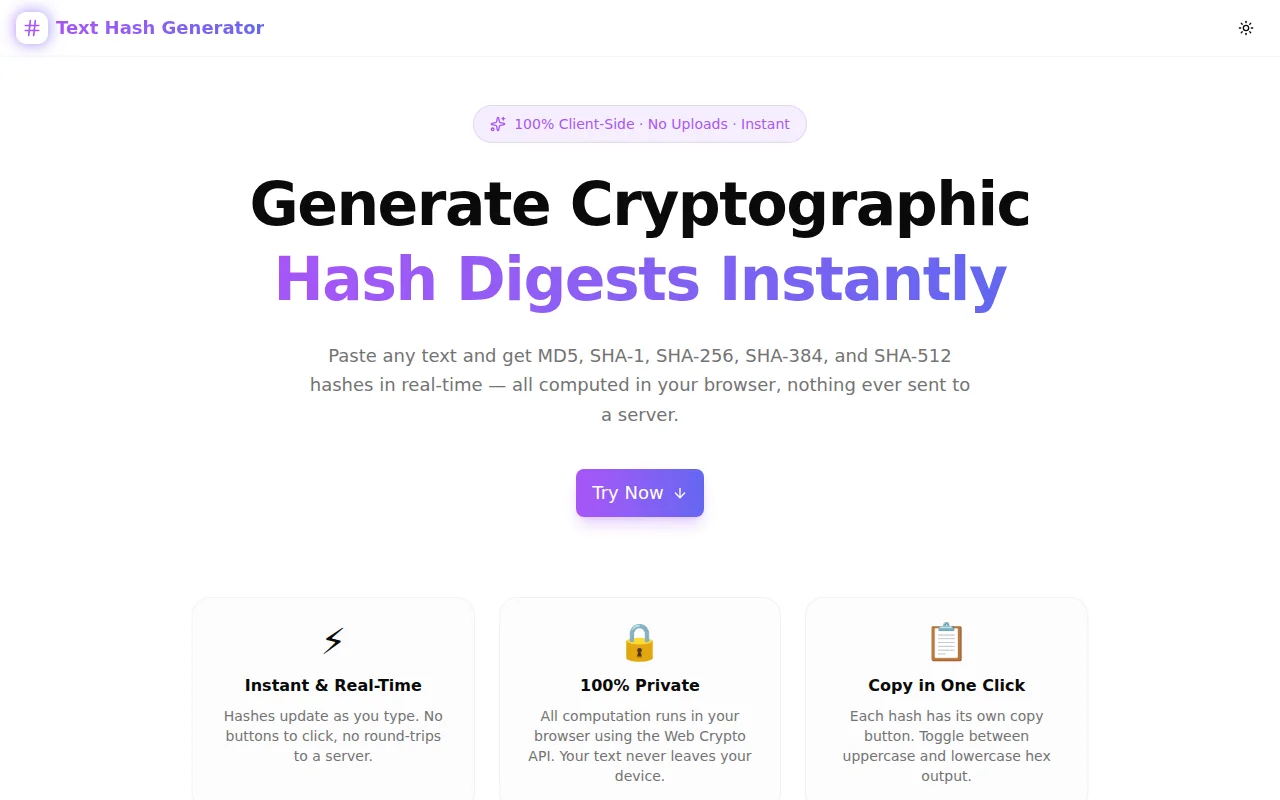
Developer ToolsFeatured
Text Hash Generator
Generate MD5, SHA-1, SHA-256, SHA-384, and SHA-512 cryptographic hashes from any text instantly in your browser. 100% private — no data leaves your device.
SecurityCryptographyDeveloper ToolsHashingPrivacyNext.jsTypeScript
Start Similar ProjectAbout the Project
Text Hash Generator — MD5, SHA-1, SHA-256, SHA-512 in the Browser
Text Hash Generator is a free, instant developer tool for generating cryptographic hash digests from any text string. Supports MD5, SHA-1, SHA-256, SHA-384, and SHA-512 — all computed locally in the browser using the Web Crypto API. No text is ever sent to a server.
The Problem
Every developer eventually needs to hash a string. Verifying a password, checking data integrity, comparing API payloads, testing a hashing function, confirming an implementation matches the spec — these tasks come up constantly.
The options are usually:
- Open a terminal and type
echo -n "text" | sha256sum(works, but context-switching kills flow) - Search "sha256 online" and land on a site from 2012 loaded with ads and no HTTPS
- Write a throwaway script just to test one hash value
None of these are fast. None of them show all five algorithms at once. And the online options raise an obvious question: should you trust an unknown server with the string you're hashing?
Text Hash Generator solves all three problems.
How It Works
Real-Time Hashing
Type or paste any text into the input box. All five hash digests update instantly as you type — no button to click, no page reload. Empty input, a single character, or a 10,000-character JSON blob — the output is immediate.
All Five Algorithms, Side by Side
- MD5 — 128-bit (32 hex chars). Fast, widely used for non-security purposes like checksums and cache keys. Cryptographically broken — do not use for password storage or signature verification.
- SHA-1 — 160-bit (40 hex chars). Once the standard for digital signatures; now deprecated for security use but still common in legacy systems and Git commit IDs.
- SHA-256 — 256-bit (64 hex chars). The current standard for most security applications. Used in TLS certificates, JWT signatures, blockchain, and virtually every modern protocol.
- SHA-384 — 384-bit (96 hex chars). Part of the SHA-2 family. Preferred in some compliance frameworks (FIPS 140-2) as a middle ground between SHA-256 and SHA-512.
- SHA-512 — 512-bit (128 hex chars). Maximum output from the SHA-2 family. Used in high-security contexts and as the base for SHA-512/256 and HMAC-SHA-512.
One-Click Copy
Each algorithm row has its own copy button. Click once and the hash is in your clipboard. A brief confirmation animation confirms the copy without any page disruption.
Uppercase / Lowercase Toggle
Hash output defaults to lowercase hex, which matches most toolchain conventions. Toggle to uppercase with a single click — useful for matching legacy systems, Windows-style checksums, or APIs that expect uppercase hex strings.
Technical Implementation
Core Technologies
- Next.js 16 with App Router
- TypeScript in strict mode
- Tailwind CSS v4 with OKLCH color tokens
- shadcn/ui with Radix UI primitives
- Framer Motion for staggered entry animations
Hashing Architecture
SHA-1, SHA-256, SHA-384, and SHA-512 use the browser's built-in Web Crypto API (crypto.subtle.digest). This is the same cryptographic primitive used by browsers for TLS — no third-party library required, and no attack surface from a dependency.
MD5 is implemented as a pure TypeScript function following RFC 1321. MD5 is not available in the Web Crypto API because it is cryptographically broken and the browser vendors deliberately excluded it. The implementation is fully transparent and can be audited in the open-source repository.
All hashing runs synchronously (MD5) or via async Web Crypto (SHA family), with results shown immediately.
Privacy by Design
- No server calls — The browser's network tab shows zero outgoing requests when you type
- No telemetry on input — Google Analytics tracks page views and interactions, not the text you hash
- No localStorage — Input is ephemeral; it does not persist between sessions
- Open source — Every line of the hashing code is publicly auditable
Color Theme
Purple-to-indigo gradient (#a855f7 → #6366f1) — chosen to evoke security, cryptography, and precision engineering.
Use Cases
Developers
Verify that your SHA-256 implementation matches a reference value. Check that two different code paths produce the same hash for the same input. Test edge cases: empty string, Unicode, whitespace-only inputs.
DevOps & Security Engineers
Compare checksums for downloaded files or configuration values. Verify that a string matches an expected hash in a configuration audit. Generate hash values to paste into infrastructure-as-code or CI pipeline configs.
QA & Test Engineers
Generate expected hash values for test fixtures. Verify that a hashing function in your codebase matches the specification. Test encoding edge cases (UTF-8, special characters, long strings).
Technical Product Managers
Understand hash output lengths for capacity planning. Confirm which algorithm a system uses by matching output length to the table. Explain hashing concepts to non-technical stakeholders with a live demonstration.
Why Text Hash Generator?
vs. Terminal
- No context switch — Stay in the browser, no terminal needed
- All algorithms at once — No separate commands per algorithm
- Visual — See all outputs side by side instantly
vs. Other Online Hash Tools
- No ads — Clean, focused interface
- No server uploads — Your text never leaves the browser (verifiable)
- Multiple algorithms — One tool, five outputs, simultaneously
- Uppercase/lowercase — Toggle in one click, without re-entering input
vs. Writing a Script
- Instant — No setup, no file to create
- Shareable — Send colleagues a link instead of a script
- Always available — Works in any browser, on any machine
Results
Text Hash Generator gives developers, security engineers, and QA teams a fast, trustworthy way to:
- Verify hashing implementations — Check your code output against a known-good reference
- Debug hash mismatches — See the exact output for a given input across all algorithms
- Generate test fixtures — Pre-compute expected hash values for unit tests
- Confirm algorithm output length — Instantly see that SHA-256 produces 64 hex chars, not 32
Try it now: text-hash-generator.tools.jagodana.com
The Challenge
The client needed a robust developer tools solution that could scale with their growing user base while maintaining a seamless user experience across all devices.
The Solution
We built a modern application using Security and Cryptography, focusing on performance, accessibility, and a delightful user experience.
Project Details
Category
Developer Tools
Technologies
Security,Cryptography,Developer Tools,Hashing,Privacy,Next.js,TypeScript
Date
May 2026
Related Projects
More work in Developer Tools

