Back to Projects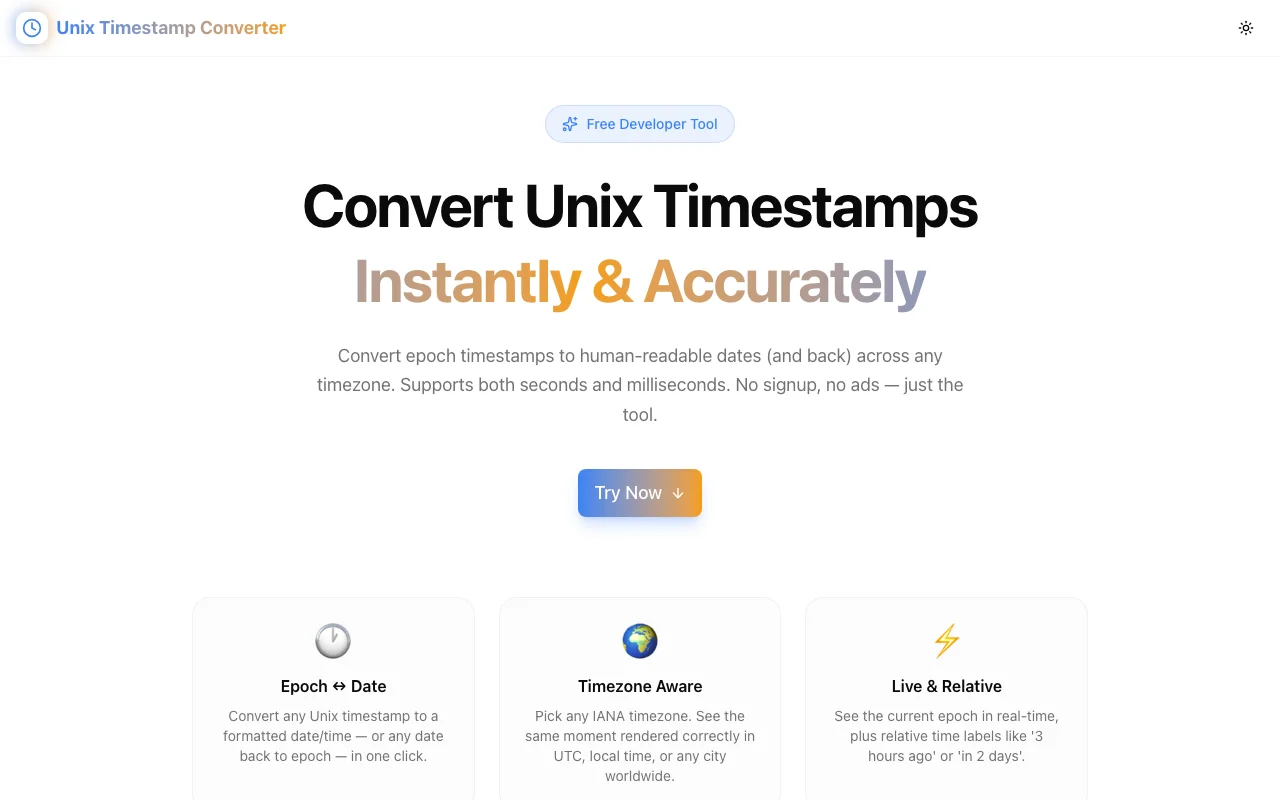
Developer ToolsFeatured
Unix Timestamp Converter
A free, browser-based developer tool to convert Unix epoch timestamps to human-readable dates and back, with full IANA timezone support, auto-detection of seconds vs milliseconds, and a live real-time clock.
Unix TimestampEpochDeveloper ToolsTime ConversionTimezoneNext.jsTypeScript
Start Similar ProjectAbout the Project
Unix Timestamp Converter — Epoch to Date, Date to Epoch, Any Timezone
Unix Timestamp Converter is a free, browser-based developer tool that converts Unix epoch timestamps to human-readable dates — and any date back to an epoch — with full IANA timezone support. Think of it as the timestamp utility every developer bookmarks once and never closes.
The Problem
Debugging a log file, reading a database timestamp, inspecting a JWT, or checking an API response — Unix timestamps appear everywhere in development. Yet decoding 1744214400 into a readable date still requires a trip to Google, a separate web tool, or writing a quick script. That's friction that adds up dozens of times a week.
Most timestamp tools only decode seconds, don't support timezones properly, or lack the reverse conversion (date → epoch). Developers end up with multiple tabs open just to do basic time arithmetic.
How It Works
1. Epoch to Date
Paste any Unix timestamp — in seconds (10 digits) or milliseconds (13 digits). The tool auto-detects the unit so you don't have to specify it. Results include:
- Formatted date in your selected timezone
- ISO 8601 string
- UTC string
- Epoch in both seconds and milliseconds
- Relative time ("3 hours ago", "in 2 days")
2. Date to Epoch
Pick any date and time using the date/time picker. Select the timezone for that moment. Get back the Unix timestamp in both seconds and milliseconds, the UTC ISO string, and relative time.
3. Live Real-Time Clock
The tool shows the current Unix epoch (in seconds and milliseconds) updating every second — useful for quick "what's the epoch right now?" lookups without any interaction.
4. Quick Reference
Common timestamps (Unix Epoch zero, Y2K, the Year 2038 Problem) are listed for instant reference, each clickable to pre-fill the converter.
Key Features
- Auto-detects seconds vs milliseconds — paste any timestamp without specifying the unit
- Full IANA timezone support — 27+ common timezones (UTC, America/New_York, Asia/Tokyo, Europe/London, and more)
- Reverse conversion — convert any date/time back to an epoch timestamp
- Live clock — current epoch time updating in real-time
- Relative time — human-friendly labels like "5 hours ago" or "in 3 days"
- One-click copy — copy any result to clipboard instantly
- 100% browser-based — no server, no signup, your data stays local
Technical Implementation
Core Technologies
- Next.js 16 with App Router
- TypeScript in strict mode
- TailwindCSS v4 for styling
- shadcn/ui for accessible components
- Intl.DateTimeFormat API for timezone-aware formatting
Architecture
- Zero external dependencies for time logic — uses native browser
DateandIntlAPIs - Auto-detection algorithm: 13+ digit input treated as milliseconds, 10-digit as seconds
- Timezone offset calculation via
Intl.DateTimeFormat.formatToParts()for accurate Date → Epoch conversion across DST boundaries - Live clock implemented with a 1-second
setIntervalcleaned up on unmount
Use Cases
Debugging API Responses
An API returns "createdAt": 1744214400. Is that today? Last week? Just paste it in, see the formatted date, and get back to debugging.
Reading Database Timestamps
PostgreSQL, MySQL, MongoDB, Redis — they all store time as integers. Instead of writing SELECT FROM_UNIXTIME(1744214400) or equivalent, paste the number and see the date immediately.
Inspecting JWTs
JWT payloads carry iat (issued at) and exp (expiration) as Unix timestamps. Decode them to see when a token was issued and when it expires — useful when debugging auth issues.
Setting Future Timestamps
Need to schedule a job or set an expiry 30 days from now? Use the Date → Epoch tab to find the exact epoch for that future date.
Coordinating Across Timezones
When collaborating with a distributed team, use the timezone selector to verify that a given epoch maps to the right wall-clock time in each team member's location.
Why Unix Timestamp Converter?
vs. Google "unix timestamp converter"
Google's result requires multiple interactions. Unix Timestamp Converter is a single focused tool: paste, convert, copy. No ads. No surrounding clutter.
vs. Epoch.now and similar tools
Many epoch tools are slow, ad-heavy, or lack reverse conversion. This tool is fast (static Next.js page), ad-free, and supports both directions with proper timezone handling.
vs. Writing a quick script
new Date(1744214400 * 1000) works in a browser console, but gives you local time only. Timezone conversion and relative time require more code. The tool does it instantly for any of 27+ timezones.
Try it now: unix-timestamp-converter.tools.jagodana.com
The Challenge
The client needed a robust developer tools solution that could scale with their growing user base while maintaining a seamless user experience across all devices.
The Solution
We built a modern application using Unix Timestamp and Epoch, focusing on performance, accessibility, and a delightful user experience.
Project Details
Category
Developer Tools
Technologies
Unix Timestamp,Epoch,Developer Tools,Time Conversion,Timezone,Next.js,TypeScript
Date
April 2026
Related Projects
More work in Developer Tools

