Back to Projects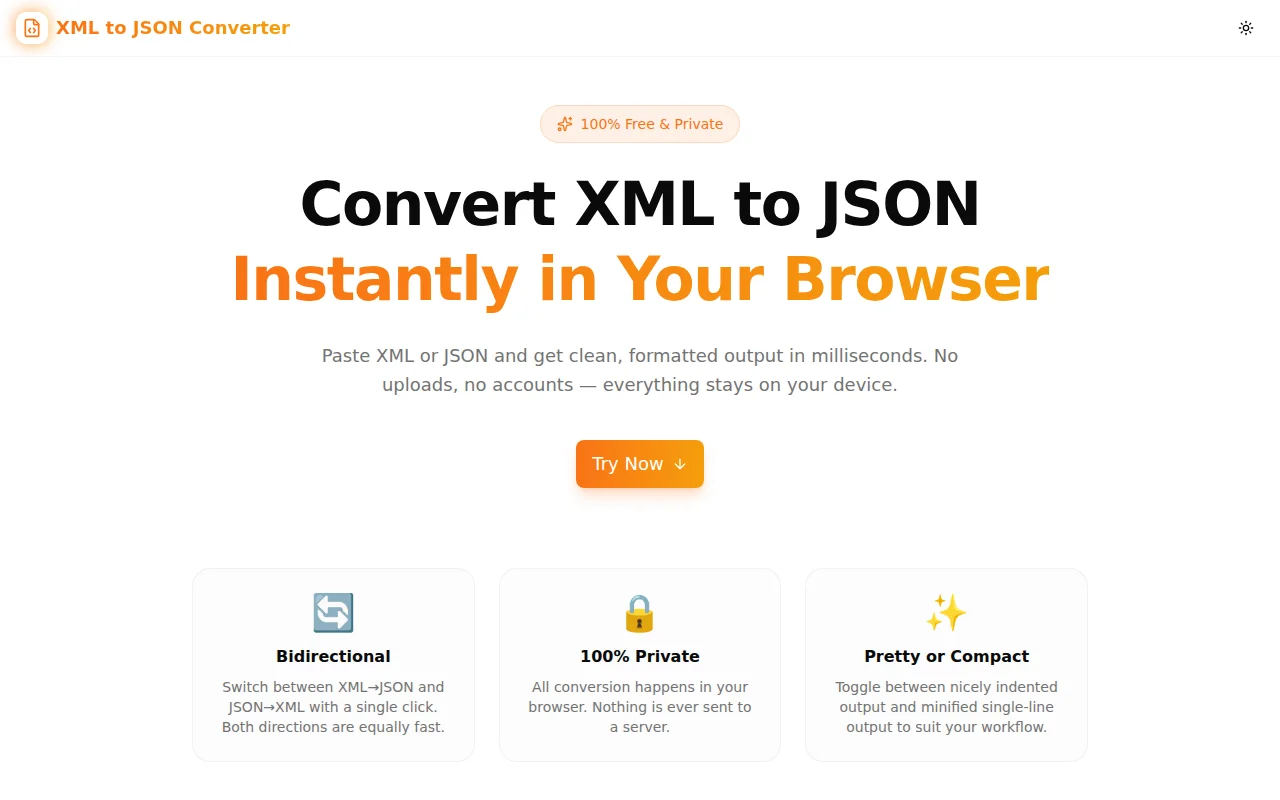
Developer ToolsFeatured
XML to JSON Converter
A free, private browser-based tool that instantly converts XML to JSON and JSON to XML. Supports attributes, namespaces, and mixed content. No uploads, no server, no login.
XMLJSONData ConversionDeveloper ToolsFrontendNext.jsTypeScript
Start Similar ProjectAbout the Project
XML to JSON Converter — Free Online XML ↔ JSON Tool
XML to JSON Converter is a free, browser-based tool that converts XML to JSON and JSON to XML in milliseconds. Paste your markup, get clean output, copy it with one click. Nothing leaves your browser — no uploads, no server calls, no account required.
The Problem
XML and JSON are the two dominant data interchange formats in software development, but moving between them by hand is tedious and error-prone. The shape of the data changes: XML attributes become object properties, repeated sibling elements must become arrays, text nodes need special handling, and namespaced tags require careful mapping.
When you hit an API that returns XML but your app speaks JSON — or you need to send XML to a legacy system but your data is in JSON — you need a conversion tool that handles the edge cases without making you think about them.
Most online converters either drop attributes silently, mangle namespaced tags, or force you to upload your data to a third-party server. For configuration files, internal schemas, or any data that shouldn't leave your machine, that's a non-starter.
How It Works
XML to JSON
The tool parses your XML using the browser's native DOMParser, which gives you a full DOM tree. It then walks the tree recursively and converts each element into a plain JavaScript object:
- Element content becomes the string or object value under the tag name as the key
- XML attributes are collected into an
@attributesobject on the same node — no data is lost - Repeated sibling elements with the same tag name are automatically merged into an array
- Namespace prefixes (
soap:Body,xsi:type) are preserved verbatim in the key names - Mixed content (elements containing both text and child elements) is handled by adding a
#textkey for the text portion
The result is always valid JSON that round-trips cleanly — every piece of information from the original XML is represented.
JSON to XML
Going the other direction, the tool accepts a JSON object, uses the top-level key as the root element name, and recursively builds XML markup:
- Scalar values become element text content
@attributesobjects are serialised back to XML attribute syntax- Arrays are unrolled into repeated sibling elements with the same tag
#textentries are written as element text content alongside child elements- Special characters (
<,>,&) in text values are escaped correctly
The output includes an XML declaration (<?xml version="1.0" encoding="UTF-8"?>) and is ready to paste into any XML-aware context.
Pretty-Print and Compact Modes
Both conversion directions support two output formats:
- Pretty — human-readable indentation, one value per line, easy to read and diff
- Compact — single-line minified output, smallest possible footprint, ideal for transmission or storage
Toggle between the two at any time — the conversion re-runs instantly.
Key Features
- Bidirectional — XML → JSON and JSON → XML with a single toggle
- Attribute preservation — XML attributes mapped to
@attributeskey; nothing dropped - Namespace support — qualified names kept intact
- Array inference — repeated siblings automatically become arrays
- Pretty / compact output — switch at any time without re-pasting
- One-click copy — clipboard integration with visual confirmation
- Real-time conversion — output updates as you type, no button press needed
- Error highlighting — parse errors displayed inline with the error message
- Input/output stats — character counts and compression ratio shown live
- 100% client-side — zero network requests; works offline once loaded
- No login required — open, paste, copy, done
Technical Implementation
Core Technologies
- Next.js 16 with App Router and server-side metadata
- TypeScript in strict mode — zero
anyescapes - Tailwind CSS v4 with OKLCH color tokens
- shadcn/ui components (new-york style)
- Framer Motion for staggered section animations
- Sonner for copy-confirmation toasts
- @vercel/og for dynamic OG images
- Google Analytics 4 via
NEXT_PUBLIC_GA_ID
XML Parsing Architecture
Rather than bundling an XML parsing library, the tool uses the browser's built-in DOMParser with the application/xml MIME type. This gives access to the W3C-standard DOM API, handles all XML well-formedness rules correctly, and reports parse errors through the native parsererror element — which the tool surfaces as an inline error message with the parser's own error text.
The DOM-to-object walk is a small recursive function that inspects nodeType, collects attributes, groups element children by tag name, and handles text-only vs. mixed-content nodes as separate cases. The whole conversion logic is under 80 lines of TypeScript.
JSON to XML Architecture
The reverse direction is a recursive objectToXml function that dispatches on JavaScript type: primitives write a self-contained element, arrays unroll into repeated calls, objects inspect for @attributes and #text keys before recursing into child entries. Indentation is tracked with a string prefix that grows by two spaces at each depth level in pretty mode.
Special character escaping for &, <, and > is applied at the leaf-writing step, not after — so nested structures never double-escape.
Privacy by Design
Every operation — parsing, conversion, clipboard write — happens inside the browser's JavaScript engine. The page makes no fetch or XHR calls. There is no backend. If you open DevTools and watch the Network tab while converting a document, you will see zero requests. This makes the tool safe for converting internal configuration files, API responses containing PII, and any data that should not leave the organisation's machines.
Use Cases
API Integration Work
Many enterprise APIs — SAP, Salesforce SOAP endpoints, healthcare HL7 FHIR XML feeds, government data portals — return XML. Modern frontend and mobile apps speak JSON. The converter bridges the two without writing throw-away transformation code.
Configuration File Migration
Moving from an XML-based configuration system (Spring XML, Maven pom.xml fragments, MSBUILD props) to a JSON-based one? Paste the XML, inspect the JSON structure, adjust as needed, and use the output as the starting point.
Debugging and Inspection
When an XML payload arrives from a third-party API and you need to understand its structure quickly, converting it to JSON makes it easier to read — JSON's curly-brace syntax is more familiar to most developers than XML's angle-bracket trees, and collapsible JSON viewers are everywhere.
Test Fixture Generation
Round-tripping data through the converter helps validate that your own XML serialiser is producing the expected structure. Paste the output of your serialiser, convert to JSON, and compare against the expected shape — without writing a test harness first.
Learning XML Structure
For developers who work primarily with JSON and occasionally encounter XML, the converter makes the mapping between the two formats tangible: attributes become @attributes, repeated elements become arrays, mixed content adds a #text key. Seeing this visually accelerates understanding.
Why XML to JSON Converter?
vs. Writing a Script
A one-off Python or Node.js conversion script takes 15–30 minutes to write correctly, handles edge cases you'll find only at runtime, and often lives in a scratch file you delete afterward. The tool handles all edge cases correctly and is faster than opening a text editor.
vs. Other Online Converters
Most online XML-to-JSON converters either send your data to a server, strip attributes silently, or produce incorrect output for namespace-prefixed tags and repeated sibling elements. This tool handles all three correctly and keeps your data local.
vs. jq + xq
xq (from yq) is a powerful command-line approach, but it requires installation, a shell, and knowledge of the flag syntax. The browser tool has zero setup and works from any device — including phones and tablets where you can't easily run shell commands.
Try it now: xml-to-json-converter.tools.jagodana.com
The Challenge
The client needed a robust developer tools solution that could scale with their growing user base while maintaining a seamless user experience across all devices.
The Solution
We built a modern application using XML and JSON, focusing on performance, accessibility, and a delightful user experience.
Project Details
Category
Developer Tools
Technologies
XML,JSON,Data Conversion,Developer Tools,Frontend,Next.js,TypeScript
Date
May 2026
Related Projects
More work in Developer Tools

