Border Radius Generator: Create Perfect CSS Rounded Corners Visually
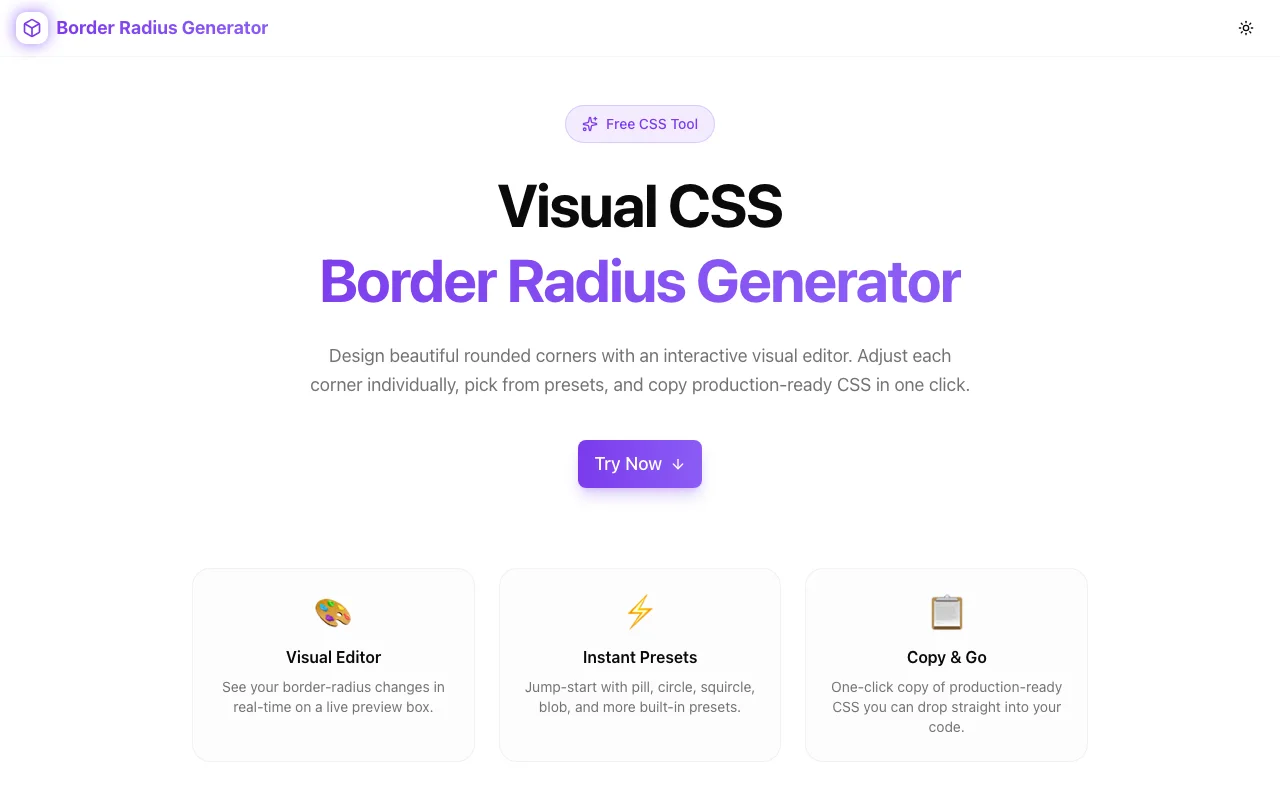
Free online CSS border-radius generator — adjust each corner individually, preview shapes in real time, use presets for common shapes, and copy production-ready CSS. No signup required.
Border Radius Generator: Create Perfect CSS Rounded Corners Visually
You need rounded corners. Simple enough—border-radius: 8px and you're done. But then the designer sends a mockup with an organic blob shape for the hero section, or asymmetric corners on a card component, or a pill-shaped badge that needs different horizontal and vertical radii.
Suddenly you're staring at this:
border-radius: 30% 70% 70% 30% / 30% 30% 70% 70%;Eight values. A slash. And no idea what shape that produces without saving, switching to the browser, and refreshing. Then adjusting one number, saving, refreshing again. Repeat until it looks right—or until you give up and use a simple uniform radius.
The Border Radius Generator at border-radius-generator.tools.jagodana.com eliminates that trial-and-error loop. Drag corners, see the shape update in real time, copy the CSS when it looks right.
The CSS Border Radius Problem
The border-radius property is deceptively complex. Most developers know the basics:
/* All corners the same */
border-radius: 10px;

/* Horizontal / Vertical */
border-radius: 10px / 20px;

/* Four corners: top-left, top-right, bottom-right, bottom-left */
border-radius: 10px 20px 30px 40px;
But the full syntax supports eight values—four horizontal radii and four vertical radii:
border-radius: 10px 20px 30px 40px / 15px 25px 35px 45px;This is how you create:
- Organic blobs for decorative backgrounds
- Asymmetric cards that break the uniform-rounding mold
- Pill shapes with precise aspect-ratio control
- Teardrop and pebble shapes for creative UI elements
The problem isn't that the syntax is hard to write. It's that the relationship between values and visual output is nearly impossible to predict without rendering it. Eight numbers produce shapes that don't map to any intuitive mental model.
How the Border Radius Generator Works
Visual Corner Control
Each corner has its own control point. Drag to adjust, and the preview shape updates instantly. No "apply" button, no page reload—the feedback is immediate.
For most use cases, four values are enough. But when you need organic shapes, toggle to eight-value mode to set horizontal and vertical radii independently for each corner. The tool handles the slash syntax for you.
Shape Presets
Starting from zero is unnecessary for common shapes. The generator includes presets:
- Rounded rectangle — uniform subtle rounding
- Pill — fully rounded on the short sides
- Circle — equal width and height with 50% radius
- Blob — organic asymmetric shape
- Custom shapes — various creative starting points
Click a preset, then adjust from there. It's faster than building every shape from scratch.
Production-Ready CSS Output
The tool generates clean CSS as you work. When the shape looks right, copy the full border-radius declaration with one click. The output is ready to paste into your stylesheet, component, or CSS-in-JS—no cleanup needed.
Real-World Scenarios
Scenario 1: Card Components With Character
Standard cards use border-radius: 12px everywhere. It's fine. It's also generic. Asymmetric corners—larger radius on the top-left and bottom-right, smaller on the others—give cards visual distinction without adding complexity to the layout.
/* A card with personality */
border-radius: 24px 8px 24px 8px;
The generator lets you experiment with these variations visually. Try different asymmetric combinations until you find one that fits your design system.
Scenario 2: Organic Hero Backgrounds
Marketing pages love organic shapes—soft blobs behind headlines, wave-like dividers between sections. These require the eight-value syntax:
border-radius: 60% 40% 30% 70% / 60% 30% 70% 40%;Hand-coding this is painful. With the generator, you drag corners until the blob looks right, then copy the CSS. What would take 15 minutes of trial and error takes 30 seconds.
Scenario 3: Pill-Shaped Badges and Tags
Pill shapes seem simple—border-radius: 9999px—but sometimes you need a pill with specific proportions or different curvature on top vs. bottom. The generator handles these edge cases visually.
Scenario 4: Design System Tokens
Building a design system? Use the generator to define your border-radius scale visually. Instead of picking arbitrary values like 4px, 8px, 12px, 16px, see how each value looks on actual shapes and choose values that create meaningful visual differences.
Scenario 5: Matching a Design Mockup
A designer exports a shape with specific corner radii. Figma gives you four values, but CSS needs eight for the exact same shape because the horizontal and vertical radii differ. The generator bridges that gap—match the shape visually and get the CSS the browser actually needs.
Why Border Radius Is Underused
Most CSS codebases use border-radius for one thing: slightly rounding card and button corners. The full power of the property—organic shapes, asymmetric corners, creative UI elements—goes unused because:
- The syntax is unintuitive. Eight values and a slash don't map to a visual mental model.
- The feedback loop is slow. Without a visual tool, every adjustment requires save-and-refresh.
- Developers default to safe values.
8pxand12pxare the comfort zone.
A visual generator removes all three barriers. When you can see the shape as you build it, you're more likely to explore beyond uniform rounding.
Beyond Simple Rounding: Creative Uses
Avatars and Profile Images
Instead of the standard circle (border-radius: 50%), try a squircle—a shape between a square and a circle that Apple popularized. The generator helps you find the exact values.
Chat Bubbles
Messaging apps use asymmetric border-radius to make chat bubbles feel natural. The sending side gets a sharp corner (anchoring the bubble to the sender), while the other corners are rounded. The generator makes it easy to match the exact shape of iMessage, WhatsApp, or your own custom design.
Decorative Dividers
Section dividers don't have to be straight lines. A div with a blob-shaped border-radius and a background color creates an organic divider between page sections—no SVG required.
Notification Indicators
The small dot that indicates an unread notification is usually a circle. But a slightly irregular shape—an organic blob—can feel more natural and less clinical. The generator helps you find that subtle asymmetry.
Technical Notes
The Border Radius Generator is built with:
- Next.js and TypeScript for a fast, type-safe application
- TailwindCSS for styling
- Fully client-side — all rendering happens in your browser
- No external API calls — your data stays local
- No account required — no signup, no login, no tracking of your designs
The preview uses the browser's native CSS rendering engine, so what you see in the tool is exactly what you'll get in production.
Try It Now
Stop guessing at border-radius values. Stop the save-refresh-adjust loop. See the shape as you build it, copy the CSS, and move on.
👉 border-radius-generator.tools.jagodana.com
Drag the corners, pick a preset, copy the CSS. It takes seconds.
Border Radius Generator is part of the 365 Tools Challenge—a new free developer tool every day from Jagodana Studio.