CSS Triangle Generator: Generate Pure CSS Triangles Instantly
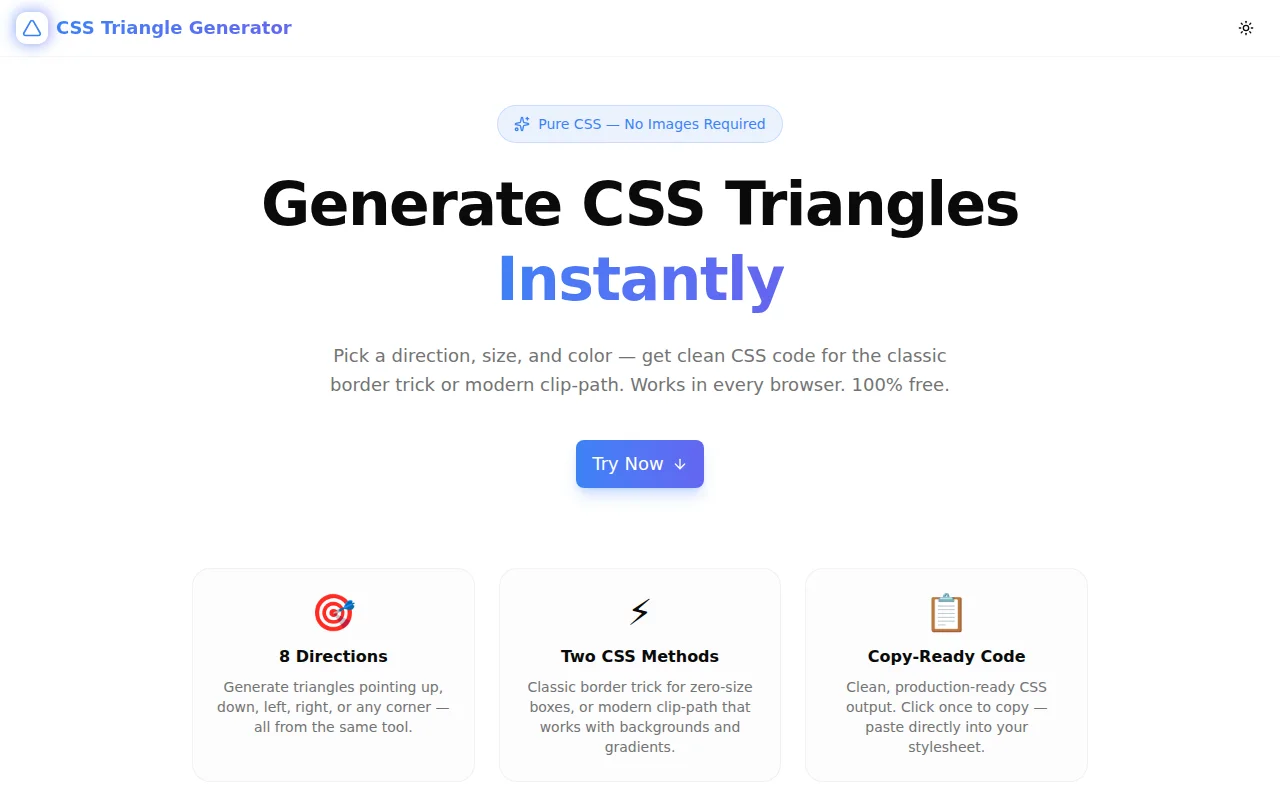
Free online CSS triangle generator — choose direction, size, and color, then copy production-ready CSS using the classic border trick or modern clip-path. No images, no SVG, no install required.
CSS Triangle Generator: Generate Pure CSS Triangles Instantly
You need a tooltip arrow. Or a speech-bubble tail. Or a diagonal section divider on a landing page. All of these are triangles. And for decades, the answer has been the same: a CSS "border trick" that still surprises developers the first time they see it:
.triangle {
  width: 0;
  height: 0;
  border-left: 50px solid transparent;
  border-right: 50px solid transparent;
  border-bottom: 100px solid #3b82f6;
}
No image. No SVG. No pseudo-element with a background clip. Just borders on a zero-size element, collapsing into a shape.
The CSS Triangle Generator at css-triangle-generator.tools.jagodana.com generates this code for any direction, size, and color — or gives you the modern clip-path equivalent — with a live preview and one-click copy.
What Is a CSS Triangle?
CSS triangles exploit how browsers render borders. When an element has zero width and zero height, and you set three of its four borders — two to transparent and one to a color — the browser renders the colored border as a filled triangle.
The shape emerges from geometry: each border occupies a quadrant of the element's corner space. With no visible box area to render, the borders are the only visible output.
/* How the browser sees it: three border triangles */
.triangle-up {
  width: 0;
  height: 0;
  border-left: 50px solid transparent;   /* left triangle - hidden */
  border-right: 50px solid transparent;  /* right triangle - hidden */
  border-bottom: 100px solid #3b82f6;    /* bottom triangle - visible */
}
How Do CSS Triangles Work?
When an element has width: 0 and height: 0, the browser still renders its borders. Each border fills a trapezoid-shaped region from one side of the element to the corner points. When the element has zero area, those trapezoids become triangles.
Make two borders transparent and one colored, and you see only the colored triangle. The transparent borders define its width — each one pushes the colored triangle's base out to form the desired shape.
This is why the two side borders are set to half the triangle's desired width: border-left: 50px solid transparent and border-right: 50px solid transparent means the colored border-bottom spans 100px wide at its base.
How Can I Create a CSS Triangle for a Tooltip?
Tooltip arrows are the most common application of CSS triangles. Here's the full pattern:
.tooltip {
  position: relative;
  background: #1e293b;
  color: white;
  padding: 8px 12px;
  border-radius: 6px;
}

/* Arrow pointing down — tooltip sits above the trigger */
.tooltip::after {
  content: "";
  position: absolute;
  top: 100%;          /* below the tooltip */
  left: 50%;
  transform: translateX(-50%);
  width: 0;
  height: 0;
  border-left: 8px solid transparent;
  border-right: 8px solid transparent;
  border-top: 8px solid #1e293b;
}
The triangle is placed in a ::after pseudo-element — no extra HTML required. The tooltip is positioned absolutely, the arrow sits at the bottom edge (top: 100%), and transform: translateX(-50%) centers it.
Use the CSS Triangle Generator to pick "down" direction and adjust size, then paste the output into the ::after pseudo-element.
What Is the Difference Between Border Triangle and Clip-Path Triangle?
The tool gives you both methods. Here's when to use each:
Border Trick — Maximum Compatibility
.triangle {
  width: 0;
  height: 0;
  border-left: 50px solid transparent;
  border-right: 50px solid transparent;
  border-bottom: 100px solid #3b82f6;
}
Use when:
- You need IE11 compatibility (clip-path requires modern browsers)
- The element has no visible background, shadow, or gradient
- You're attaching the triangle to a pseudo-element
Limitations:
- Can't add
box-shadowto the triangle itself (only to the invisible box) - Can't use
background-imageor gradient fill - Diagonal directions produce right isoceles triangles only
Clip-path — More Flexible
.triangle {
  width: 100px;
  height: 100px;
  background-color: #3b82f6;
  clip-path: polygon(50% 0%, 0% 100%, 100% 100%);
}
Use when:
- You need a triangle filled with an image or gradient
- You want box-shadow to follow the triangle shape
- You're targeting modern browsers only
Limitations:
- No IE11 support (Chrome, Firefox, Safari, Edge all support it since 2020)
- The element still occupies its full bounding box (width × height) in the document flow
How Do I Make a Diagonal CSS Triangle?
Diagonal triangles fill one corner of a rectangular box using two adjacent borders. The CSS Triangle Generator covers all four diagonal directions.
For a top-right triangle (right angle at top-right, hypotenuse from top-left to bottom-right):
.triangle-top-right {
  width: 0;
  height: 0;
  border-top: 100px solid #3b82f6;
  border-left: 100px solid transparent;
}
For a bottom-left triangle:
.triangle-bottom-left {
  width: 0;
  height: 0;
  border-bottom: 100px solid #3b82f6;
  border-right: 100px solid transparent;
}
A common use case: a diagonal "ribbon" effect at a card corner. Place the triangle in a ::before or ::after pseudo-element with overflow: hidden on the parent card, and you get a colored corner badge with no extra HTML.
.card {
  position: relative;
  overflow: hidden;
}

.card::before {
  content: "";
  position: absolute;
  top: 0;
  right: 0;
  width: 0;
  height: 0;
  border-top: 60px solid #ef4444;
  border-left: 60px solid transparent;
}
Can CSS Triangles Use Gradients or Images?
Border triangles: No. The border property only accepts a single solid color (or transparent). You cannot apply a gradient or background-image to a CSS border.
Clip-path triangles: Yes. Because clip-path works on a normal element with real dimensions, you can apply any background:
.gradient-triangle {
  width: 150px;
  height: 150px;
  background: linear-gradient(135deg, #3b82f6, #6366f1);
  clip-path: polygon(50% 0%, 0% 100%, 100% 100%);
}

.image-triangle {
  width: 200px;
  height: 200px;
  background-image: url('/photo.jpg');
  background-size: cover;
  clip-path: polygon(50% 0%, 0% 100%, 100% 100%);
}
The clip-path clips the rendered output — including backgrounds, shadows, and borders — to the polygon shape.
Using the CSS Triangle Generator
The tool lives at css-triangle-generator.tools.jagodana.com. Here's the workflow:
Step 1: Choose Direction
Click one of 8 direction buttons in the 3×3 direction grid:
◸  ▲  ◹
◀  •  ▶
◺  ▼  ◿
Cardinal directions (▲▼◀▶) produce standard triangles pointing in the selected direction. Diagonal directions (◸◹◺◿) produce right-angle triangles filling the corresponding corner.
Step 2: Select Method
Toggle between "Border Trick" (zero-size element) and "Clip-path" (filled element). The preview and CSS output update immediately.
Step 3: Set Size
Drag the size slider from 20px to 200px. For border triangles, this is the full border value. For clip-path triangles, it's the width and height of the bounding box.
Step 4: Pick Color
Use the color swatch or type a hex value. Ten preset colors cover common UI palettes. The preview renders your color as the triangle fill.
Step 5: Copy
Click "Copy CSS" to send the code to your clipboard. Paste it directly into your stylesheet.
CSS Triangle FAQ
Why does setting width: 0 and height: 0 create a triangle?
When an element has zero dimensions, the browser still renders its borders. Each border occupies a triangular wedge of the corner space. With no visible element area, the colored border becomes a filled triangle — the two transparent borders define its width.
Can I animate a CSS triangle?
Yes — both the border and clip-path methods support CSS transitions and animations.
Border triangle: Animate the color or border-width:
.triangle {
  transition: border-bottom-color 0.3s ease;
}
.triangle:hover {
  border-bottom-color: #6366f1;
}
Clip-path triangle: Animate the clip-path polygon for morph effects:
.shape {
  clip-path: polygon(50% 0%, 0% 100%, 100% 100%);
  transition: clip-path 0.4s ease;
}
.shape:hover {
  clip-path: polygon(50% 10%, 10% 90%, 90% 90%); /* slightly smaller */
}
Is the CSS triangle technique still relevant in 2026?
Yes. SVG triangles require extra markup. Image triangles require HTTP requests and file maintenance. CSS triangles have zero runtime cost and are rendered by the browser natively for every element's borders regardless.
For tooltips, arrows, and decorative accents, the border trick remains the most lightweight option. For anything requiring gradients, images, or shadows that follow the triangle shape, clip-path is now the preferred approach and has universal modern browser support.
What browser supports clip-path for triangles?
clip-path: polygon() is supported in:
- Chrome 55+ (2016)
- Firefox 54+ (2017)
- Safari 9.1+ (2016)
- Edge 12+ (2015)
As of 2026, browser support is effectively 100% of modern browsers. IE11 is the only notable exception, and IE11 has been end-of-life since 2022.
How do I center a CSS triangle horizontally?
Wrap the triangle in a flex or grid container:
.container {
  display: flex;
  justify-content: center;
  align-items: center;
}
Or use the triangle directly as a positioned pseudo-element with left: 50%; transform: translateX(-50%) for horizontal centering relative to a parent.
Generate yours now: css-triangle-generator.tools.jagodana.com