CSS Logical Properties Converter: Free Online Physical to Logical CSS Converter
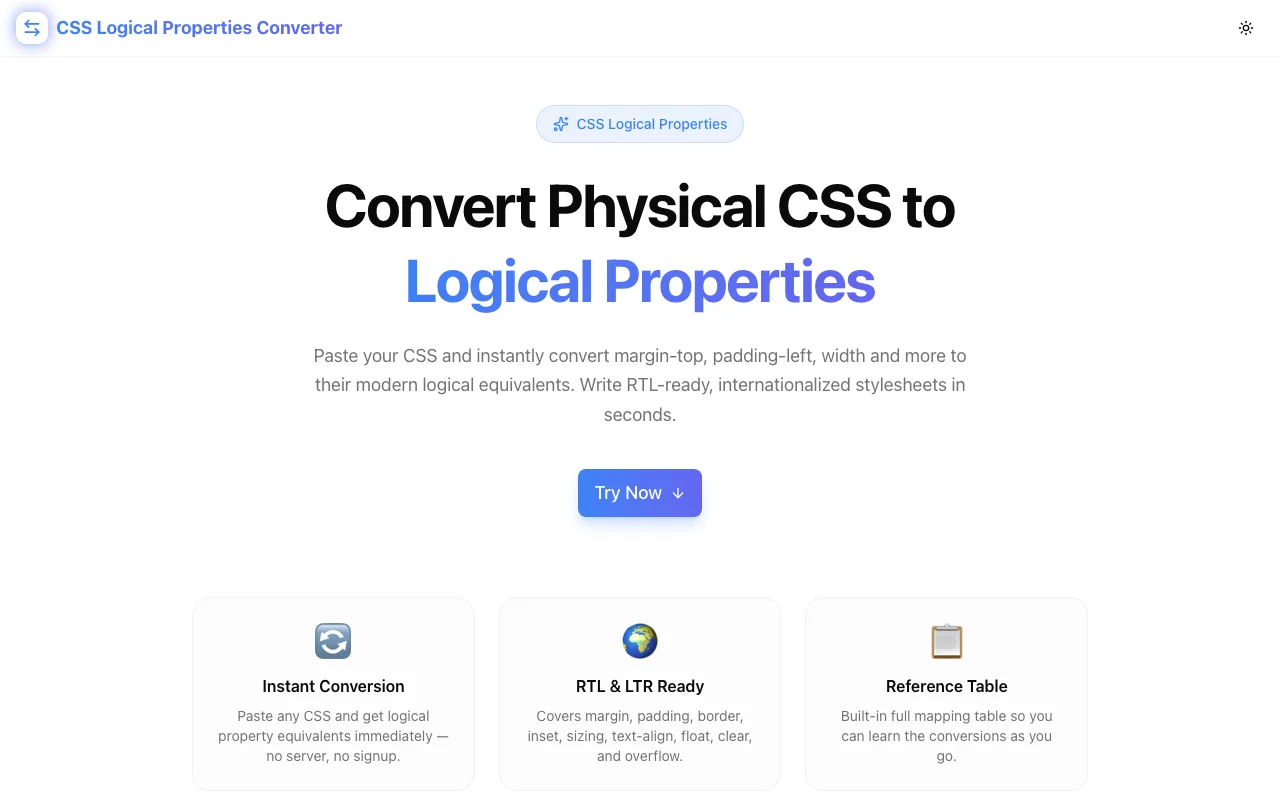
Convert physical CSS properties like margin-top, padding-left, and width to CSS logical equivalents (margin-block-start, padding-inline-start, inline-size) instantly. Free, browser-based, no signup required.
CSS Logical Properties Converter: Free Online Physical to Logical CSS Converter
You're adding Arabic or Hebrew support to a product that was built entirely in English. The layout uses margin-left, padding-right, border-left, text-align: left—physical CSS properties hardcoded to screen directions. In RTL mode, every one of these needs an override. The alternative—CSS logical properties—handles both directions automatically. The problem is converting hundreds of existing declarations without looking up every mapping by hand.
The CSS Logical Properties Converter at css-logical-properties-converter.tools.jagodana.com does the mechanical work: paste CSS, get logical properties, copy and paste into your project.
What Are CSS Logical Properties?
CSS logical properties replace direction-specific terms (top, bottom, left, right) with writing-mode-relative terms (block-start, block-end, inline-start, inline-end).
In a standard horizontal LTR layout:
blockaxis = vertical (top to bottom)inlineaxis = horizontal (left to right)block-start= top,block-end= bottominline-start= left,inline-end= right
When the document switches to RTL (direction: rtl), the inline axis flips. inline-start now means right, and inline-end means left—automatically, with no extra CSS.
/* Physical — breaks in RTL */
.nav-item {
  margin-left: 12px;
  padding-right: 16px;
  border-left: 3px solid currentColor;
}

/* Logical — correct in both LTR and RTL */
.nav-item {
  margin-inline-start: 12px;
  padding-inline-end: 16px;
  border-inline-start: 3px solid currentColor;
}
How Do You Convert Physical CSS Properties to Logical?
The full conversion is mechanical: each physical property has exactly one logical counterpart. The tool applies the complete mapping table in a single pass:
What Does margin-top Convert to in Logical CSS?
margin-top → margin-block-start
The block axis runs in the direction text flows between lines (top-to-bottom in horizontal scripts), and start means the beginning of that axis.
The full margin mapping:
| Physical | Logical |
|----------|---------|
| margin-top | margin-block-start |
| margin-bottom | margin-block-end |
| margin-left | margin-inline-start |
| margin-right | margin-inline-end |
What Does padding-left Convert to in Logical CSS?
padding-left → padding-inline-start
The same pattern applies to all padding directions:
| Physical | Logical |
|----------|---------|
| padding-top | padding-block-start |
| padding-bottom | padding-block-end |
| padding-left | padding-inline-start |
| padding-right | padding-inline-end |
What Does width Convert to in Logical CSS?
width → inline-size
In horizontal writing mode, the inline axis is the width direction. height becomes block-size.
| Physical | Logical |
|----------|---------|
| width | inline-size |
| height | block-size |
| min-width | min-inline-size |
| max-width | max-inline-size |
| min-height | min-block-size |
| max-height | max-block-size |
What Do top, left, bottom, right Convert to?
Position properties map to the inset family:
| Physical | Logical |
|----------|---------|
| top | inset-block-start |
| bottom | inset-block-end |
| left | inset-inline-start |
| right | inset-inline-end |
What Does border-top-left-radius Convert to?
Border radius corners use start/end terminology:
| Physical | Logical |
|----------|---------|
| border-top-left-radius | border-start-start-radius |
| border-top-right-radius | border-start-end-radius |
| border-bottom-left-radius | border-end-start-radius |
| border-bottom-right-radius | border-end-end-radius |
Does text-align: left Have a Logical Equivalent?
Yes — text-align: left becomes text-align: start, and text-align: right becomes text-align: end. These are value-level remappings, not property-level:
text-align: left→text-align: starttext-align: right→text-align: endfloat: left→float: inline-startfloat: right→float: inline-endclear: left→clear: inline-startclear: right→clear: inline-endoverflow-x→overflow-inlineoverflow-y→overflow-blockresize: horizontal→resize: inlineresize: vertical→resize: block
How to Use the CSS Logical Properties Converter
- Open the tool at css-logical-properties-converter.tools.jagodana.com
- Paste your CSS into the left input panel — individual declarations, full rule blocks, or an entire stylesheet
- Click "Convert to Logical Properties" — the tool replaces every physical property with its logical equivalent in a single pass
- Check the stats bar — see how many properties converted and how many stayed unchanged
- Copy the output with the one-click copy button
- Browse the reference table — the collapsible mapping table shows every conversion grouped by category
Are CSS Logical Properties Well Supported?
Yes. CSS logical properties have full support in all modern browsers as of 2024:
- Chrome: full support since version 89
- Firefox: full support since version 68
- Safari: full support since version 15
- Edge: full support since version 89
The only unsupported environment is IE11, which is outside the support target for modern web projects. If you need IE11 support, physical properties remain the appropriate choice.
When Should You Use Logical Properties Instead of Physical?
Use logical properties when:
- Building multilingual products that serve both LTR and RTL audiences
- Starting new projects that may add RTL support later — it's cheaper to start right than to convert later
- Working in CSS-in-JS or design tokens where the token names can describe intent rather than direction
- Writing component libraries that will be used in unknown language contexts
Use physical properties when:
- The direction is genuinely screen-relative, not text-relative — for example, a tooltip that always appears on the right side of the viewport regardless of text direction
- Supporting IE11 — physical properties have full IE11 coverage
- Working in a codebase with no internationalization plans where adding logical properties would introduce inconsistency without benefit
The Physical-to-Logical Migration Workflow
For an existing codebase, a practical migration approach:
- Audit first — search for
margin-left,padding-right,border-left,width,height,text-align: leftto find candidates - Convert component by component — paste one component's CSS at a time into the converter, review the output, apply
- Test each component in both LTR and RTL (
direction: rtlon the root) before moving to the next - Handle width/height separately —
width→inline-sizeis semantically safe but worth verifying on any element with a fixed size - Leave intentionally physical properties — if
left: 0means "always screen-left, regardless of text direction," keep the physical property and add a comment
The converter does the mechanical substitution. The review step is where you apply judgment about which properties are direction-relative versus screen-relative.
CSS Logical Properties vs. Physical: A Practical Comparison
A card component that appears in a sidebar, styled for LTR first:
/* Physical — needs RTL override */
.card {
  margin-top: 12px;
  margin-left: 16px;
  padding: 16px;
  border-left: 3px solid #3b82f6;
  border-top-left-radius: 8px;
  border-bottom-left-radius: 8px;
  max-width: 320px;
  text-align: left;
}

[dir="rtl"] .card {
  margin-left: 0;
  margin-right: 16px;
  border-left: none;
  border-right: 3px solid #3b82f6;
  border-top-left-radius: 0;
  border-bottom-left-radius: 0;
  border-top-right-radius: 8px;
  border-bottom-right-radius: 8px;
  text-align: right;
}
The same component with logical properties — no RTL override needed:
/* Logical — works in both LTR and RTL */
.card {
  margin-block-start: 12px;
  margin-inline-start: 16px;
  padding: 16px;
  border-inline-start: 3px solid #3b82f6;
  border-start-start-radius: 8px;
  border-end-start-radius: 8px;
  max-inline-size: 320px;
  text-align: start;
}
Less code. One source of truth. Correct in any writing direction.
Convert your CSS now: css-logical-properties-converter.tools.jagodana.com