CSS Media Query Generator — Free Online Responsive Breakpoints Builder
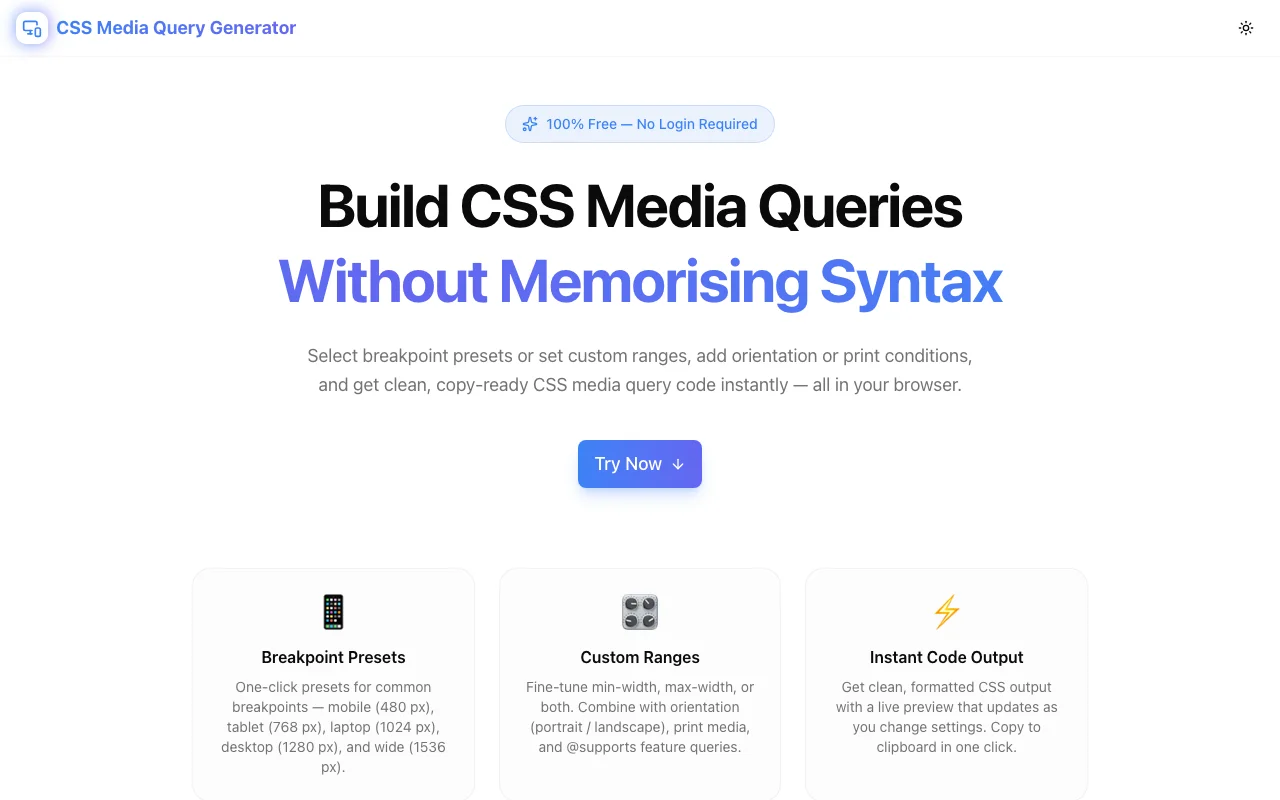
Build CSS media queries visually — pick breakpoint presets, add orientation, print, color-scheme, hover, and @supports conditions, and copy clean CSS in one click. No login required.
CSS Media Query Generator — Free Online Responsive Breakpoints Builder
Writing CSS media queries by hand is one of those tasks that looks simple and gets tedious fast. The syntax is verbose, the condition names are easy to mistype, and the correct way to combine @supports with @media requires a MDN lookup every time. This free browser-based generator lets you pick conditions from a UI and get clean, copy-ready CSS instantly — no server, no login, no memorising syntax.
Try CSS Media Query Generator →
What is a CSS media query?
A CSS media query is a conditional rule that applies styles only when certain device or viewport conditions are true. The most common form targets viewport width:
@media (min-width: 768px) {
  .container {
    max-width: 1200px;
  }
}
But the @media rule supports many more conditions — device orientation, preferred color scheme, pointer type, screen resolution, and more. Combined with @supports for feature detection, media queries become the primary mechanism for building adaptive, accessible CSS.
Why do developers search for a CSS media query generator?
The syntax grows complex quickly. A media query that covers a specific device range, in dark mode, on a retina screen, wrapped in a feature query looks like this:
@supports (display: grid) {
  @media screen and (min-width: 768px) and (max-width: 1023px) and
         (orientation: portrait) and (prefers-color-scheme: dark) and
         (min-resolution: 2dppx) {
    /* styles here */
  }
}
Writing that correctly from memory requires knowing:
- The correct property names (
prefers-color-scheme, notcolor-scheme) - The correct values (
dark, notdark-modeordarkmode) - The placement of the media type before conditions
- The
andkeyword between each condition - The order of
@supportswrapping@media, not the reverse
A generator handles all of this so you focus on the design decision, not the syntax.
How to generate a CSS media query — step by step
Step 1: Choose a breakpoint preset or enter custom values
Open CSS Media Query Generator and pick a preset from the button row:
- Mobile — max-width: 767px (styles for phones in portrait)
- Tablet — 768px to 1023px (tablets and small laptops)
- Laptop — 1024px to 1279px (standard laptops)
- Desktop — 1280px to 1535px (full desktop)
- Wide — min-width: 1536px (ultrawide / large monitors)
- Custom — type any min and/or max values you need
Selecting a preset fills in the width fields automatically. You can then adjust the numbers for your specific system.
Step 2: Set the media type (optional)
The default is screen. Switch to print to generate print stylesheet rules, or all for conditions that apply regardless of output device.
Step 3: Add condition toggles
Toggle any combination of:
- Orientation — portrait, landscape, or any (no restriction)
- Prefers Color Scheme — light, dark, or any (for CSS dark mode without JS)
- Hover Capability — hover-capable (mouse), touch-only, or any
- Resolution — enter
2dppxfor retina,192dpifor equivalent DPI notation
Each toggle adds an and (condition: value) clause to the output.
Step 4: Add @supports conditions (optional)
If you need progressive enhancement, click + Add @supports Condition and enter a CSS property and value. Examples:
display/grid— applies only if CSS Grid is supportedgap/1rem— applies only if thegapproperty is supported in flex layoutsaspect-ratio/1— applies only in browsers supportingaspect-ratio
Use the not toggle to negate a condition for fallback patterns. Multiple conditions are combined with and.
Step 5: Copy the CSS
Click Copy CSS. The complete query — with @supports wrapper if you added any, the @media rule, and a placeholder comment — is in your clipboard.
What breakpoints should I use for responsive design?
The short answer: use the breakpoints that match your content, not your device list. The longer answer:
The most common breakpoints in use today are:
| Breakpoint | Width | Targets | |------------|-------------|-----------------------------------| | xs | < 480px | Small phones in portrait | | sm | ≥ 480px | Phones in landscape, small phones | | md | ≥ 768px | Tablets in portrait, large phones | | lg | ≥ 1024px | Laptops, tablets in landscape | | xl | ≥ 1280px | Desktop monitors | | 2xl | ≥ 1536px | Large / ultrawide monitors |
These align with Tailwind CSS's default breakpoints, which are widely adopted. The generator's presets use these exact values.
The mobile-first recommendation: write base CSS for mobile, then add min-width media queries to progressively enhance for larger screens. This keeps the default case (no media query applied) correct for the majority of mobile traffic, and overrides layer on top cleanly.
Should I use min-width or max-width?
This is the mobile-first vs. desktop-first question.
Mobile-first (min-width) — recommended
/* Base: applies to all screen sizes */
.nav { display: none; }

/* Enhancement: applies from 768px up */
@media (min-width: 768px) {
  .nav { display: flex; }
}
Start with styles for small screens. Use min-width queries to override for larger screens. Browsers process fewer overrides because the cascade goes from small to large.
Desktop-first (max-width)
/* Base: applies to all screen sizes */
.nav { display: flex; }

/* Override: applies up to 767px */
@media (max-width: 767px) {
  .nav { display: none; }
}
Start with styles for large screens, then use max-width to restrict for smaller ones. Works fine but produces more overrides as the cascade fights itself.
Range queries
Combine both for styles that only apply between two sizes:
@media (min-width: 768px) and (max-width: 1023px) {
  /* tablet-only styles */
}
This is exactly what the Tablet preset generates.
What is @supports and when should I use it?
@supports (CSS Feature Queries) applies styles only if the browser supports a specific CSS property and value:
@supports (display: grid) {
  .layout {
    display: grid;
    grid-template-columns: repeat(3, 1fr);
  }
}
Browsers that don't understand display: grid skip the entire block. This is progressive enhancement: the base layout (e.g. flexbox) works everywhere, and the grid enhancement applies where supported.
When to combine @supports with @media
Use both when you need both feature detection and viewport adaptation:
@supports (display: grid) {
  @media (min-width: 768px) {
    .layout {
      display: grid;
      grid-template-columns: repeat(3, 1fr);
    }
  }
}
The nesting order matters: @supports wraps @media, not the reverse. The generator handles this correctly when you add @supports conditions.
@supports negation
Use not to write fallback styles for browsers that lack a feature:
@supports not (display: grid) {
  .layout {
    display: flex;
    flex-wrap: wrap;
  }
}
Toggle the not button on any @supports entry in the generator to produce this pattern.
How do I target dark mode in CSS?
Use prefers-color-scheme without JavaScript:
@media (prefers-color-scheme: dark) {
  :root {
    --bg: #0f0f0f;
    --text: #f5f5f5;
  }
}
This is the CSS-native dark mode approach. It reads the operating system preference and requires no JS theme toggle for the initial render. Add it in the Prefers Color Scheme toggle in the generator.
How do I target retina / HiDPI screens in CSS?
Use min-resolution:
@media (min-resolution: 2dppx) {
  .logo {
    background-image: url("/logo@2x.png");
    background-size: 100px 50px;
  }
}
dppx (dots per px) is the modern standard. Enter 2dppx in the Min Resolution field of the generator. The older -webkit-min-device-pixel-ratio: 2 form is no longer needed for any browser in active use.
Common CSS media query mistakes and how to avoid them
Missing parentheses around conditions
/* Wrong — browsers may ignore this */
@media min-width: 768px { }

/* Correct — conditions need parentheses */
@media (min-width: 768px) { }
Wrong media type placement
/* Wrong — media type must come before conditions */
@media (min-width: 768px) and screen { }

/* Correct */
@media screen and (min-width: 768px) { }
Using pixels without the unit
/* Wrong — unitless values aren't valid in media queries */
@media (min-width: 768) { }

/* Correct */
@media (min-width: 768px) { }
Reversing @supports and @media nesting
/* Wrong — @media cannot meaningfully wrap @supports */
@media (min-width: 768px) {
  @supports (display: grid) { }
}

/* Correct — @supports wraps @media */
@supports (display: grid) {
  @media (min-width: 768px) { }
}
All of these are handled correctly by the generator — the output is always syntactically valid.
Is this tool free and does it require a login?
Yes — completely free, no account, no login, no data sent to any server. All CSS generation happens 100% in your browser. The tool is open source on GitHub.
Related CSS tools
- CSS Clamp Calculator — generate fluid
clamp()values for responsive typography - CSS Grid Generator — build CSS grid layouts visually
- CSS Flexbox Playground — interactive flexbox property explorer
- CSS Variables Generator — generate and manage CSS custom properties
- Border Radius Generator — create border-radius values with a visual editor
Build responsive CSS faster: css-media-query-generator.tools.jagodana.com