CSS Unit Converter: Convert Between px, rem, em, vw, vh & More in Seconds
Free online CSS unit converter — instantly convert between px, rem, em, vw, vh, %, and pt with customizable base font size and viewport dimensions. No signup required.
CSS Unit Converter: Convert Between px, rem, em, vw, vh & More in Seconds
You're building a component. The design file says 24px. Your codebase uses rem. So you divide by 16. But wait—does this project use a 16px base, or did someone change it to 14px? You check the root styles. It's 18px. Now the math is different. You pull up a calculator, do the division, round it, and move on. Three minutes for one value.
Multiply that by every spacing token, font size, and breakpoint in a project, and the time adds up fast.
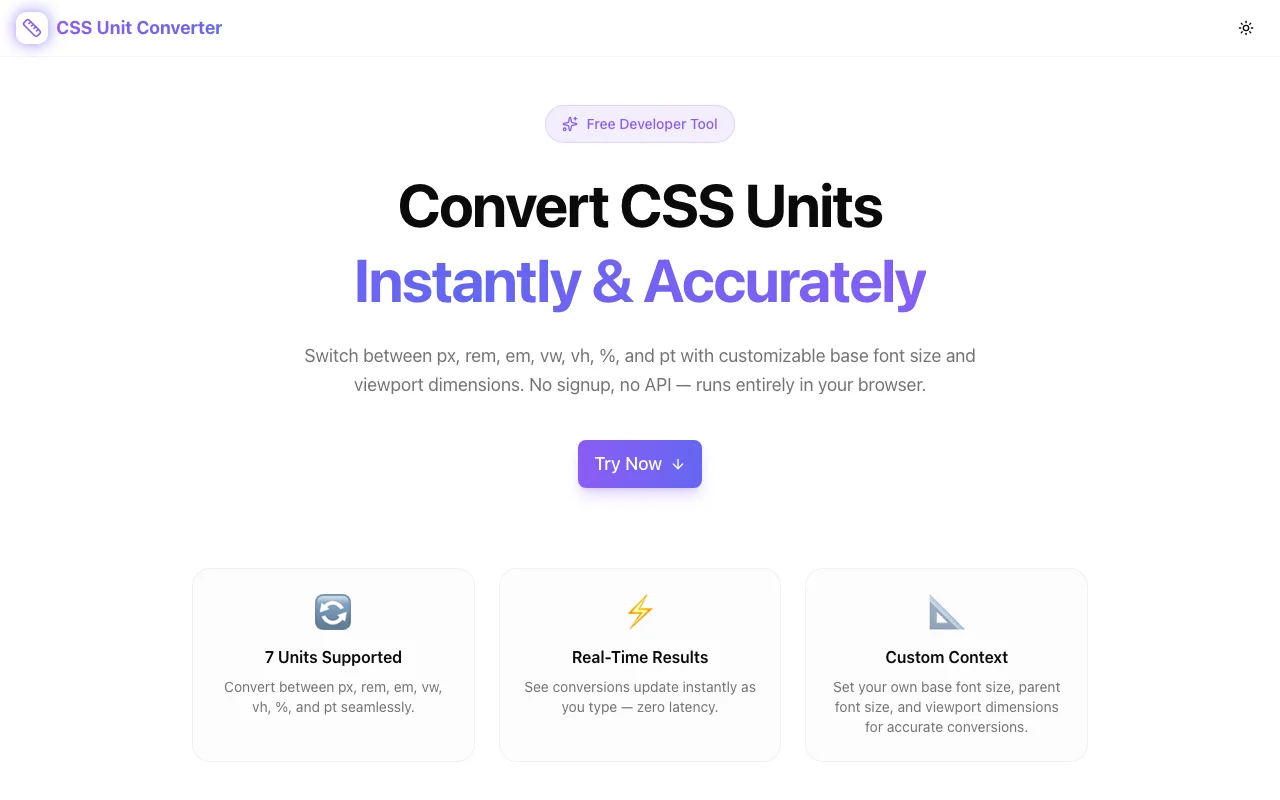
The CSS Unit Converter at css-unit-converter.tools.jagodana.com does this instantly. Enter a value in any CSS unit, set your project's base font size and viewport dimensions, and see equivalent values in px, rem, em, vw, vh, %, and pt—all updating in real time.
The CSS Unit Problem
CSS has accumulated units over decades. Each serves a purpose, but they relate to each other in context-dependent ways that make mental conversion unreliable.
Absolute vs. Relative
Pixels (px) are the most intuitive unit—16px means 16 pixels on screen. But they don't scale. A 16px font stays 16px regardless of user preferences, parent elements, or viewport size.
Rem and em are relative units designed for scalability. 1rem equals the root element's font size (usually 16px by default). 1em equals the parent element's font size—which might be different from the root.
Viewport units (vw, vh) are relative to the browser window. 1vw is 1% of the viewport width. These are essential for fluid layouts but feel abstract when you're thinking in pixels.
Percentages (%) depend on the parent element's dimensions—which property you're setting determines which parent dimension matters.
Points (pt) come from print typography. 1pt = 1/72 inch. They're rarely used on screen but essential for print stylesheets.
Why Mental Math Fails
The conversions aren't hard individually. 24px ÷ 16 = 1.5rem. Simple enough. But real-world development introduces friction:
- Non-standard base sizes. Many design systems use
10px,14px, or18pxas the root font size. Your muscle-memory math for÷ 16is wrong. - Multiple units in play. A single component might use
remfor font sizes,pxfor borders,vwfor max-width, and%for padding. Converting between all of them requires juggling different divisors. - Frequent context switches. Design tools export in pixels. CSS frameworks use rem. Responsive breakpoints use viewport units. You're constantly translating between systems.
- Rounding ambiguity. Is
14pxin a16px-base system0.875remor0.9rem? The converter gives you the exact value so you can decide.
How the CSS Unit Converter Works
Enter Any Value
Type a number, pick the source unit (px, rem, em, vw, vh, %, or pt), and see instant conversions to every other unit. No button to click, no form to submit.
Set Your Project Context
This is what sets the tool apart from basic px-to-rem converters. You configure:
- Base font size — your project's root
font-size. Default is 16px, but if your project uses 14px or 10px, set it here and all rem/em conversions adjust automatically. - Viewport width — the reference width for vw and % calculations. Set it to your target screen width (e.g., 1440px for desktop, 375px for mobile).
- Viewport height — the reference height for vh calculations.
These settings turn generic conversions into project-specific ones. Instead of "24px = 1.5rem (assuming 16px base)," you get "24px = 1.714rem (at your 14px base)"—the actual value you'll use in code.
Real-Time Updates
Everything recalculates instantly. Change the input value, change the base font size, change the viewport—results update with zero delay. This makes it easy to explore: "What's 24px in vw on a 1440px screen? What about on a 375px mobile screen?"
Practical Use Cases
Design-to-Code Workflow
A designer delivers specs in pixels. Your CSS uses rem for scalable typography and spacing. Instead of mental math on every value:
- Set the base font size to match your project's root
- Enter each pixel value
- Read the rem equivalent directly
Do this for your entire spacing scale in under a minute.
Building Fluid Typography
Fluid type scales often use clamp() with viewport units. To figure out the right vw value:
- Set the viewport width to your target breakpoint
- Enter the desired font size in pixels
- Read the vw value
Repeat for your min and max breakpoints to build the clamp expression.
Debugging Responsive Layouts
Something looks wrong at a specific viewport width. You need to know what 2.5vw actually computes to at 768px wide:
- Set the viewport width to 768
- Enter
2.5in vw - Read the px equivalent:
19.2px
Now you know why that spacing feels too tight on tablets.
Migrating Codebases
Converting a legacy codebase from px to rem? Or from em to rem? Enter values in the old unit, read the new unit. The tool handles the math, you handle the find-and-replace.
Print Stylesheet Development
Print CSS uses points. Screen CSS uses pixels and rems. Converting between them requires knowing that 1pt = 1.333px (at 96 DPI)—or just using the converter.
Why Not Just Use a Formula?
You could bookmark px / baseSize = rem and do it in your head. But in practice:
- You'll forget the base size. Different projects use different roots. The converter remembers.
- You'll skip viewport units. Manual vw/vh math requires knowing the viewport width, which changes per breakpoint. Nobody does this in their head.
- You'll round inconsistently. Is
0.857142857remacceptable, or should it be0.857rem? Seeing the exact value helps you decide. - You'll only convert to one unit. The converter shows all equivalents simultaneously—sometimes the right unit isn't the one you expected.
Technical Details
The CSS Unit Converter is built with:
- Next.js and TypeScript for a fast, type-safe application
- TailwindCSS for responsive styling
- Client-side conversion — all math runs in your browser
- No external API calls — your values never leave your machine
- No signup, no accounts — load the page and start converting
The tool is part of the 365 Tools Challenge—a new free developer tool every day from Jagodana Studio.
Try It Now
Stop dividing by 16 in your head. Stop guessing what 2vw resolves to. Set your project's actual base values and convert between any CSS units instantly.
👉 css-unit-converter.tools.jagodana.com
Enter a value, see every conversion, copy what you need, and get back to building.
CSS Unit Converter is part of the 365 Tools Challenge—a new free developer tool every day from Jagodana Studio.