Encoding Explorer: Encode & Decode Base64, URL, HTML, Hex, Binary & SHA-256 in One Tool
Free online multi-format encoder and decoder — convert any string to Base64, URL encoding, HTML entities, Unicode escapes, Hex, Binary, and SHA-256 simultaneously. No signup, runs entirely in your browser.
Encoding Explorer: Encode & Decode Base64, URL, HTML, Hex, Binary & SHA-256 in One Tool
You need to Base64-encode a string for an API payload. Then URL-encode the same string for a query parameter. Then check the HTML entity version for a template. That's three browser tabs, three paste operations, and three copy operations — for one string.
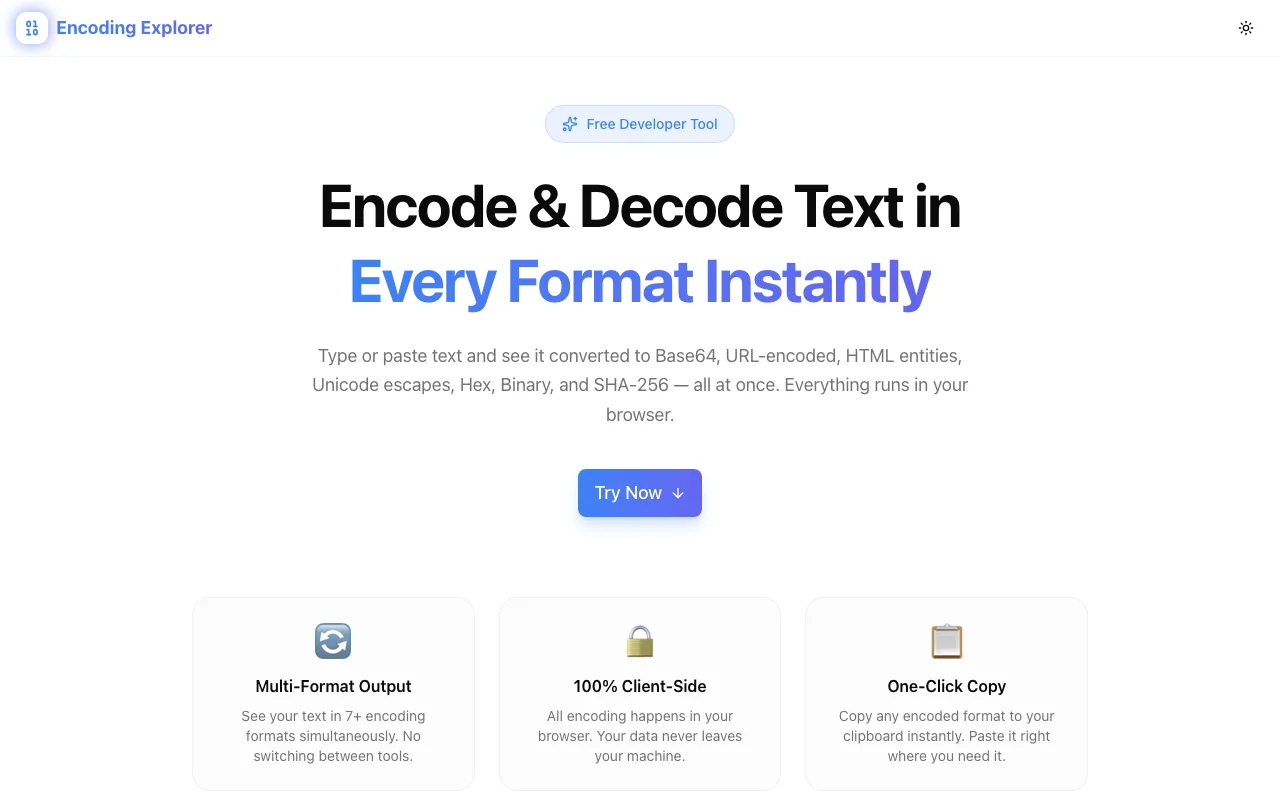
Encoding Explorer at encoding-explorer.tools.jagodana.com does all of it at once. Type or paste any text and instantly see it converted into seven encoding formats, side by side, each copyable with a single click.
What Is Encoding Explorer?
Encoding Explorer is a free, browser-based developer tool that performs multi-format string encoding and decoding in real time. It supports:
- Base64 — RFC 4648 standard encoding
- URL Encoding — RFC 3986 percent-encoding
- HTML Entities — Named and numeric character references
- Unicode Escapes —
\uXXXXnotation for JavaScript/JSON - Hex — Hexadecimal byte representation
- Binary — Raw bit-level representation
- SHA-256 — Cryptographic hash digest
No sign-up. No server-side processing. Everything runs in your browser.
Why Encoding Matters More Than You Think
Encoding isn't glamorous, but it's load-bearing infrastructure in modern software. Get it wrong, and things break in subtle, hard-to-debug ways.
Broken URLs
A URL with an unencoded & in a query parameter silently splits into two parameters. An unencoded space causes a 400 Bad Request. A + that should have been %2B means your API receives a space instead of a plus sign.
URL encoding errors are among the most common causes of API integration bugs — and among the hardest to spot because the URL "looks fine" to human eyes.
XSS Vulnerabilities
Failing to HTML-entity-encode user input before rendering it in a template is how cross-site scripting (XSS) attacks happen. A <script> tag that should have been <script> becomes executable code.
Understanding HTML entity encoding isn't optional for anyone who renders user-generated content. Encoding Explorer lets you see exactly what the encoded output looks like before shipping it.
Corrupt Payloads
Base64 encoding is the standard for embedding binary data in text-based formats — JSON payloads, email attachments (MIME), data URIs, Kubernetes secrets. One encoding mistake and the receiving system can't decode the payload.
Debugging Mystery Characters
You've seen %C3%A9 in a URL and wondered what character it represents. Or \u00e9 in a JSON file. Or é in HTML source. They're all the same character — é — but it takes effort to verify that without a tool. Encoding Explorer shows you all representations simultaneously, making character identification instant.
Common Encoding Formats Explained
Base64
Base64 converts binary data (or text) into a string of ASCII characters using a 64-character alphabet (A-Z, a-z, 0-9, +, /, with = padding). It's used everywhere:
- JWT tokens — the header and payload sections are Base64url-encoded JSON
- Data URIs — embedding images or fonts directly in CSS/HTML (
data:image/png;base64,...) - API payloads — when binary data needs to travel through a text-only transport
- Email attachments — MIME encoding uses Base64
- Kubernetes secrets — stored as Base64-encoded strings
Base64 is not encryption. It's a reversible encoding. Never use it to protect sensitive data.
URL Encoding (Percent-Encoding)
URL encoding replaces unsafe characters with %XX hex sequences. The RFC 3986 standard defines which characters are "unreserved" (safe) and which must be encoded:
- Space →
%20(or+in form data) - & →
%26 - = →
%3D - / →
%2F - ? →
%3F
This is critical for:
- Query parameters:
?name=John%20Doe&city=New%20York - Path segments with special characters
- Form submissions (
application/x-www-form-urlencoded) - OAuth signatures and redirect URIs
HTML Entities
HTML entities represent special characters that would otherwise be interpreted as markup:
<→<>→>&→&"→"'→'
Beyond preventing XSS, HTML entities are used for:
- Displaying code snippets in HTML without the browser interpreting them
- Rendering special characters like
©(©),€(€), or→(→) - Ensuring valid HTML in contexts where raw characters would break the parser
Unicode Escapes
Unicode escapes use the \uXXXX format to represent characters by their Unicode code point. They're common in:
- JavaScript/TypeScript —
"\u00e9"isé - JSON — the spec allows
\uXXXXescapes in string values - Internationalization — working with non-ASCII characters in source code
Hex (Hexadecimal)
Hex encoding represents each byte as two hexadecimal digits (00–FF). Used in:
- Network debugging — packet captures, hex dumps
- Color codes —
#FF5733in CSS - Binary inspection — examining file headers, magic bytes
- Cryptography — key and hash representations
Binary
Binary representation shows raw bit patterns (0 and 1). Useful for:
- Low-level debugging — bitwise operations, flag fields
- Education — understanding how data is stored at the hardware level
- Protocol analysis — examining bit-level packet structures
SHA-256
SHA-256 is a cryptographic hash function that produces a 256-bit (32-byte) digest. Unlike the other formats, it's a one-way function — you can't reverse it. Used for:
- Data integrity — verifying file downloads (checksums)
- Password storage — hashing passwords before storing them
- Digital signatures — part of the signing process in TLS, code signing, etc.
- Blockchain — the foundation of Bitcoin's proof-of-work
- Subresource integrity —
<script integrity="sha256-...">ensures CDN-served files haven't been tampered with
Real-World Use Cases
Debugging a Webhook Payload
A payment webhook arrives with URL-encoded form data. The amount field shows %2450.00 — is that $50.00? Paste it into Encoding Explorer to verify. At the same time, check whether the Base64-encoded signature in the header decodes to the expected format.
Building API Integrations
You're constructing an OAuth2 authorization URL. The redirect_uri parameter must be URL-encoded. The state parameter is a Base64-encoded JSON object. Encoding Explorer lets you verify both encodings from a single input, catching mistakes before they cause cryptic OAuth errors.
Analyzing Suspicious Data
A security scan flagged a string in a database: %3Cscript%3Ealert(%27xss%27)%3C%2Fscript%3E. Is it malicious? Paste it in and see the URL-decoded version instantly: <script>alert('xss')</script>. Now check the HTML entity encoding to verify your output escaping is correct.
Preparing Kubernetes Secrets
Kubernetes secrets must be Base64-encoded. Instead of running echo -n "my-password" | base64 in a terminal, paste the value into Encoding Explorer, copy the Base64 output, and paste it into your YAML manifest. Bonus: you can also grab the SHA-256 hash for integrity verification.
Cross-Team Communication
A backend developer sends you a hex dump: 48 65 6C 6C 6F. A frontend developer asks about an HTML entity: Hello. They're the same string — "Hello". Encoding Explorer makes this immediately obvious.
How to Use Encoding Explorer
- Navigate to encoding-explorer.tools.jagodana.com
- Type or paste any text into the input field
- All seven encoding formats update instantly
- Click the copy button next to any format to grab the result
- Done — no accounts, no configuration, no data leaves your browser
The tool works on any device with a modern browser. Dark and light themes are built in.
Why Encoding Explorer?
vs. Googling "Base64 Encode Online"
- Seven formats at once — not one at a time
- No re-pasting — type once, see everything
- No ads — clean, fast, purpose-built
- Privacy — nothing goes to a server
vs. Command-Line Tools
- Visual — see all outputs simultaneously
- No syntax — no
echo -n | base64 | xxd | ...pipelines - Copy-ready — one click, not select-and-copy from terminal
- Accessible — works for designers, PMs, QA — not just developers
vs. Language-Specific Libraries
- Language-agnostic — same tool whether you write Python, JavaScript, Go, or Rust
- No code required — just paste and read
- Verification — sanity-check your code's encoding output against a known-good reference
Try Encoding Explorer
Stop pasting the same string into seven different tools.
Free, fast, private. Works on any device. Bookmark it — encoding comes up more often than you'd think.
Built by Jagodana Studio — we build developer tools that remove friction from everyday workflows.