How to Build Mailto Links Without Breaking Them (And a Tool That Does It For You)
Mailto links are deceptively tricky to write correctly. This post explains RFC 6068 encoding, common mistakes, and how our free Mailto Link Generator handles all of it automatically.
How to Build Mailto Links Without Breaking Them (And a Tool That Does It For You)
Every developer has written a mailto: link at some point. Most have also shipped a broken one.
The pattern looks deceptively simple:
<a href="mailto:hello@example.com">Email us</a>That works. But the moment you add a subject line, a body, a CC address, or any punctuation — things get brittle fast.
Why Mailto Links Break
mailto: URIs follow RFC 6068, which extends the standard URI format with email-specific header fields. The structure is:
mailto:to-address?header1=value1&header2=value2
Supported headers: cc, bcc, subject, body.
The problem is encoding. Email bodies regularly contain:
- Spaces →
%20 - Newlines →
%0A - Commas →
%2C - Ampersands →
%26(or they'll be parsed as the next header) - Plus signs →
%2B(not a space, unlike in query strings) - Equals signs →
%3D
Miss one and the email client misparses the link. Here's what a properly encoded link actually looks like:
mailto:support@example.com?cc=team@example.com&subject=Support%20Request%20%23142&body=Hi%2C%0A%0AI%27m%20having%20trouble%20with...
Writing that by hand is tedious. Writing it correctly every time is surprisingly hard.
The Three Most Common Mistakes
1. Using + for spaces
URL query strings allow + as a space in some contexts. Mailto URIs don't — + is a literal plus sign. Use %20 for spaces everywhere in a mailto link.
2. Forgetting to encode newlines in the body
\n in JavaScript doesn't translate to a visible newline in a mailto body. You need %0A (line feed) or %0D%0A (CRLF). Skipping this produces a body that's one long run-on line.
3. Ampersands in the body
If the body text includes "Tom & Jerry", the & gets parsed as a field separator. Everything after it becomes a new header that the email client ignores or misinterprets. Encode & as %26 in all header values.
The Right Way to Generate Mailto Links
If you're building this programmatically in JavaScript, use encodeURIComponent on each value — not the entire URL:
function buildMailtoLink({ to, cc, subject, body }) {
  const params = new URLSearchParams();
  if (cc) params.set('cc', cc);
  if (subject) params.set('subject', subject);
  if (body) params.set('body', body);

  // URLSearchParams encodes spaces as '+', fix that
  const query = params.toString().replace(/\+/g, '%20');
  return `mailto:${to}${query ? '?' + query : ''}`;
}
⚠️
URLSearchParamsencodes spaces as+by default. You must replace+with%20before using the output in a mailto link.
This gets most cases right. But for non-technical workflows — content writers building CTAs, designers updating email signatures, marketers creating newsletter links — writing code isn't the answer.
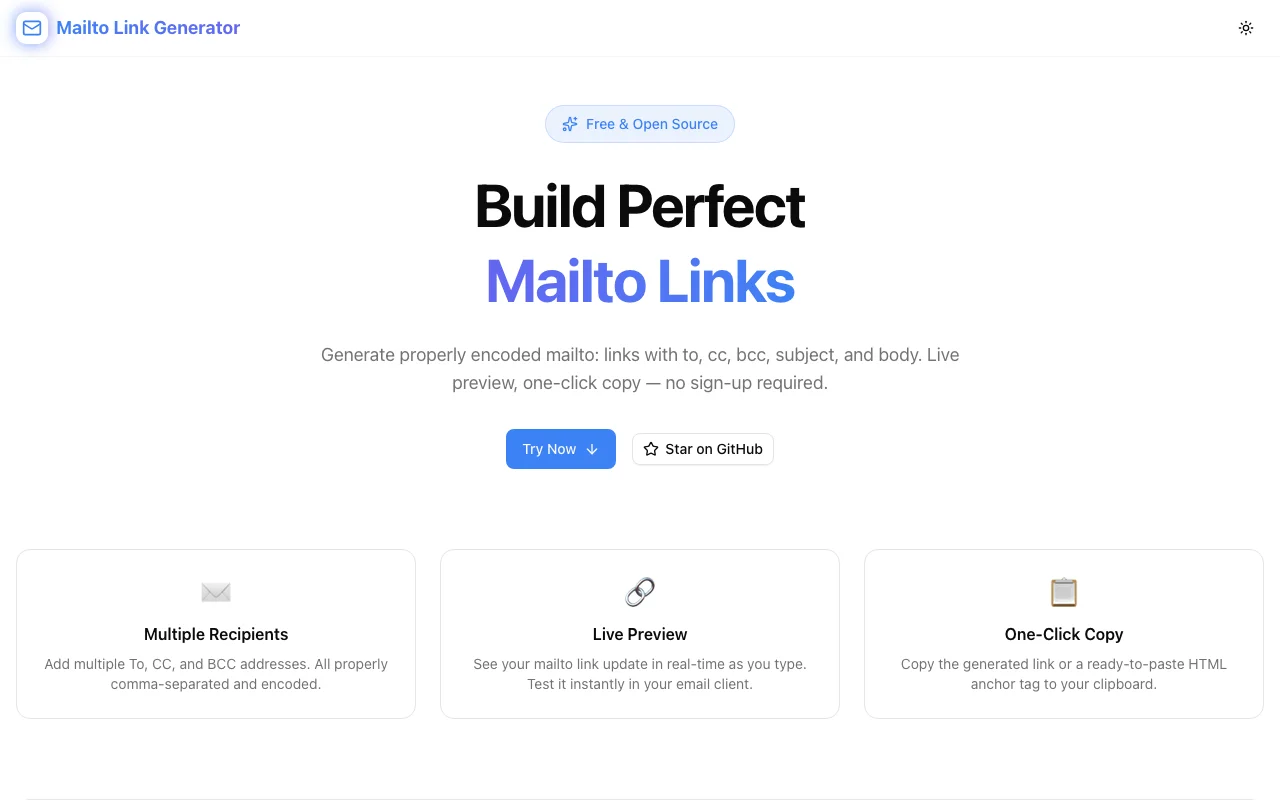
Introducing the Mailto Link Generator
We built Mailto Link Generator as part of the 365 Tools Challenge — one small, sharp tool that does one thing exactly right.
Fill in the fields:
- To — one or more recipient addresses
- CC / BCC — optional
- Subject — with any characters you need
- Body — multi-line, special characters, whatever the message requires
The tool encodes everything correctly per RFC 6068, shows you the live preview URL as you type, and gives you two copy buttons:
- Copy Link — the raw
mailto:URL forhrefattributes - Copy HTML — a full
<a>tag, ready to paste into any HTML file or template
You can also click Open in Email Client to verify it works before shipping.
When to Use a Mailto Link (vs. a Contact Form)
Mailto links aren't always the right tool. Here's the tradeoff:
| | Mailto Link | Contact Form | |---|---|---| | Setup | Zero — works in static HTML | Requires backend or third-party service | | Deliverability | Depends on user's email client | Server-controlled, trackable | | Spam protection | None — address is exposed in HTML | Can add CAPTCHA, honeypot | | Analytics | Hard to track | Easy to track with events | | Pre-fill | Yes — subject, body, CC/BCC | Form fields can be pre-filled too |
Mailto links shine for:
- Static sites without a backend
- Internal tools and wikis
- Email signatures and documents
- Developer tools linking to support
Contact forms win when you need deliverability guarantees, spam protection, or conversion tracking.
Practical Examples
Contact Support Button
<a href="mailto:support@yourapp.com?subject=Support%20Request&body=Hi%2C%0A%0AProduct%20version%3A%20x.x.x%0ABrowser%3A%20%0A%0AIssue%3A%20">
  Contact Support
</a>
Opens with subject pre-filled and a structured body template — faster for the user, faster for your team to triage.
Invite Link in Developer Docs
<a href="mailto:?subject=You%27re%20invited%20to%20join%20Acme&body=Hi%2C%0A%0AI%27d%20like%20to%20invite%20you%20to%20Acme.%20Sign%20up%20here%3A%20https%3A%2F%2Facme.com%2Finvite">
  Invite a teammate
</a>
Note the empty to field — useful when the sender fills in the recipient themselves.
Sales Inquiry from a Landing Page
<a href="mailto:sales@company.com?subject=Enterprise%20Inquiry&body=Hi%2C%0A%0ACompany%3A%20%0ATeam%20size%3A%20%0AUse%20case%3A%20">
  Talk to Sales
</a>
Pre-structured body qualifies leads before the first reply.
All of these were generated in seconds using Mailto Link Generator — no manual encoding required.
Try It
→ mailto-link-generator.tools.jagodana.com
Free, no signup, works immediately. Whether you're building a contact button, wiring up a support link, or just tired of RFC 6068, it handles the encoding so you don't have to.