Git Command Builder: Stop Googling Git Flags, Build Commands Visually
Free online git command builder with 16 operations, interactive flag toggles, real-time preview, and one-click copy. No memorization, no signup.
Git Command Builder: Stop Googling Git Flags, Build Commands Visually
You're three commits into a feature branch. You need to rebase onto a different base. You know git rebase does it, but the exact syntax—--onto? Which argument is the new base? Which is the old?—escapes you. Again.
So you open a new tab, search "git rebase onto example," scan three Stack Overflow answers with different flag combinations, find one that looks right, mentally adapt it to your branch names, and paste it into the terminal. The whole detour took two minutes. The actual command was 12 words.
This happens to every developer. Not because git is bad—it's extraordinarily powerful—but because the CLI surface area is enormous. Over 150 commands, many with dozens of flags, some with subtle differences that matter a lot (--force vs --force-with-lease, --soft vs --mixed vs --hard).
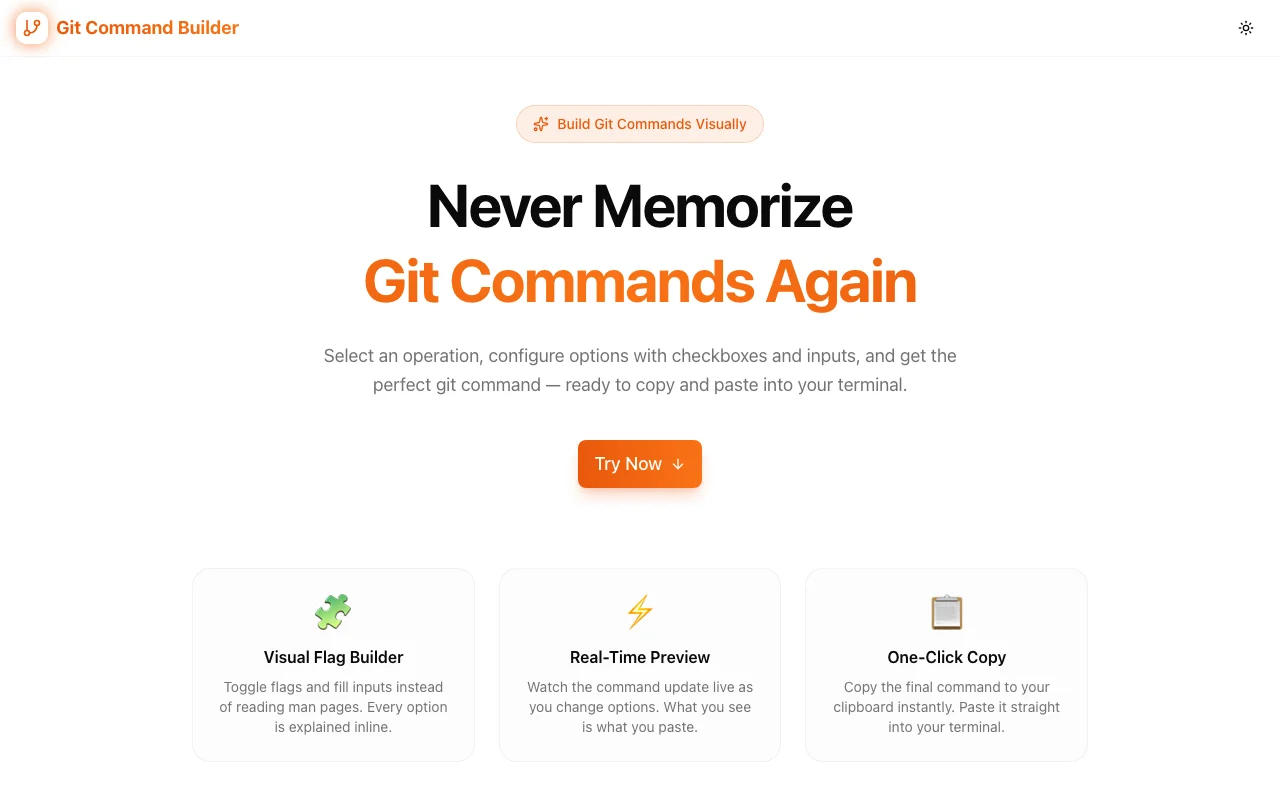
The Git Command Builder at git-command-builder.tools.jagodana.com replaces that Google-scan-adapt cycle with a visual interface. Pick the operation, toggle the flags you need, fill in values, and copy the complete command. Done.
The Problem With Memorizing Git
The Surface Area Is Too Large
Git has roughly 150 built-in commands. The top 20 that developers use regularly have a combined total of hundreds of flags. Nobody memorizes all of them. Instead, developers memorize a small subset—commit -m, push origin main, checkout -b—and look up everything else.
This lookup pattern is fine for rare operations, but many developers hit it multiple times per day. Interactive rebases, cherry-picks with specific options, stash commands with keep-index—these aren't edge cases. They're part of normal workflows for anyone working on a team with multiple branches.
Flags Have Consequences
Git commands aren't just syntax exercises. The wrong flag can rewrite history, overwrite a teammate's work, or lose uncommitted changes. The difference between git reset --soft and git reset --hard is the difference between "moved the HEAD pointer" and "deleted all my uncommitted work."
This makes the Google-and-guess workflow genuinely risky. You need to be confident in the exact command before you run it. A visual builder that shows you what each flag does—and lets you preview the full command—adds a layer of safety that a Stack Overflow snippet doesn't.
Context Switching Kills Flow
The deeper problem isn't the time spent searching—it's the mental context switch. You were thinking about your feature. Now you're thinking about git syntax. When you switch back, you need to reload your mental model of what you were doing. Studies on programmer productivity consistently find that context switches are the biggest drain on deep work.
How Git Command Builder Works
Pick an Operation
The tool supports 16 git operations—the ones developers use most and struggle with most. These aren't just the basics like commit and push. They include the commands where flag selection really matters:
- rebase — interactive, onto, autosquash, abort
- cherry-pick — no-commit, edit, signoff
- stash — push with keep-index and message, pop, apply, drop
- reset — soft, mixed, hard with path options
- log — graph, oneline, author filter, date range
- diff — staged, branches, stat summaries
- tag — annotated vs lightweight, signed, delete
- merge — no-ff, squash, strategy selection
Plus the essentials: clone, commit, branch, checkout, fetch, pull, push, remote.
Toggle Flags Interactively
Once you select an operation, the interface shows every available flag for that command. Each flag is a toggle. Click it to enable or disable. Flags that require values—like --author for git log or --depth for git clone—reveal an input field when toggled on. Boolean flags like --force or --no-ff simply switch on and off.
This is fundamentally different from reading a man page. You're not scanning paragraphs of text trying to find the flag you need. You see all options at once, in a structured layout, and you pick the ones that apply to your situation.
Preview in Real Time
As you toggle flags and fill in values, the complete git command builds at the bottom of the screen. Every change updates the preview instantly. This feedback loop eliminates the "build the command in my head, type it out, realize I missed a flag" cycle.
You see exactly what will run. If the command looks wrong—a flag you didn't intend, a value you need to change—you fix it in the interface, not in a terminal line you're trying to edit with arrow keys.
Copy and Run
When the command is right, click copy. The entire command goes to your clipboard. Paste it into your terminal and run it. No partial selections, no accidental line breaks, no manual typing of the parts you built visually.
Use Cases That Save Real Time
The Surgical Rebase
You need to move commits from one branch onto another base. The git rebase --onto syntax is notoriously hard to remember: git rebase --onto newbase oldbase feature. Which argument is which? What if you also want --autosquash or --interactive?
In the builder: select rebase, toggle --onto, fill in the base values, toggle any additional flags, copy. Thirty seconds, zero ambiguity.
The Safe Force Push
You've rebased your feature branch and need to update the remote. git push --force works but risks overwriting commits your teammate pushed while you were rebasing. git push --force-with-lease is the safer option—it only force-pushes if the remote branch hasn't changed since your last fetch.
In the builder: select push, toggle --force-with-lease, set the remote and branch, copy. You don't need to remember whether it's --force-with-lease or --force-if-includes or what the difference is.
The Filtered Log
You need to see all commits by a specific author in the last two weeks, displayed as a one-line graph. That's git log --oneline --graph --author="name" --since="2 weeks ago". Easy to understand, tedious to type, easy to get a flag wrong.
In the builder: select log, toggle --oneline, --graph, --author, --since, fill in the values, copy. Build the exact log view you need, then save the command as a shell alias if you use it often.
The Selective Cherry-Pick
You need to cherry-pick a commit from another branch but don't want it committed immediately—you want to stage the changes and review them first. That's git cherry-pick --no-commit SHA. But maybe you also want --signoff for your project's compliance requirements, or --edit to modify the message.
In the builder: select cherry-pick, toggle the flags that match your workflow, enter the commit SHA, copy. Each flag combination is explicit and visible.
The Precise Stash
git stash is a blunt instrument. git stash push --keep-index --message "WIP: refactoring auth module" is a scalpel. It stashes only unstaged changes, keeps your staged work intact, and labels the stash so you can find it later. Most developers don't use these flags because they don't remember the syntax.
In the builder: select stash, choose push, toggle --keep-index and --message, type your message, copy. You'll start using precise stashing because the barrier to entry is gone.
Who Benefits Most
Mid-Level Developers
You know git well enough to be dangerous. You use rebase, cherry-pick, and interactive staging regularly—but not frequently enough to memorize every flag. The builder eliminates the lookup cycle so you can stay in flow.
Team Leads Doing Code Reviews
You're reviewing a PR and need to suggest a specific git workflow—"cherry-pick this onto release, then squash-merge back." Building the exact command in the tool and pasting it into the review comment saves the author from interpreting your instructions.
Junior Developers Learning Git
The builder doubles as a learning tool. Seeing all available flags for an operation, experimenting with combinations, and previewing the result teaches git syntax faster than reading documentation. You learn by doing, not by reading.
DevOps and Release Managers
Release workflows often involve specific sequences of git commands—tagging, cherry-picking fixes, force-pushing release branches. Building these commands visually reduces errors in high-stakes operations where a wrong flag can delay a release.
Privacy and Performance
Git Command Builder runs entirely in your browser. No commands, branch names, or repository details are sent to any server. There's no account system, no telemetry on your commands, no server-side processing.
The tool loads as a static Next.js site, renders fast, and works offline once loaded. Open it, build your command, copy it, close the tab.
Try It Now
Stop Googling git flags. Build your next command visually and copy it in one click.
👉 git-command-builder.tools.jagodana.com
Git Command Builder is part of the 365 Tools Challenge—a new free developer tool every day from Jagodana Studio.