HTTP Status Debugger: Decode HTTP Errors, Find Root Causes & Fix API Issues Fast
Free online HTTP Status Debugger — understand every HTTP status code, test real URLs, identify which system layer failed, and get actionable fix checklists. No signup required.
HTTP Status Debugger: Decode HTTP Errors, Find Root Causes & Fix API Issues Fast
You hit an API endpoint. You get back a 403. Or a 502. Or something cryptic like a 418. Now what?
Most developers either Google the status code, dig through MDN docs, or guess. That costs time — and the wrong fix makes it worse. The HTTP Status Debugger at http-status-debugger.jagodana.com cuts through the noise: paste a URL, get the real status code, understand which system layer failed, and follow a step-by-step fix checklist.
What Is the HTTP Status Debugger?
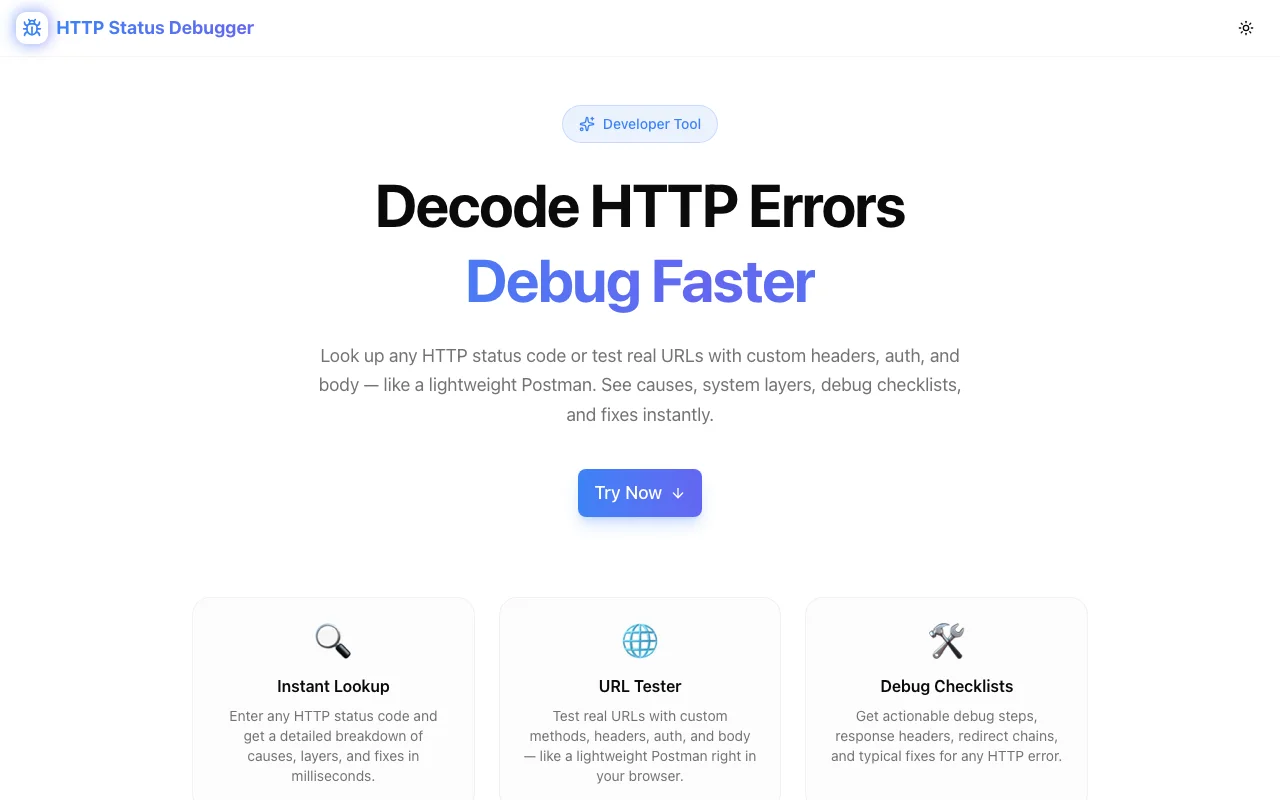
HTTP Status Debugger is a free, browser-based developer tool that does three things faster than any docs page:
- Decodes HTTP status codes — plain-English explanations of every 1xx, 2xx, 3xx, 4xx, and 5xx code
- Tests real URLs — live requests, like Postman but without the install, so you see the actual response your server returns
- Identifies the responsible system layer — is it the client, the server, a proxy, a CDN, or an authentication middleware? The tool tells you
- Provides actionable fix checklists — not just "what it means" but "what to do next"
No sign-up. No configuration. Works in your browser right now.
Why HTTP Status Code Debugging Is Harder Than It Looks
HTTP status codes are designed to communicate failure clearly — but in practice, they often don't. Here's why:
Codes Are Often Misused
- A
200 OKthat returns an error payload in the body - A
400 Bad Requestreturned by a WAF instead of your API server - A
503 Service Unavailablethat actually means your rate limit is exceeded (should be429) - A
404 Not Foundreturned by a reverse proxy because it can't reach your backend
The status code tells you what layer decided to respond — not always what went wrong at the application level.
The Layer Problem
When a request fails, any of these could be responsible:
| Layer | What It Does | Common Codes | |-------|-------------|--------------| | Client | Sends the request | 400, 401, 403, 422 | | CDN/Proxy | Routes the request | 502, 503, 504 | | Load Balancer | Distributes traffic | 502, 503 | | Auth Middleware | Validates tokens | 401, 403 | | Application Server | Runs your code | 500, 422, 409 | | Database | Stores data | 500 (surface level) |
Knowing which layer generated your error is the first step to fixing it. HTTP Status Debugger maps status codes to responsible layers automatically.
Common HTTP Status Codes Explained
4xx — Client Errors
400 Bad Request — The request syntax is malformed. Check your request headers, body format, or query parameters. Often caused by missing required fields or invalid JSON.
401 Unauthorized — Authentication is required or has failed. Your token is missing, expired, or malformed. Check your Authorization header.
403 Forbidden — Authenticated but not permitted. Your token is valid but your role or permissions don't allow this action. Check RBAC configuration.
404 Not Found — The resource doesn't exist at this URL. Check for typos, URL versioning (/v1/ vs /v2/), or whether the resource was deleted.
405 Method Not Allowed — You're using the wrong HTTP verb. Check if the endpoint expects GET but you're sending POST.
409 Conflict — The request conflicts with current state — often a duplicate resource creation. Check for idempotency keys or unique constraints.
422 Unprocessable Entity — Request format is valid but semantics fail. Common in REST APIs when validation rules are violated. Read the error response body for field-level details.
429 Too Many Requests — Rate limit exceeded. Check Retry-After header. Implement exponential backoff.
5xx — Server Errors
500 Internal Server Error — Something crashed server-side. Check your server logs. Don't expose stack traces to clients.
502 Bad Gateway — Your proxy or load balancer received an invalid response from upstream. Usually means the backend is down or returning garbage.
503 Service Unavailable — The server can't handle requests right now — either overloaded or in maintenance. Add a retry with backoff.
504 Gateway Timeout — The upstream server took too long. Could be a slow database query, a third-party API delay, or a misconfigured timeout.
3xx — Redirects
301 Moved Permanently — Bookmark the new URL. Browsers and search engines will cache this forever.
302 Found — Temporary redirect. Follow it, but don't update your bookmark.
307 Temporary Redirect — Like 302 but preserves the HTTP method (a POST stays a POST). Important for form submissions.
308 Permanent Redirect — Like 301 but preserves the HTTP method.
How to Use HTTP Status Debugger
Testing a Real URL
- Navigate to http-status-debugger.jagodana.com
- Enter the URL you want to test
- Select the HTTP method (GET, POST, etc.)
- Click Test URL
The tool fires a live request and returns:
- The actual status code received
- Response headers
- Which system layer likely generated the response
- Time to first byte
This is particularly useful for catching issues you might not see in your browser — like a CDN serving a cached 200 when your origin is actually down.
Decoding a Status Code
If you already have a status code and want to understand it:
- Enter the code directly in the search field
- Get the RFC definition, plain-English explanation, common causes, and fix checklist
- Identify which layer is responsible
Reading Fix Checklists
Each status code comes with a prioritized checklist. For a 502 Bad Gateway, for example:
- [ ] Check if your backend service is running
- [ ] Check proxy logs (
nginx error_log,haproxylogs) - [ ] Verify upstream timeout settings
- [ ] Check backend health endpoint
- [ ] Look for memory/CPU spikes on the origin server
- [ ] Verify DNS resolution of upstream hostname
Work through the list top-to-bottom. Most 502s are fixed by step 1 or 2.
Real-World API Debugging Scenarios
Scenario 1: Your Deployment Started Returning 502s
You deployed new code and suddenly get 502 Bad Gateway errors. Here's the layer analysis:
- 502 from your CDN = your origin server is down or unreachable — check if the new code failed to start
- 502 from nginx = your application process crashed or isn't listening on the expected port
- 502 from a load balancer = health checks are failing — check
/healthendpoint
HTTP Status Debugger identifies which layer is returning the 502, pointing you to the right place immediately.
Scenario 2: Third-Party API Keeps Returning 401
You have valid credentials. The API worked yesterday. Now you get 401 Unauthorized:
- Is your token expired? Check the
expclaim in your JWT - Did the API rotate keys? Check their status page and your API key in their dashboard
- Is your clock skewed? Some APIs reject tokens with timestamps more than 5 minutes off
- Are you sending the token correctly?
Bearer tokeninAuthorizationheader, nottoken Bearer
Scenario 3: Your Webhook Receiver Returns 200 But Events Don't Process
Classic case of a misleading status code. The webhook endpoint returns 200 OK but the event data is wrong or silently dropped. This isn't an HTTP issue — it's an application logic issue. HTTP Status Debugger helps you confirm the transport layer is healthy (actual 200 received) so you can focus on the application layer (why is the handler not processing the event).
HTTP Status Codes and SEO
Status codes matter for search engine indexing too:
- 200 — Page is indexable. Use this for live content.
- 301 — Permanent redirect. Pass full link equity. Use when you move URLs.
- 302 — Temporary redirect. Does NOT pass full link equity. Use only for genuine temp redirects.
- 404 — Page is removed. Google eventually de-indexes it.
- 410 Gone — Explicit "this is deleted". Google de-indexes faster than 404.
- 503 — Temporary unavailability. Google gives you some grace time before de-indexing.
- noindex — Removes from index regardless of status code.
If you're running HTTP Status Debugger on your own URLs, you'll also catch redirect chains (multiple 30x hops) that hurt page speed and pass diluted link equity.
Why Developers Love It
No install, no signup — It's a URL. Open it and go.
Faster than MDN — MDN is comprehensive but takes 3 clicks to get to the status code you need. HTTP Status Debugger surfaces the most relevant info immediately.
Layer identification — The system layer mapping is something docs pages don't give you. It's the difference between checking your application code and checking your nginx config.
Real request testing — Unlike status code reference pages, you can test an actual live URL and see what it really returns right now. Invaluable for production debugging.
Try the HTTP Status Debugger
Stop guessing at status codes. Stop wading through docs.
It's free, fast, and works on any device. Bookmark it — you'll use it more than you expect.
Built by Jagodana Studio — we build developer tools that remove friction from everyday workflows.