Introducing ASCII Table Generator: Format Tables for Terminals, READMEs, and Docs in Seconds
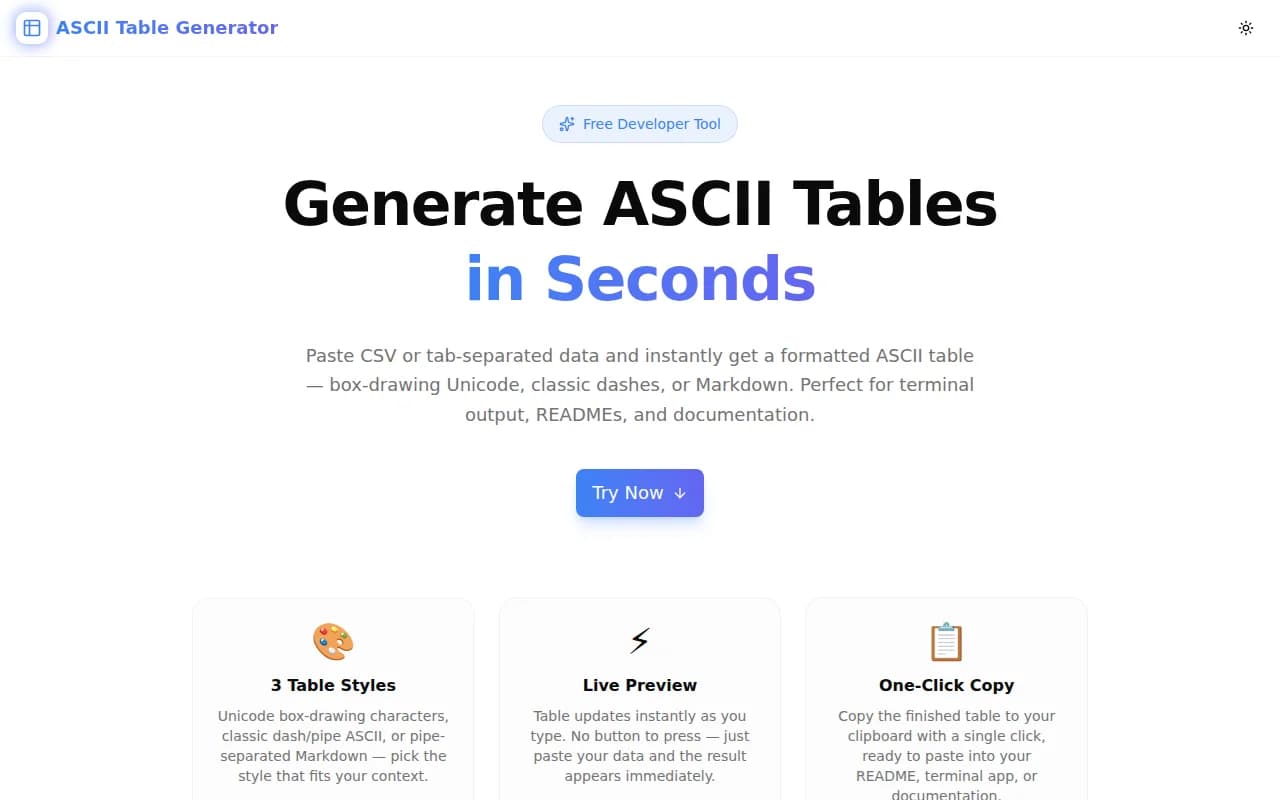
ASCII Table Generator converts CSV or tab-separated data into Unicode box-drawing, classic ASCII, or Markdown tables — with per-column alignment and one-click copy. 100% browser-side, no login.
Introducing ASCII Table Generator: Format Tables for Terminals, READMEs, and Docs in Seconds
Tabular data shows up everywhere in software development: CLI output, README documentation, code comments, database query results, comparison charts. Formatting it correctly for each context — terminal vs. GitHub Markdown vs. plain-text documentation — is tedious work that rarely goes smoothly.
Today we're launching ASCII Table Generator, a free browser tool that converts any CSV or tab-separated data into a perfectly formatted table in seconds. No installation, no account, no server calls.
What Problem Does ASCII Table Generator Solve?
Why is displaying tabular data in terminals so frustrating?
Writing ASCII tables by hand breaks the moment any data changes. Column widths need recalculating, every row needs re-padding, every border needs rebuilding. Even a small update — adding a row, changing a value — means redoing the formatting from scratch.
The programmatic alternatives — cli-table3 for Node.js, tabulate for Python, rich for Python terminals — are excellent libraries, but they require installing a dependency and writing code to use. When you need to format data right now, standing up a script is overkill.
What's wrong with existing online table generators?
Most online tools generate only Markdown tables: the | col | col | pipe syntax that renders beautifully on GitHub but looks like noise in a terminal or plain-text file. Very few tools offer Unicode box-drawing characters (┌─┐│) or classic +---+ ASCII style.
Those that do are often outdated, cluttered with ads, or missing basic features like per-column alignment.
How Does ASCII Table Generator Work?
Step 1: Paste your data
The tool accepts CSV (comma-separated) and TSV (tab-separated) input. Paste data directly from a spreadsheet, a SQL client, a CSV export, or type it manually. The first row is treated as the header row. The preview updates instantly on every keystroke — no button press needed.
Step 2: Choose a table style
Three styles cover the full range of use cases:
Unicode Box — polished box-drawing characters for modern terminals:
┌──────────┬────────────────────┬──────────┐
│ Package  │ Version            │ License  │
├──────────┼────────────────────┼──────────┤
│ react    │ 19.2.3             │ MIT      │
│ next     │ 16.1.6             │ MIT      │
│ tailwind │ 4.0.0              │ MIT      │
└──────────┴────────────────────┴──────────┘
Classic ASCII — maximum compatibility with any terminal or font:
+----------+--------------------+----------+
| Package  | Version            | License  |
+----------+--------------------+----------+
| react    | 19.2.3             | MIT      |
| next     | 16.1.6             | MIT      |
| tailwind | 4.0.0              | MIT      |
+----------+--------------------+----------+
Markdown — GitHub Flavored Markdown with alignment markers:
| Package  | Version | License |
|----------|---------|---------|
| react    | 19.2.3  | MIT     |
| next     | 16.1.6  | MIT     |
| tailwind | 4.0.0   | MIT     |
Step 3: Set column alignment
Each column has an independent alignment control: Left, Center, or Right. Numeric values look better right-aligned. Status columns read well centered. Names and descriptions stay left-aligned. The alignment is applied in the padded output and reflected in Markdown's :---, :---:, and ---: dividers.
Step 4: Copy and use
One click copies the complete table to your clipboard. The table is ready to paste into a terminal script, README, code comment, Notion doc, or anywhere else.
Who is ASCII Table Generator For?
Is it useful for backend engineers writing CLI tools?
Yes. CLI tools frequently display tabular output: process lists, configuration summaries, query results, deployment statuses. The Unicode box style produces output that looks native to modern terminal emulators. The classic ASCII style handles older terminals, SSH sessions, and monospace fonts that may not support box-drawing characters.
Can frontend developers use it for README files?
Absolutely. README files on GitHub, GitLab, and Bitbucket all render Markdown tables. The Markdown style produces pipe-table syntax with correct alignment markers. Paste your feature comparison table or API reference table, switch to Markdown, copy, and paste.
Is it useful for technical writers?
Yes. Documentation platforms including Notion, Confluence, MkDocs, and Docusaurus support Markdown table syntax. For plain-text formats and ASCII-art documentation styles, the box-drawing and classic styles produce readable output that holds up in any text editor.
Does it work with database query results?
If your SQL client exports query results as CSV, paste them directly into the tool. psql's \copy command, DBeaver, TablePlus, and most SQL clients can copy query results as comma-separated or tab-separated text. The tool auto-detects which separator you're using.
What Makes This Different from Other Table Tools?
All three formats in one place
Most online tools support either Markdown or ASCII, not both. ASCII Table Generator supports Unicode box, classic ASCII, and Markdown — the three formats that cover practically every use case in development and documentation.
Per-column alignment
Column alignment is often an afterthought in table generators. ASCII Table Generator gives you an independent alignment control for each column, which matters for readability: numeric columns right-aligned, status columns centered, text columns left-aligned.
Zero dependencies, zero friction
The tool is a static Next.js page. No backend, no API, no WebSocket, no loading state. The page loads, the JavaScript runs, the table is generated. The fastest path from data to formatted table is three seconds.
100% client-side
All data stays in your browser. Nothing is uploaded, logged, or stored. This matters when the data contains internal configuration, personal information, or anything else that shouldn't leave your device.
Technical Notes
ASCII Table Generator is built with:
- Next.js 16 with App Router and server-side metadata
- TypeScript (strict mode) — the entire table generation logic is type-safe
- Tailwind CSS v4 with OKLCH color tokens
- shadcn/ui components
The core generation logic is pure TypeScript: no table library, no third-party formatter. Column widths are computed from content, padding is applied based on alignment, and border rows are assembled with the correct box-drawing or ASCII characters. The complete implementation is under 150 lines.
Try It Now
Open ASCII Table Generator — free, no login, works immediately.
The tool is also open source on GitHub if you want to see how it works or adapt it for your own use.
ASCII Table Generator is part of the 365 Tools Challenge — building and shipping one small, useful tool for developers every day.