Introducing CSS Background Pattern Generator — Visual CSS Patterns in Seconds
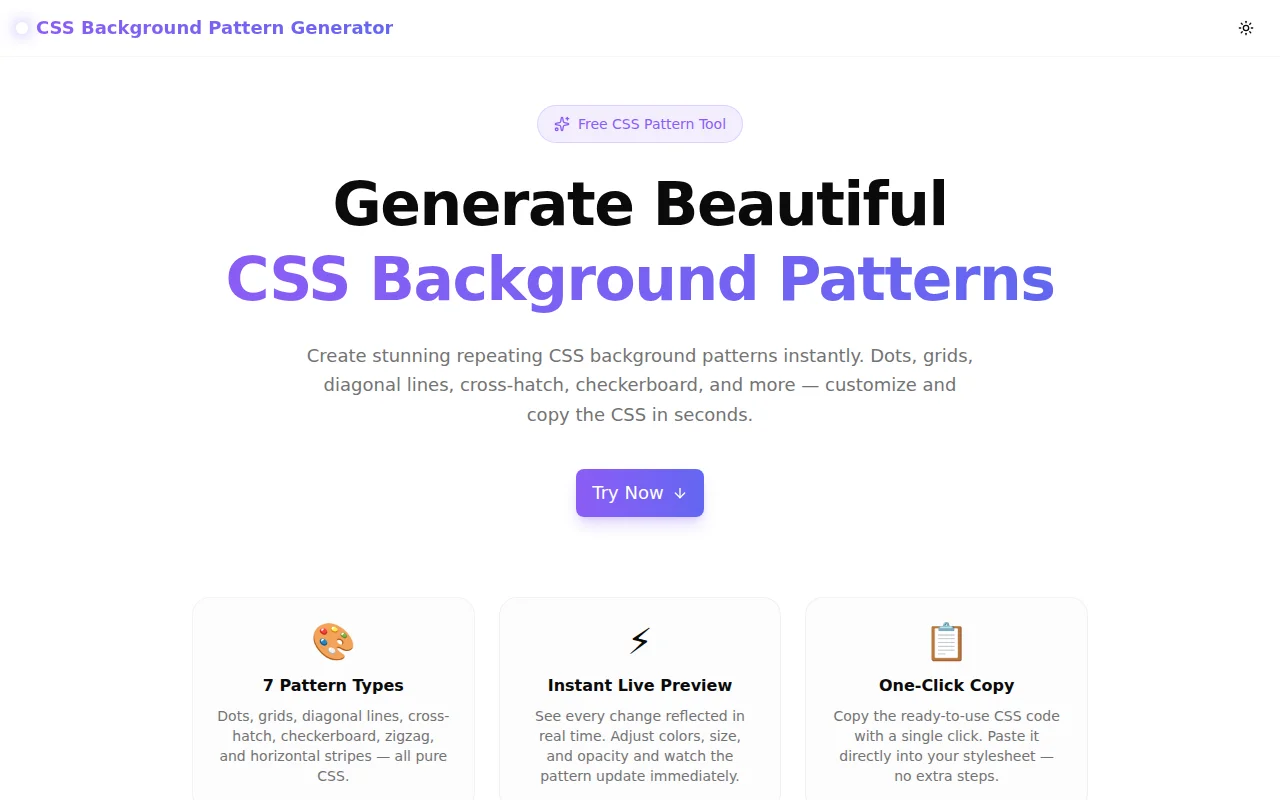
A free tool to generate CSS background patterns visually. Pick dots, grids, diagonal lines, cross-hatch, checkerboard, or zigzag — customize colors and copy the CSS instantly.
Introducing CSS Background Pattern Generator — Visual CSS Patterns in Seconds
Today we're launching CSS Background Pattern Generator — a free tool that lets you build repeating CSS background patterns with a live preview and copy the code in one click.
No sign-up. No install. Runs entirely in your browser.
What Is a CSS Background Pattern?
A CSS background pattern is a repeating visual texture applied through background-image CSS properties — using radial gradients, linear gradients, or conic gradients. No external images, no SVG files, no JavaScript: just pure CSS that scales to any screen resolution and changes color with a single property.
Common uses:
- Subtle textures on hero sections and landing pages
- Grid or graph-paper backgrounds on developer tools
- Checkerboard patterns for image editors and color pickers
- Diagonal stripes on alert banners or section dividers
- Dot patterns as decorative accents behind headlines
The problem is that the background-image syntax for these patterns — especially checkerboards with conic-gradient or cross-hatch with stacked repeating-linear-gradient — is not intuitive. Most developers Google a snippet, copy it, and spend ten minutes hand-editing hex values and pixel sizes.
CSS Background Pattern Generator eliminates that loop.
How Do You Generate a CSS Background Pattern?
Choose a pattern type. The tool supports seven: Dots, Grid, Diagonal Lines, Cross-Hatch, Checkerboard, Zigzag, and Horizontal Lines. Click any type and the preview updates immediately.
Set your colors. Two color pickers control the background color and pattern color independently. Choose any hex color — the tool converts it to rgba() internally so the opacity slider works correctly.
Adjust size and opacity. The size slider controls the pattern repeat (8px to 80px). The opacity slider controls how visible the pattern is against the background (5% to 100%). Both update the live preview in real time.
Copy the CSS. The generated CSS block displays below the preview. It contains only standard CSS properties — background-color, background-image, background-size, and background-position where needed. Click Copy CSS and paste into your stylesheet.
The entire flow takes under 30 seconds.
What CSS Properties Does the Pattern Generator Use?
Each pattern type uses a different gradient technique:
Dots use radial-gradient to draw a circle at the center of each background tile:
background-image: radial-gradient(rgba(139, 92, 246, 0.6) 1px, transparent 1px);
background-size: 20px 20px;
Grid stacks two linear-gradient declarations — one horizontal, one vertical:
background-image:
  linear-gradient(rgba(99, 102, 241, 0.5) 1px, transparent 1px),
  linear-gradient(to right, rgba(99, 102, 241, 0.5) 1px, transparent 1px);
background-size: 24px 24px;
Cross-Hatch overlaps two repeating-linear-gradient declarations at 45° and -45°:
background-image:
  repeating-linear-gradient(45deg, color, color 1px, transparent 1px, transparent 14px),
  repeating-linear-gradient(-45deg, color, color 1px, transparent 1px, transparent 14px);
Checkerboard uses conic-gradient — a modern CSS feature supported in all current browsers:
background-image:
  conic-gradient(rgba(245, 158, 11, 0.5) 25%, transparent 25%),
  conic-gradient(transparent 75%, rgba(245, 158, 11, 0.5) 75%);
background-size: 28px 28px;
background-position: 0 0, 14px 14px;
All output is production-ready — no vendor prefixes required, compatible with Chrome, Firefox, Safari, and Edge.
Which CSS Background Pattern Should I Use?
Dots work well for subtle, professional backgrounds — a light dot grid on a white or near-white surface reads as "structured" without being heavy. Good for app dashboards, tool UIs, and documentation sites.
Grid / Graph Paper is the canonical developer-tool background. Blueprint software, design tools, and code editors use grid patterns to communicate precision and technical credibility.
Diagonal Lines (at low opacity) create a subtle striped effect popular on pricing table headers, callout boxes, and hero sections where you want motion implied by the direction.
Cross-Hatch gives a dense, textured look. Use it sparingly — at 20–30% opacity on a feature card or panel accent. It reads as "hand-drawn" or "notebook" in style.
Checkerboard is iconic in image editors and color pickers (to indicate transparency), but also works as a bold graphic element on landing pages when used with brand colors at higher contrast.
Zigzag / Chevron works well as a decorative band between page sections. Use a brand color at 30–40% opacity as the pattern and a slightly darker tint as the background.
Horizontal Lines (at very low opacity) add a subtle "lined paper" texture useful for note-taking app backgrounds or editorial layouts.
Can I Combine a CSS Pattern with Other Backgrounds?
Yes — CSS supports multiple background-image values separated by commas. A pattern can sit on top of a gradient or solid color, or multiple patterns can be layered:
/* Pattern over a gradient */
background-image:
  radial-gradient(rgba(255, 255, 255, 0.15) 1px, transparent 1px),
  linear-gradient(135deg, #667eea 0%, #764ba2 100%);
background-size: 20px 20px, 100% 100%;
The pattern generator outputs a single-pattern CSS block. You can manually combine its output with other background-image values in your stylesheet.
Does CSS Background Pattern Work in All Browsers?
All seven patterns use CSS gradient functions that are baseline-supported:
radial-gradient— supported since Chrome 26, Firefox 16, Safari 6.1linear-gradient— supported since Chrome 26, Firefox 16, Safari 6.1repeating-linear-gradient— same baselineconic-gradient(checkerboard) — supported since Chrome 69, Firefox 83, Safari 12.1
No vendor prefixes are needed. The generated CSS works in every browser that has reached Baseline 2022 or newer.
Why We Built This
The 365 Tools Challenge is about solving small, real problems fast. CSS background patterns are one of those recurring moments where a developer knows what they want but has to detour through documentation or Stack Overflow to get there.
This tool eliminates that detour. Pick, adjust, copy, ship.
Try it now: background-pattern-generator.tools.jagodana.com
Related Tools
- CSS Gradient Generator — create radial, linear, and conic gradients
- CSS Box Shadow Generator — design CSS box-shadow values visually
- Color Palette Generator — build harmonious color palettes
- Border Radius Generator — create complex border-radius shapes