Introducing CSS Toggle Switch Generator — Live Preview, Three Code Formats, Zero JavaScript
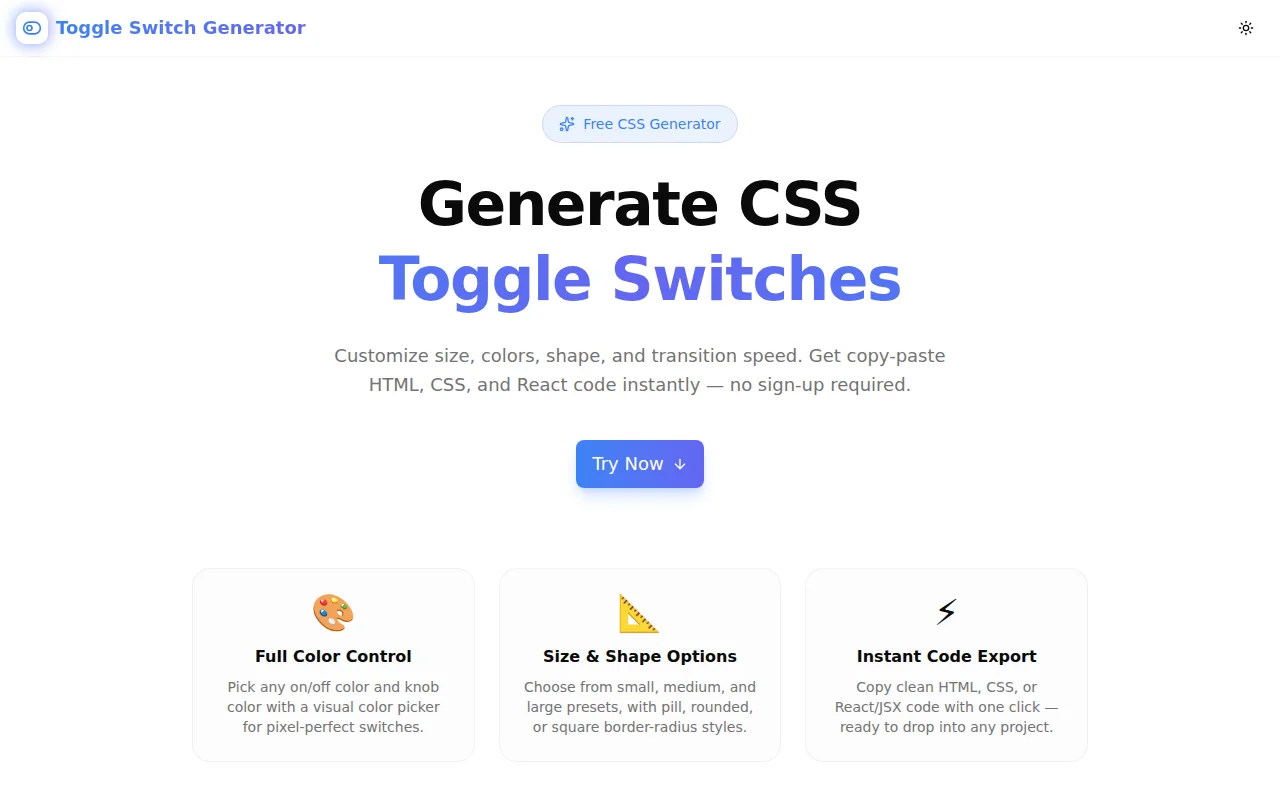
A free tool to generate pure CSS toggle switches. Customize size, shape, colors, and transition speed. Copy HTML, CSS, or React code instantly — no login required.
Introducing CSS Toggle Switch Generator — Live Preview, Three Code Formats, Zero JavaScript
Today we're launching CSS Toggle Switch Generator — a free tool that lets you build CSS toggle switches visually, configure every detail, and copy production-ready HTML, CSS, or React code with one click.
No sign-up. No install. Runs entirely in your browser.
What Is a CSS Toggle Switch?
A CSS toggle switch is a binary UI control — on or off — built from a hidden <input type="checkbox"> and a styled <span> that acts as the visible track and knob. The :checked pseudo-class drives the state change, making JavaScript optional for the basic toggle behaviour:
input:checked + .toggle-slider {
  background-color: #3b82f6;
}

input:checked + .toggle-slider::before {
  transform: translateX(28px);
}
That 28px value is not arbitrary — it is width - knob - 2 × padding. For a 60px track with a 24px knob and 4px padding on each side: 60 - 24 - 4 - 4 = 28. Change the size, recalculate the number. This is the friction Toggle Switch Generator removes.
How Do You Generate a CSS Toggle Switch?
Choose a size. Three presets cover the common use cases: Small (44×24px), Medium (60×32px), and Large (80×44px). All dimensions — including the knob translate distance — are calculated automatically.
Pick a shape. Pill gives you the classic iOS-style rounded switch (border-radius: 9999px). Rounded uses a subtle 8px radius for a softer square look. Square uses 2px for flat, Material-style interfaces.
Set the transition speed. None (0ms), Fast (150ms), Normal (300ms), or Slow (600ms). Click the live preview to feel the animation at your chosen speed before committing.
Configure the colors. Three independent pickers control the on-state track color, the off-state track color, and the knob color. Type a hex value or use the color picker — both update the preview instantly.
Copy the code. Three tabs — CSS, HTML, and React — give you the exact format your project needs. Click Copy and paste.
The full workflow takes under 30 seconds.
What CSS Does the Toggle Switch Generator Produce?
The generated CSS uses standard properties with no vendor prefixes and no browser hacks:
.toggle-switch {
  position: relative;
  display: inline-block;
  width: 60px;
  height: 32px;
}

.toggle-switch input {
  opacity: 0;
  width: 0;
  height: 0;
  position: absolute;
}

.toggle-slider {
  position: absolute;
  cursor: pointer;
  inset: 0;
  background-color: #d1d5db;
  border-radius: 9999px;
  transition: background-color 300ms ease;
}

.toggle-slider::before {
  position: absolute;
  content: "";
  width: 24px;
  height: 24px;
  left: 4px;
  top: 4px;
  background-color: #ffffff;
  border-radius: 50%;
  transition: transform 300ms ease;
}

input:checked + .toggle-slider {
  background-color: #3b82f6;
}

input:checked + .toggle-slider::before {
  transform: translateX(28px);
}

input:focus-visible + .toggle-slider {
  outline: 2px solid #3b82f6;
  outline-offset: 2px;
}
The focus-visible rule is included by default. Keyboard users get a visible focus indicator matching the on-state color — accessible without any extra work.
Is the CSS Toggle Switch Accessible?
Yes. The generated switch is accessible by default because it is built on a native <input type="checkbox">:
- Keyboard navigation — Tab to focus, Space to toggle. No JavaScript event listeners needed.
- Screen reader announcements — The checkbox is announced as a checkbox by all major screen readers (NVDA, JAWS, VoiceOver). Its checked state is communicated automatically.
- Focus indicator —
focus-visiblestyles are included in the CSS output. Keyboard users see a clear focus ring; mouse users do not. - No ARIA required — the semantic checkbox provides all necessary state information. No
role,aria-checked, oraria-labelattributes needed for basic usage.
If you need an explicit label, wrap the component in a <label> element with visible text, or add aria-label to the <label>:
<label class="toggle-switch" aria-label="Enable notifications">
  <input type="checkbox">
  <span class="toggle-slider"></span>
</label>
Does the Toggle Switch Work Without JavaScript?
Yes — the toggle works via the CSS :checked pseudo-class with zero JavaScript. The hidden <input type="checkbox"> manages state natively. CSS reads that state through the :checked + sibling selector and applies the appropriate styles.
For form submissions, the checkbox state is submitted with the form data by default. No JavaScript needed for basic on/off tracking.
JavaScript is only needed if you want to react to toggle changes programmatically — for example, to save a user preference to localStorage or to trigger an API call. The React output tab generates a useState-based component for exactly this use case.
Can I Use the Generated Toggle in React?
Yes. The React tab generates a self-contained ToggleSwitch component using useState and inline styles:
import { useState } from "react";

export function ToggleSwitch() {
  const [on, setOn] = useState(false);

  return (
    <label style={styles.wrapper} aria-label="Toggle">
      <input
        type="checkbox"
        checked={on}
        onChange={(e) => setOn(e.target.checked)}
        style={styles.input}
      />
      <span style={styles.slider(on)}>
        <span style={styles.knob(on)} />
      </span>
    </label>
  );
}
The style objects are defined outside the component to avoid recreation on every render. No external CSS file needed — the inline styles carry all the toggle logic.
What Size Should I Use for My Toggle Switch?
The size depends on context:
Small (44×24px) — compact settings panels, data tables, inline controls. Follows mobile accessibility guidelines for minimum tap target (44px width is the Apple HIG recommendation).
Medium (60×32px) — the default. Works well in most settings screens, modals, and forms. Matches the proportions of iOS and Android native switches.
Large (80×44px) — prominent feature toggles, onboarding flows, or standalone CTAs where the switch is the primary UI element.
All three sizes use the same 4px padding between the knob and the track edge. The translate distance is calculated automatically — change the size, the code updates.
How Is Toggle Switch Generator Different from shadcn/ui Switch?
shadcn/ui Switch is built on Radix UI's Switch primitive. It handles accessibility and state management well and fits naturally into a shadcn/ui project.
Toggle Switch Generator is for different situations:
- No dependencies — pure HTML and CSS, no Radix, no React required
- Full visual control — not constrained by shadcn's design tokens
- Three output formats — use the HTML+CSS output in any framework or no framework at all
- Custom color — set any hex color, not just the theme's primary color
- Zero install — copy the CSS and move on
For a design-system project with consistent theming, shadcn/ui is the right choice. For a one-off landing page, a plain HTML email, or a non-React project, the generated CSS is faster.
What About Browser Support?
The generated CSS uses inset: 0 as a shorthand for top: 0; right: 0; bottom: 0; left: 0. This is supported in all modern browsers (Chrome 87+, Firefox 87+, Safari 14.1+) with over 95% global coverage.
Everything else — position: absolute, ::before, :checked, transition, transform: translateX(), focus-visible — has been supported since 2017 or earlier.
If you need to support older browsers, replace inset: 0 with the four individual properties in the generated CSS.
Free. Client-Side. No Account.
Toggle Switch Generator runs entirely in the browser. No data is sent to a server. No sign-up required. The tool is open source on GitHub.
Try it now → toggle-switch-generator.tools.jagodana.com
View source → github.com/Jagodana-Studio-Private-Limited/toggle-switch-generator