Introducing CSS Variables Generator: Design Tokens to :root{} in Seconds
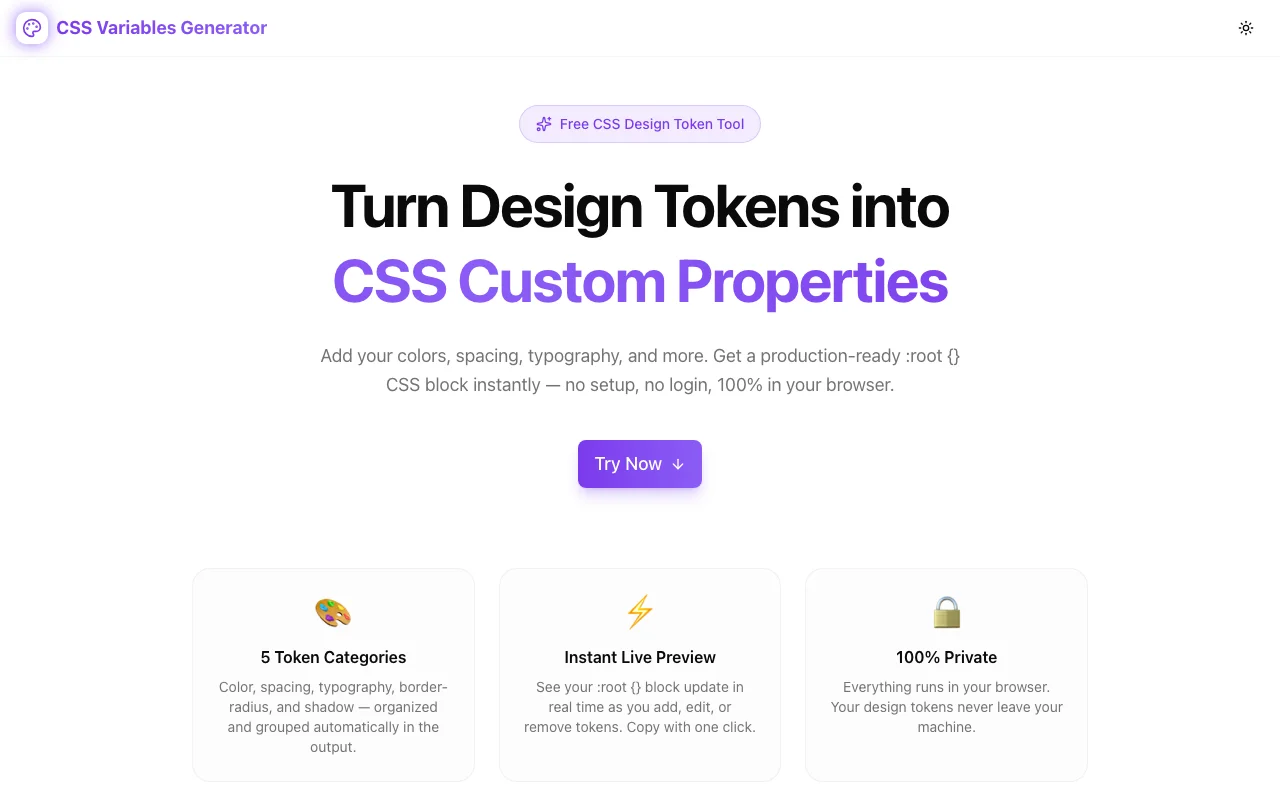
CSS Variables Generator turns your design tokens into a production-ready :root {} CSS block instantly. Free, browser-based, no signup — add colors, spacing, typography, and more.
Introducing CSS Variables Generator: Design Tokens to :root in Seconds
Every project that uses CSS seriously ends up with a :root {} block. That block holds the design tokens — the colors, spacing scale, font sizes, radii, and shadows that define how the UI looks and feels. Getting those values out of a Figma file or a design doc and into actual CSS is a small but annoying task that every developer does manually, every time, with no tooling.
That's what CSS Variables Generator fixes.
What It Does
CSS Variables Generator is a free browser-based tool. You define your design tokens — name and value — and it produces the complete :root {} CSS block, grouped by category and ready to paste into any stylesheet.
No account. No server. No file upload. Everything runs in your browser and your tokens never leave your machine.
The Five Token Categories
Tokens are organized into five semantic categories, each with its own naming conventions and value formats:
Color — the palette. Variable names like --color-primary, --color-background, --color-muted. Values can be hex, rgb, hsl, or any valid CSS color.
Spacing — the layout scale. Names like --space-1, --space-4, --space-16. Values in rem, px, or any CSS length.
Typography — font sizes (and optionally font weights, line heights, letter spacing). Names like --font-size-sm, --font-size-xl.
Border Radius — the corner scale. Names like --radius-sm, --radius-lg, --radius-full. Values in rem or px.
Shadow — the elevation scale. Names like --shadow-md, --shadow-xl. Values are full box-shadow declarations.
The output groups all tokens by category with a comment header for each group — so the :root {} block is readable, not just functional.
How to Use It
1. Pick a category — click Color, Spacing, Typography, Border Radius, or Shadow.
2. Add a token — type the variable name (no -- needed, it's added automatically) and the value. Press Enter or click Add Token.
3. Watch the output update — the :root {} preview on the right updates instantly.
4. Edit inline — click any token's name or value to change it. The output updates as you type.
5. Copy — click Copy CSS to grab the complete block. Toggle Minify first if you want a single-line version.
The tool ships with 13 default tokens spread across all five categories — enough to see the full output format and use as a starting point.
What the Output Looks Like
Here's a realistic :root {} block generated with the tool:
:root {
  /* 🎨 Color */
  --color-primary: #7c3aed;
  --color-primary-light: #a78bfa;
  --color-background: #ffffff;
  --color-foreground: #0f0f0f;

  /* 📐 Spacing */
  --space-1: 0.25rem;
  --space-4: 1rem;
  --space-8: 2rem;

  /* ✍️ Typography */
  --font-size-sm: 0.875rem;
  --font-size-base: 1rem;
  --font-size-lg: 1.125rem;

  /* ⬜ Border Radius */
  --radius-sm: 0.25rem;
  --radius-md: 0.5rem;

  /* 🌑 Shadow */
  --shadow-sm: 0 1px 2px 0 rgb(0 0 0 / 0.05);
}
That's CSS you can paste directly into any project — React, Vue, vanilla, Astro, whatever. It works with Tailwind CSS (especially Tailwind v4 which reads --color-* properties natively). It works with Bootstrap. It works with nothing at all.
Color Swatches
For any color token with a valid hex value, the tool shows a small color swatch next to the value input. This gives you immediate visual confirmation — no switching to a browser tab or a color picker just to verify the token looks right.
Minify Toggle
Pretty-print is the default. Toggle Minify and the output collapses to a single line:
:root{--color-primary:#7c3aed;--color-background:#ffffff;--space-4:1rem;--font-size-base:1rem;--radius-md:0.5rem;--shadow-sm:0 1px 2px 0 rgb(0 0 0 / 0.05)}Useful for production builds, inline style blocks, or anywhere you want the smallest possible output.
Who Should Use This
Developers starting a new project — define your token set up front, paste the :root {} block, reference the variables everywhere, and change your design system in one place.
Design system maintainers — your tokens live in Figma or a spreadsheet. This tool bridges the gap between the design source of truth and the CSS implementation.
Indie founders and solo builders — you don't need Style Dictionary or a full token pipeline. You need a :root {} block with consistent names. This gets you there in under two minutes.
CSS learners — the default token set shows you what a production-quality design system's CSS variables actually look like. Use it as a reference, extend it, delete what you don't need.
Why CSS Custom Properties Still Matter
The argument for CSS variables over Sass variables or JS theme objects comes down to one thing: they're live. You can read them with getComputedStyle(), override them per-component, switch them at runtime for dark mode without recompiling anything, and use them in calc() expressions.
A design system built on CSS custom properties is one where changing --color-primary in one place cascades everywhere in the DOM instantly. That's a different relationship with your stylesheet than any alternative offers.
The overhead to get there is a well-structured :root {} block. CSS Variables Generator is here to make writing that block take seconds instead of minutes.
Try It
Free, no account, no data sent to any server.