HTML to Text Converter: Stop Writing Regex to Strip Tags and Just Use a Tool
Learn why naive regex tag-stripping breaks, how to handle HTML entities, what structure-preserving conversion looks like, and how to convert HTML to plain text in under 5 seconds — no setup required.
HTML to Text Converter: Stop Writing Regex to Strip Tags and Just Use a Tool
Every developer has written the same one-liner at least once:
const text = html.replace(/<[^>]+>/g, "");It works until it doesn't. Then you spend 30 minutes debugging why & is still in the output, or why a <script> block left a thousand lines of minified JavaScript in your text, or why <p>First paragraph</p><p>Second paragraph</p> came out as First paragraphSecond paragraph with no space between.
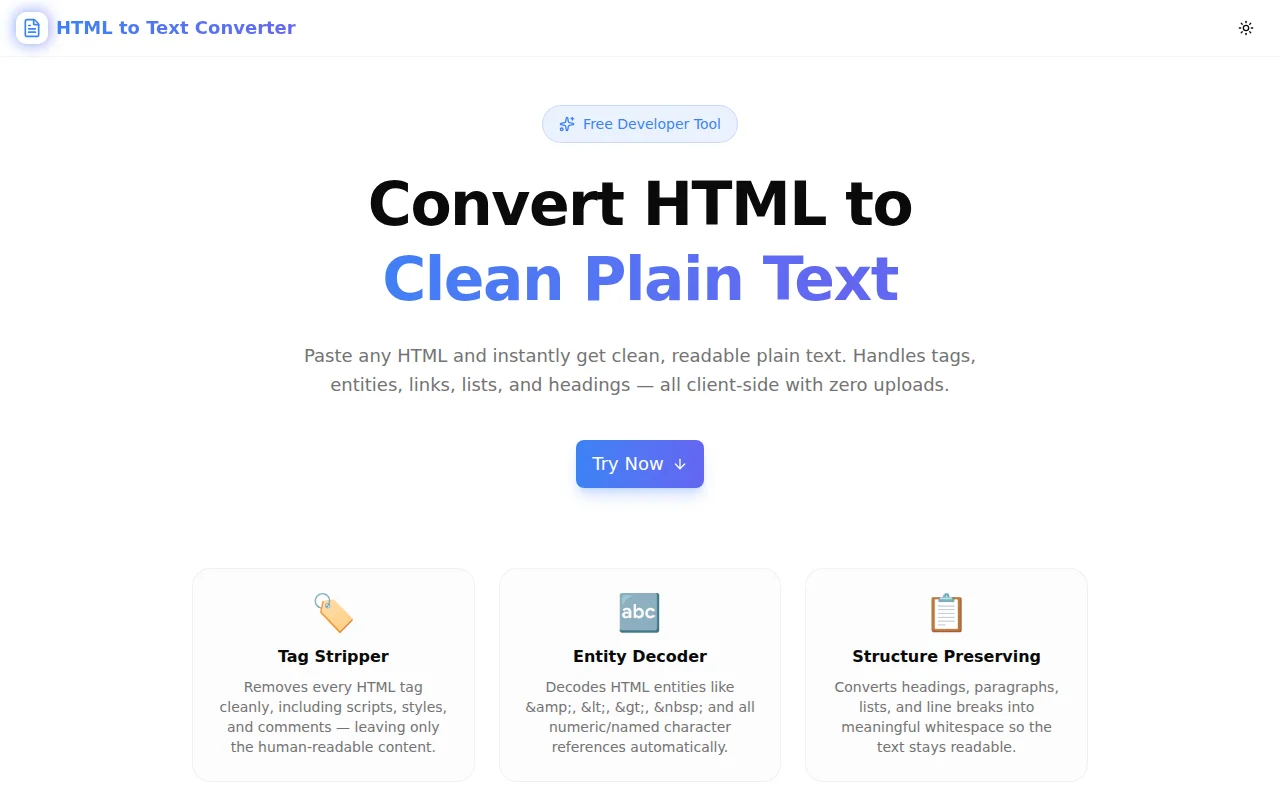
We built HTML to Text Converter so that none of that is your problem. Paste HTML, get clean plain text, copy and move on — in under 5 seconds.
Why Does Regex Tag Stripping Break?
The core problem is that HTML is not a regular language, and regex cannot correctly parse it. But even ignoring that theoretical limit, practical HTML has several patterns that break the simple <[^>]+> approach:
Attributes Containing >
<a href="page?a=1&b=2" title="Click > here">Link</a>The > inside the attribute value terminates the regex match prematurely. The output becomes: Click > here">Link with a fragment of the tag still visible.
Script and Style Block Content
<script>
  var html = "<div>test</div>";
  document.querySelector("div").innerHTML = html;
</script>
<p>Actual content</p>
Stripping tags removes <script> and </script> but leaves everything between them — JavaScript source code — in the output.
HTML Entities
<p>Copyright © 2026 — All rights reserved & more</p>After stripping tags, you get: Copyright © 2026 — All rights reserved & more
The entity references are not decoded. You need a second pass — but a complete entity decoder handles 30+ named entities, decimal numeric references like  , and hex references like ’.
Structure Collapse
<h2>Section Title</h2>
<p>First paragraph.</p>
<p>Second paragraph.</p>
<ul>
  <li>Item one</li>
  <li>Item two</li>
</ul>
Strip tags and you get: Section TitleFirst paragraph.Second paragraph.Item oneItem two
No separation, no structure. The content is technically there but unreadable.
What Does a Complete HTML-to-Text Pipeline Look Like?
A proper conversion pipeline has four distinct stages:
Stage 1: Remove Non-Content Blocks
Before any tag processing, remove entire blocks whose content should never appear in plain text:
<script>...</script>— JavaScript source<style>...</style>— CSS rules<head>...</head>— metadata, not visible content<noscript>...</noscript>— fallback content rarely needed<!-- ... -->— HTML comments
These must be removed with their content, not just the surrounding tags.
Stage 2: Convert Structural Tags to Whitespace
Block-level elements produce meaningful whitespace in rendered HTML. The plain-text equivalent:
| HTML element | Plain text output |
|---|---|
| <br> | \n (newline) |
| <hr> | \n---\n (separator line) |
| <p>, <div>, <section> | \n before, \n\n after |
| <h1> through <h6> | \n\n before and after |
| <li> | \n• (bullet prefix) |
| <td>, <th> | \t (tab separator) |
| <tr> | \n |
Stage 3: Strip Remaining Tags
After structural conversion, all remaining tags — inline elements like <span>, <strong>, <em>, <a>, <img>, <input> — are stripped with a simple regex. At this point, attributes containing > in the original HTML have already been handled by the structural pass.
Stage 4: Decode HTML Entities
Three entity formats exist:
&       → named entity (ampersand)
©      → decimal numeric entity (©)
©      → hex numeric entity (©)
A complete decoder handles all three. The named entity table includes the common characters developers encounter: , <, >, ", ©, ®, ™, —, –, “, ”, …, •, and more.
What Happens to Hyperlinks?
The default behaviour strips <a> tags and leaves only the visible link text. This is usually what you want — the text "Learn more about us" rather than Learn more about us(https://example.com/about).
But sometimes the URL matters. For content migration, SEO auditing, or AI input where link destinations carry meaning, the converter offers a Show links option that converts:
<a href="https://jagodana.com">Jagodana</a>into Markdown-style notation:
[Jagodana](https://jagodana.com)
This preserves the link destination in a format that is still readable as plain text.
What Are the Most Common Use Cases?
Web Scraping
The most common reason developers reach for HTML-to-text conversion. You fetch a URL, get the HTML response, and need the article body, product description, or listing data — without the navigation, scripts, ads, and structural markup.
import requests

response = requests.get("https://example.com/article")
html = response.text
# Now you need clean text...
Paste the HTML into the converter, copy the result, no pip install required.
Email Plain-Text Fallbacks
RFC 5322 (the email standard) recommends that all HTML emails include a text/plain alternative part. Many email service providers require it. Most developers write the HTML version and then need a plain-text version — converting manually is tedious.
HTML to Text Converter turns an HTML email template into a readable plain-text fallback in seconds. Headings become ALL-CAPS separators (with the uppercase heading option), paragraphs are properly spaced, and lists keep their bullet structure.
Feeding Content to LLMs
Large language models process tokens, not HTML. Sending raw HTML to an LLM wastes context window on <div class="container"> noise, drives up API costs, and degrades model output quality because relevant content is diluted.
Converting to plain text before feeding content to an LLM or RAG pipeline is a standard pre-processing step. The converter handles this in the browser — no server needed, no integration required.
CMS Content Auditing
Exporting content from WordPress, Contentful, Sanity, Prismic, or any CMS often produces HTML fields. Stripping the markup lets you:
- Check character counts against platform limits
- Detect duplicate content across pages
- Measure reading level with a readability tool
- Build a search index from the actual text
- Export to CSV without HTML leaking into cells
Rich-Text Editor Sanitisation
TipTap, Quill, ProseMirror, Slate — rich-text editors produce HTML. When you need to display that content in a context that doesn't render HTML — a push notification, an SMS, a tooltip, a CSV report, an API field — you need the plain text version first.
Debugging Template Output
When an HTML template produces unexpected rendered output, viewing the plain-text version strips away styling and reveals the content structure. What does the page say, independent of how it looks?
How Do I Handle Different HTML Quality Levels?
Real-world HTML varies widely in quality.
Well-formed HTML from a CMS works perfectly with any conversion approach.
HTML from a WYSIWYG editor often has redundant <span> tags, inline styles, and <br> spam. The whitespace collapse option handles this by collapsing multiple spaces on a line to one and trimming leading/trailing whitespace per line.
Scraped HTML from the wild may be malformed — unclosed tags, mismatched nesting, invalid attributes. The converter handles this gracefully because it operates on strings, not a parsed DOM tree, so it doesn't fail on structural errors.
Email HTML often uses table-based layouts with spacer cells and nested structures. The table-to-text conversion (tab-separated cells, newline per row) produces a readable approximation of the tabular layout.
Is My HTML Processed on a Server?
No. HTML to Text Converter runs entirely in your browser. The conversion code is TypeScript that executes client-side — no HTTP requests are made, no data is sent anywhere. You can verify this in your browser's Network tab: paste HTML and convert, then check — zero network requests.
This means:
- Sensitive HTML is safe — internal documents, customer data, proprietary templates
- No rate limits — process as much as you want
- Offline capable — works without an internet connection once the page has loaded
- No account required — open, paste, copy, done
Try HTML to Text Converter
html-to-text-converter.tools.jagodana.com — free, instant, no account required.
Paste your HTML in the left panel, configure the options (links, whitespace, headings, newlines), and copy the clean plain text from the right panel. The stats bar shows character count, word count, lines, and byte size so you know exactly what you're working with before you paste it anywhere.
The Load Sample button gives you a working example immediately — no blank-canvas friction.
Built for the 365 Tools Challenge — one free developer tool every day.