IP Subnet Calculator: Instant CIDR Breakdown in Your Browser
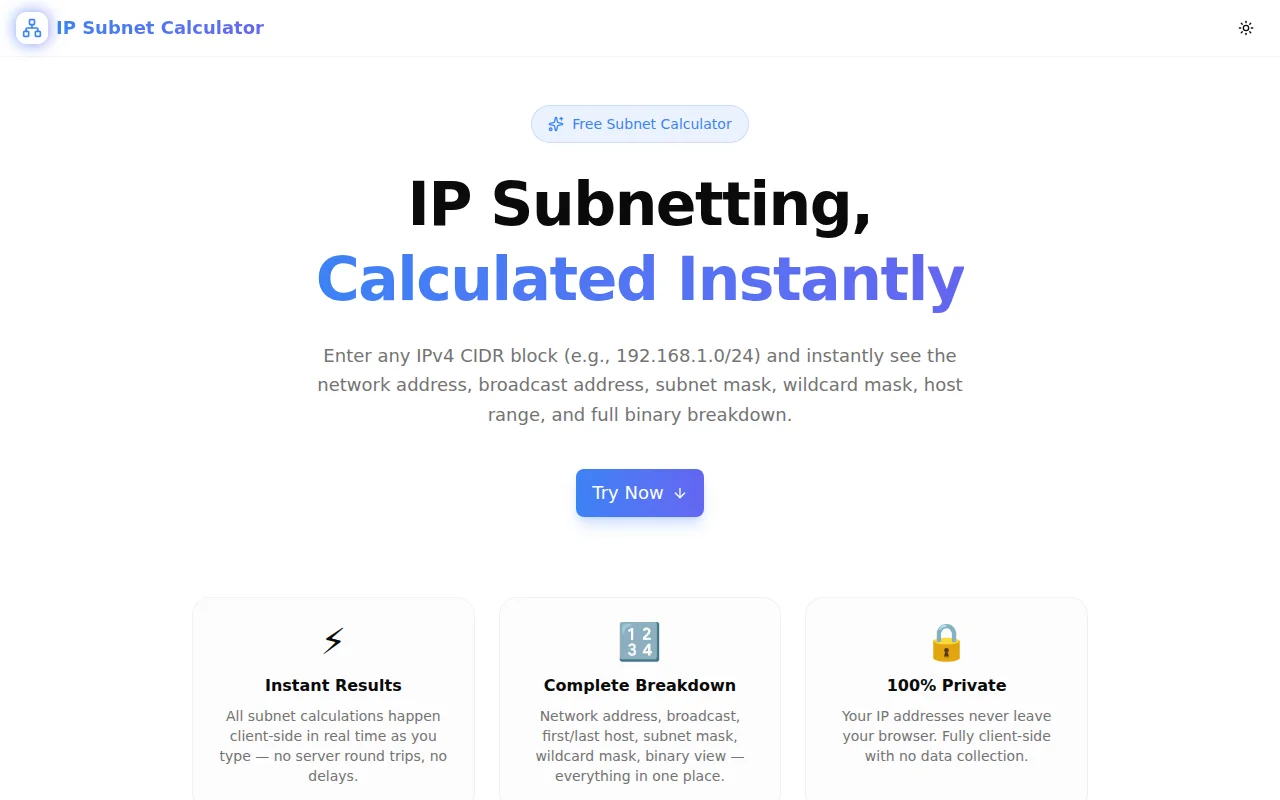
Free online IP subnet calculator — enter any IPv4 CIDR block and instantly get network address, broadcast address, usable host range, subnet mask, wildcard mask, and binary breakdown. No install, no signup.
IP Subnet Calculator: Instant CIDR Breakdown in Your Browser
You're designing a VPC, configuring a firewall ACL, or debugging a routing issue. You need to know the network address, broadcast address, and host range for 10.0.2.0/26 — right now, without leaving your browser tab.
The new IP Subnet Calculator gives you all of it in under a second: network address, broadcast, usable host range, subnet mask, wildcard mask, IP class, address type, host count, and full 32-bit binary breakdown. No ads, no signup, no server calls — just the answer.
What Is a Subnet Calculator?
A subnet calculator is a tool that automates IPv4 subnet arithmetic. Given an IP address and a CIDR prefix length (the number after the /), it calculates:
- Network address — the subnet identifier (host bits = 0)
- Broadcast address — the all-hosts address (host bits = 1)
- Usable host range — all addresses between network and broadcast
- Subnet mask — the 32-bit mask in dotted-decimal notation
- Wildcard mask — the bitwise complement of the subnet mask
- Host count — total addresses and usable hosts
These values appear constantly in network configuration: VPC design, firewall rules, router ACLs, OSPF network statements, security group CIDR blocks, cloud subnet planning.
How Do You Use a CIDR Subnet Calculator?
Using the IP Subnet Calculator is three steps:
- Enter a CIDR block into the input field — for example,
192.168.100.0/26 - Read the results — all values calculate instantly as you type
- Copy any field — click the copy icon next to the value you need
No submit button. No waiting. No page reload.
For quick access, the tool includes five pre-loaded examples covering the RFC 1918 private ranges and practical small subnets:
192.168.1.0/24— standard home network10.0.0.0/8— large private network172.16.0.0/12— medium private range192.168.100.0/26— 62 usable hosts10.10.10.0/30— 2 usable hosts (point-to-point link)
What Does Each Result Mean?
Network Address
The network address is the first address in the subnet. All host bits are set to 0. It identifies the network and cannot be assigned to a host. For 192.168.1.0/24, the network address is 192.168.1.0.
Broadcast Address
The broadcast address is the last address in the subnet. All host bits are set to 1. Packets sent to this address are delivered to every host on the subnet. It also cannot be assigned to a host. For 192.168.1.0/24, the broadcast is 192.168.1.255.
Usable Host Range
All addresses between network and broadcast are usable hosts. For /24, that's 192.168.1.1 through 192.168.1.254 — 254 addresses.
The calculator handles the edge cases correctly:
- /31 subnets follow RFC 3021 — both addresses are usable for point-to-point links
- /32 addresses represent a single host — one usable address
Subnet Mask
The subnet mask in dotted-decimal: the network bits are 1, the host bits are 0. A /24 gives 255.255.255.0. A /26 gives 255.255.255.192.
Wildcard Mask
The bitwise inverse of the subnet mask. A /24 gives 0.0.0.255. Wildcard masks appear in Cisco IOS ACL entries and OSPF network statements:
! Permit all of 192.168.0.0/16
access-list 10 permit 192.168.0.0 0.0.255.255
Binary Breakdown
The binary panel shows the 32-bit binary representation of the network address, subnet mask, and broadcast address — grouped as four 8-bit octets. This makes the network/host boundary visually explicit.
Network:   11000000.10101000.00000001.00000000
Mask:      11111111.11111111.11111111.00000000
Broadcast: 11000000.10101000.00000001.11111111
For /26: the boundary is at bit 26 — the first 26 bits are the network, the last 6 are hosts (2^6 = 64 total addresses, 62 usable).
How Many Hosts Does Each Prefix Length Give You?
| Prefix | Subnet Mask | Total Addresses | Usable Hosts | |--------|-------------|-----------------|--------------| | /8 | 255.0.0.0 | 16,777,216 | 16,777,214 | | /16 | 255.255.0.0 | 65,536 | 65,534 | | /20 | 255.255.240.0 | 4,096 | 4,094 | | /24 | 255.255.255.0 | 256 | 254 | | /25 | 255.255.255.128 | 128 | 126 | | /26 | 255.255.255.192 | 64 | 62 | | /27 | 255.255.255.224 | 32 | 30 | | /28 | 255.255.255.240 | 16 | 14 | | /29 | 255.255.255.248 | 8 | 6 | | /30 | 255.255.255.252 | 4 | 2 | | /31 | 255.255.255.254 | 2 | 2 (RFC 3021) | | /32 | 255.255.255.255 | 1 | 1 |
When Do You Actually Need a Subnet Calculator?
Cloud VPC and Subnet Design
AWS VPCs, Azure VNets, and GCP VPCs are all CIDR-based. Before creating subnets, you need to know exactly how many IP addresses each block provides, whether your chosen ranges overlap, and whether you've left enough headroom for growth.
A /21 VPC (10.0.0.0/21) gives 2,046 usable hosts. Split into four /24 subnets, you have 254 usable hosts per subnet — and 1,014 addresses left unallocated in the VPC for future growth. The calculator makes this planning visible in seconds.
Writing Firewall Rules and ACLs
Security group rules, network ACLs, and router access lists all use CIDR notation. To allow all traffic from the 172.16.0.0/12 private range, you need to know that means 172.16.0.0 through 172.31.255.255. The calculator shows you the exact range.
Verifying Host Reachability
Two servers in different subnets can't communicate directly without a router. If you're debugging why 10.0.1.5 can't reach 10.0.1.140 in a /25 network, calculating the broadcast address (10.0.1.127) immediately reveals the problem — 10.0.1.140 is in the second /25 subnet, not the first.
Point-to-Point Links
Router-to-router links only need 2 usable addresses. A /30 gives exactly 2 (network + broadcast use up the other 2 from a 4-address block). A /31, per RFC 3021, eliminates the network and broadcast overhead entirely — both addresses are usable, giving 2 addresses with no waste.
Learning and Teaching Subnetting
The binary breakdown makes subnetting concepts concrete. Students can see exactly how the mask divides the address space into network and host portions. Moving from /24 to /25 to /26 shows how each additional prefix bit halves the host count — visually, in binary, not just as a formula.
Is This Tool Private and Secure?
Yes. All calculations run in your browser using JavaScript. No IP addresses are sent to any server. There are no analytics on the addresses you enter. You can open the page, disconnect from the internet, and it will continue to work — subnetting is pure arithmetic.
What's the Difference Between Subnet Mask and Wildcard Mask?
The subnet mask and wildcard mask are bitwise inverses of each other:
- Subnet mask uses 1s for network bits, 0s for host bits
/24→255.255.255.0→11111111.11111111.11111111.00000000
- Wildcard mask uses 0s for network bits, 1s for host bits
/24→0.0.0.255→00000000.00000000.00000000.11111111
Subnet masks appear in host and interface configurations. Wildcard masks appear in Cisco routing and ACL configuration. The IP Subnet Calculator gives you both.
Try It Now
Open the tool, type your CIDR block, get your answers. The entire workflow — enter network, read results, copy a value — takes under 10 seconds.
👉 ip-subnet-calculator.tools.jagodana.com
No login. No install. Works offline after the first page load.
IP Subnet Calculator is part of the 365 Tools Challenge — a free developer tool every day from Jagodana Studio.