Introducing Password Strength Checker: Real Entropy, Not Theater
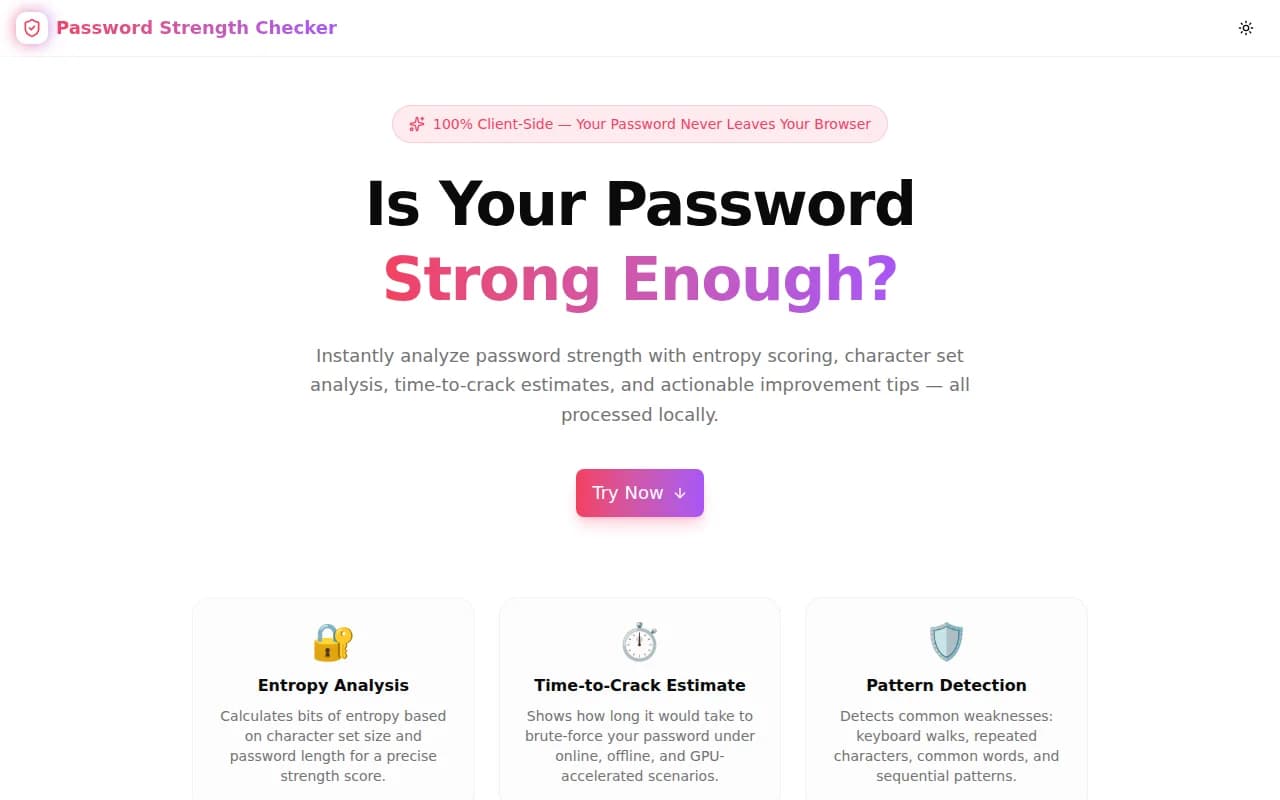
A free, instant password strength analyzer. Calculates entropy, detects keyboard patterns and repeated characters, estimates time to crack under three attack scenarios, and gives specific improvement tips — all in your browser.
Introducing Password Strength Checker: Real Entropy, Not Theater
We built a free, browser-based password strength analyzer. Type your password, get entropy in bits, see time-to-crack estimates across three attack scenarios, and receive specific tips to fix exactly what's weak. Nothing is sent to any server — everything runs locally in your browser.
→ password-strength-checker.tools.jagodana.com
What Is Password Entropy and Why Does It Matter More Than Complexity Rules?
Password entropy measures unpredictability in bits: log₂(charset_size) × length. It represents the number of combinations an attacker must search to guarantee finding your password by brute force.
The reason entropy matters more than typical complexity rules ("must contain uppercase, number, and symbol") is that complexity rules are gameable. Password1! satisfies every complexity rule on most systems but has only ~38 bits of effective entropy — it cracks in under an hour on modern GPU hardware against a leaked hash.
A passphrase like correct-horse-battery-staple has far higher entropy despite using only lowercase letters, because it's longer and randomly chosen. Entropy doesn't lie; rule compliance often does.
Why Does This Tool Exist?
Most password strength indicators are a colored progress bar that turns green when you hit an uppercase letter. They measure rule compliance, not security.
The problem shows up in two places. First, developers building authentication systems often test with weak passwords and see "strong" indicators, so they ship policies that don't actually protect users. Second, individuals checking their own passwords get false confidence from a green bar that's really just saying "you followed the rules."
The honest version of a strength checker answers three questions:
- How many bits of entropy does this password actually have?
- How long would it take a real attacker to crack it?
- What specific pattern makes it weak?
That's what this tool does.
How Does the Password Strength Checker Calculate Entropy?
What is the entropy formula used?
The tool calculates raw entropy as log₂(C) × L where C is the size of the character set in use and L is the password length:
- Lowercase only: C = 26
-
- Uppercase: C = 52
-
- Digits: C = 62
-
- Symbols: C = 94 (typical keyboard symbols counted at ~32, so full charset ≈ 94)
Raw entropy is then reduced by penalties for detected weaknesses: repeated characters (−8 bits), sequential runs (−8 bits), and common patterns/dictionary words (−20 bits). The resulting effective entropy reflects realistic cracking difficulty better than raw entropy alone.
What entropy level is considered strong?
The tool uses five levels:
| Level | Effective Entropy | Typical example |
|---|---|---|
| Very Weak | < 28 bits | abc123 |
| Weak | 28–40 bits | Hello123 |
| Fair | 40–56 bits | BlueSky!9 |
| Strong | 56–72 bits | j4K#mP9xLq2! |
| Very Strong | 72+ bits | 7xR!mPqL#9nK2vB |
The NIST Digital Identity Guidelines (SP 800-63B) recommend a minimum of 8 characters with no complexity requirement, relying instead on breach database screening. This tool goes further by measuring actual entropy — you can see exactly whether 72+ bits is achievable.
What Do the Time-to-Crack Estimates Mean?
What are the three attack scenarios?
The estimates cover three increasingly powerful attacker models:
Online Throttled (1,000 guesses/second): A rate-limited login form. Most production systems throttle login attempts. This scenario represents an attacker who cannot bypass rate limiting — a direct brute-force attack against the login UI.
Offline Slow (1 billion guesses/second): A leaked password hash (e.g. MD5, SHA-1) being cracked on CPU hardware. When a database is breached and hashes are leaked, there is no rate limiting — the attacker runs the hash algorithm locally.
GPU Accelerated (100 billion guesses/second): A high-end GPU cracking rig (e.g. Hashcat on an RTX 4090 cluster). This represents a well-resourced attacker with dedicated cracking hardware running against weak hash algorithms.
Are the estimates accurate?
They are calibrated approximations, not guarantees. Real crack time depends on hash algorithm (bcrypt, Argon2, and PBKDF2 are orders of magnitude slower than MD5/SHA-1), attacker hardware, and whether the password appears in dictionary lists that shortcut brute force. The estimates assume pure brute force against a weak hash — use them as a rough intuition, not a precise measurement.
What Patterns Does the Tool Detect?
Repeated Characters
Any sequence of three or more identical characters (aaa, 111, !!!) triggers this flag. Repeated characters reduce the effective search space because crackers check these patterns early and they're trivially guessable.
Sequential Characters
Runs of three or more consecutive ASCII code points — ascending (abc, 123, xyz) or descending (zyx, 987, cba) — are flagged. These patterns appear in the top positions of every cracking wordlist because they're natural human choices.
Common Patterns
A set of high-frequency patterns is checked: common password prefixes like password, passwd, admin, letmein, keyboard walks like qwerty, qwertyuiop, asdfgh, and sequential digit strings like 12345678, 1234567890. If your password starts with or contains these patterns, it's flagged.
Is It Safe to Enter My Real Password?
Yes. The checker runs entirely in your browser. The password you type is never sent to any server, stored, or logged. JavaScript processes the string locally and outputs the analysis — network traffic inspection will show zero outbound requests when you use the tool.
If you are still concerned, you can disconnect from the internet before opening the tool and it will work identically.
Who Should Use a Password Strength Checker?
Developers Building Authentication
Before shipping a password policy, test the weakest password your policy allows. If Aa1!aaaa satisfies your regex and scores under 40 bits effective entropy, your policy is not strong enough. Use the checker to calibrate minimum requirements against real entropy.
IT and Security Teams
During a security audit, evaluate whether current password policies and examples produce the entropy your threat model requires. The time-to-crack estimates calibrate expectations against realistic attacker hardware.
Individuals Auditing Their Own Passwords
Without sending your password to a third party, you can quickly confirm whether a password you've been using for years is actually strong enough for what it protects — or whether it's time to update.
Security Awareness Trainers
Show the tool running live during a training session. Enter Password1! and show the effective entropy (~35 bits, cracks in minutes offline). Then enter a 16-character random string and show the contrast. The visual is more memorable than any slide.
What Makes a Password Actually Strong?
Based on how entropy is calculated:
- Length is the most powerful lever. Every additional character multiplies combinations by the charset size. Going from 8 to 16 characters squares the search space.
- Full charset matters, but less than length. Using all four character types (lowercase, uppercase, digits, symbols) at 8 characters is weaker than using only lowercase at 16 characters.
- Randomness beats patterns. The penalty system reduces effective entropy for patterns because real attackers use those patterns first. A randomly generated string has no patterns to penalize.
- 72+ bits is the practical threshold. Above 72 bits of effective entropy, GPU cracking becomes infeasible in any reasonable time frame against well-hashed passwords.
Try It Now
password-strength-checker.tools.jagodana.com
Free. No account. No data collection. Works offline. Your password stays in your browser.
Built as part of the 365 Tools Challenge — one useful tool every day for developers, designers, and product builders.