Text Hash Generator: Generate MD5, SHA-256, SHA-512 Hashes Instantly in Your Browser
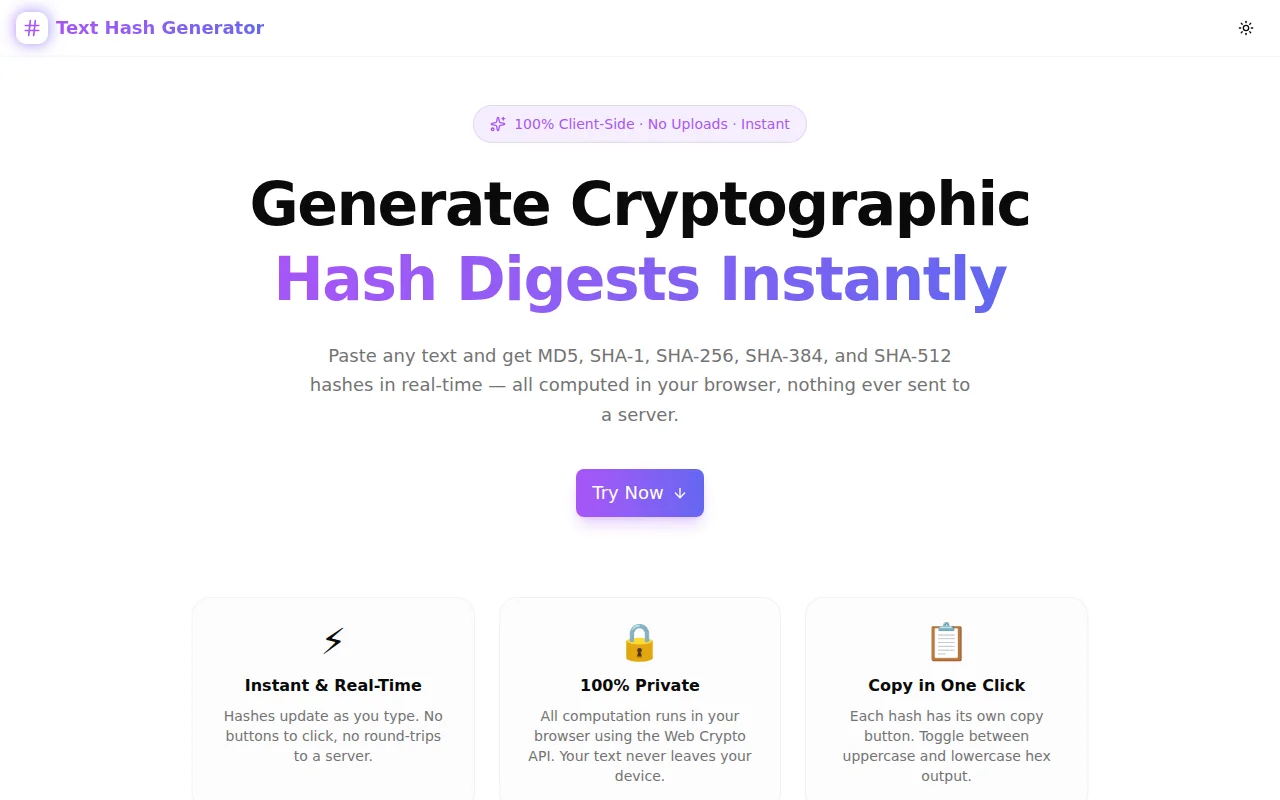
A free, private, browser-based tool to generate MD5, SHA-1, SHA-256, SHA-384, and SHA-512 cryptographic hashes from any text — real-time, no server, no login.
Text Hash Generator: Generate MD5, SHA-256, SHA-512 Hashes Instantly in Your Browser
Cryptographic hashing is one of the most fundamental operations in software development — and one of the most awkward to do quickly. You need a hash, you open a terminal, you switch context, you forget the exact flag syntax, you try an online tool and wonder if you should trust it with your string.
Text Hash Generator is a free browser tool that solves this: paste any text, get MD5, SHA-1, SHA-256, SHA-384, and SHA-512 hashes in real time, all computed locally with zero server contact.
What Is a Cryptographic Hash?
A cryptographic hash function takes an input of any length and produces a fixed-size output called a hash digest. Key properties:
- Deterministic — The same input always produces the same output
- Fast to compute — Hashing is designed to be efficient in the forward direction
- One-way — It is computationally infeasible to reverse a hash back to its input
- Avalanche effect — A single character change in the input produces a completely different output
These properties make hashes useful for data integrity checks, password storage (with salting), digital signatures, and content-addressed storage.
Which Hash Algorithm Should You Use?
MD5 — Legacy Checksums Only
MD5 produces a 128-bit (32 hex character) digest. It was the dominant algorithm through the 1990s and early 2000s. Today, MD5 is cryptographically broken — collision attacks are practical, meaning two different inputs can be engineered to produce the same hash.
Use MD5 for: Non-security checksums, cache keys, deduplication identifiers where collision risk is acceptable.
Do not use MD5 for: Password hashing, digital signatures, TLS certificates, or any context where an adversary could exploit a collision.
SHA-1 — Deprecated, Still Encountered
SHA-1 produces a 160-bit (40 hex character) digest. Like MD5, SHA-1 has been practically broken — Google's SHAttered attack demonstrated a real collision in 2017. All major certificate authorities stopped issuing SHA-1 certificates in 2016.
Use SHA-1 for: Interoperability with legacy systems that require it (e.g., some Git internals, older HMAC implementations).
Do not use SHA-1 for: New security-sensitive implementations. Git itself is migrating away from SHA-1.
SHA-256 — The Current Standard
SHA-256 (part of the SHA-2 family) produces a 256-bit (64 hex character) digest. It is the algorithm behind TLS certificates, JWT signatures, code signing, Bitcoin, and virtually every modern security protocol.
Use SHA-256 for: Password hashing (with bcrypt/Argon2 wrapping), HMAC, digital signatures, data integrity verification, API request signing.
SHA-256 has no known practical attacks and is considered secure for the foreseeable future.
SHA-384 — Compliance and High Security
SHA-384 produces a 384-bit (96 hex character) digest. It is a truncated variant of SHA-512. Some compliance frameworks (FIPS 140-2, Suite B) require SHA-384 as a minimum for certain use cases.
Use SHA-384 for: FIPS-compliant environments, high-security API signatures, subresource integrity (SRI) tags where longer digests are preferred.
SHA-512 — Maximum Output
SHA-512 produces a 512-bit (128 hex character) digest. It offers the largest output in the SHA-2 family and is the basis for HMAC-SHA-512 used in JWT HS512 signatures.
Use SHA-512 for: High-security HMAC, password hashing schemes that use SHA-512 internally (like bcrypt on some platforms), long-term archive integrity.
How Does Text Hash Generator Work?
Real-Time, No Button Required
Type or paste text into the input. All five hashes update as you type — there is no "Calculate" button to click. The hashes for an empty string are shown immediately on page load, which is useful for verifying the tool against known reference values.
Web Crypto API for SHA Family
SHA-1, SHA-256, SHA-384, and SHA-512 are computed using the browser's built-in crypto.subtle.digest() API. This is the same cryptographic primitive the browser uses internally for TLS — no third-party library, no npm package, no dependency risk.
MD5 uses a transparent pure-TypeScript implementation (RFC 1321) because the Web Crypto API intentionally excludes cryptographically broken algorithms.
Zero Network Requests
Open the browser's DevTools Network tab and type into the input. You will see zero outgoing requests. The text you hash never touches any server. This is verifiable, not a policy statement.
Common Use Cases
Verifying Your Hash Implementation
You've written a SHA-256 function in Go, Python, or Rust. Does it produce the correct output? Paste the same string into Text Hash Generator and compare. If the outputs match, your implementation is correct.
Generating Test Fixtures
Unit tests that verify hashing behavior need expected values. Use Text Hash Generator to pre-compute the expected SHA-256 of your test input, then hardcode that value in your test suite.
Debugging Hash Mismatches
A webhook verification is failing. An HMAC doesn't match. A checksum comparison returns false. Often the issue is encoding (UTF-8 vs. UTF-16, trailing newline, URL encoding). Paste the exact string — including any invisible characters — and see what the hash actually is.
Checking Algorithm Output Length
New to cryptography? See at a glance that MD5 produces 32 hex characters, SHA-1 produces 40, SHA-256 produces 64, SHA-384 produces 96, SHA-512 produces 128. Understanding the output length is essential for database schema design and storage planning.
Teaching and Demonstrations
The avalanche effect is easier to understand when you can see it. Type "password" and note the SHA-256 hash. Change one character to "Password". The entire 64-character output changes completely — none of the hex values are preserved. This visual demonstration makes the concept immediately intuitive.
Frequently Asked Questions
Can I use this tool with sensitive strings like passwords?
Yes — all computation runs in your browser. No data is transmitted. That said, for production password handling, always use a dedicated password hashing algorithm (bcrypt, Argon2, scrypt) rather than raw SHA-256. Raw SHA-2 is too fast for password hashing, making it vulnerable to brute-force attacks.
Why does an empty string produce a hash?
Every hash algorithm produces a deterministic output for every valid input, including an empty string. The SHA-256 of an empty string is always e3b0c44298fc1c149afbf4c8996fb92427ae41e4649b934ca495991b7852b855. This is a useful test case for verifying implementations.
What is the difference between a hash and encryption?
Encryption is reversible — you can decrypt ciphertext back to plaintext with the correct key. Hashing is irreversible — there is no key, and it is computationally infeasible to recover the input from the output. Hashing is used for integrity verification; encryption is used for confidentiality.
Why is MD5 shown if it's broken?
MD5 remains widely used for non-security purposes: file deduplication, cache keys, ETags, and legacy system compatibility. Developers need MD5 output to match or debug these systems. The tool displays a bit-count badge (128 bits) alongside each algorithm so you always know the security level of what you're using.
Try It Now
Text Hash Generator is free, requires no account, and works entirely in your browser.
Live tool: text-hash-generator.tools.jagodana.com
Open source: github.com/Jagodana-Studio-Private-Limited/text-hash-generator