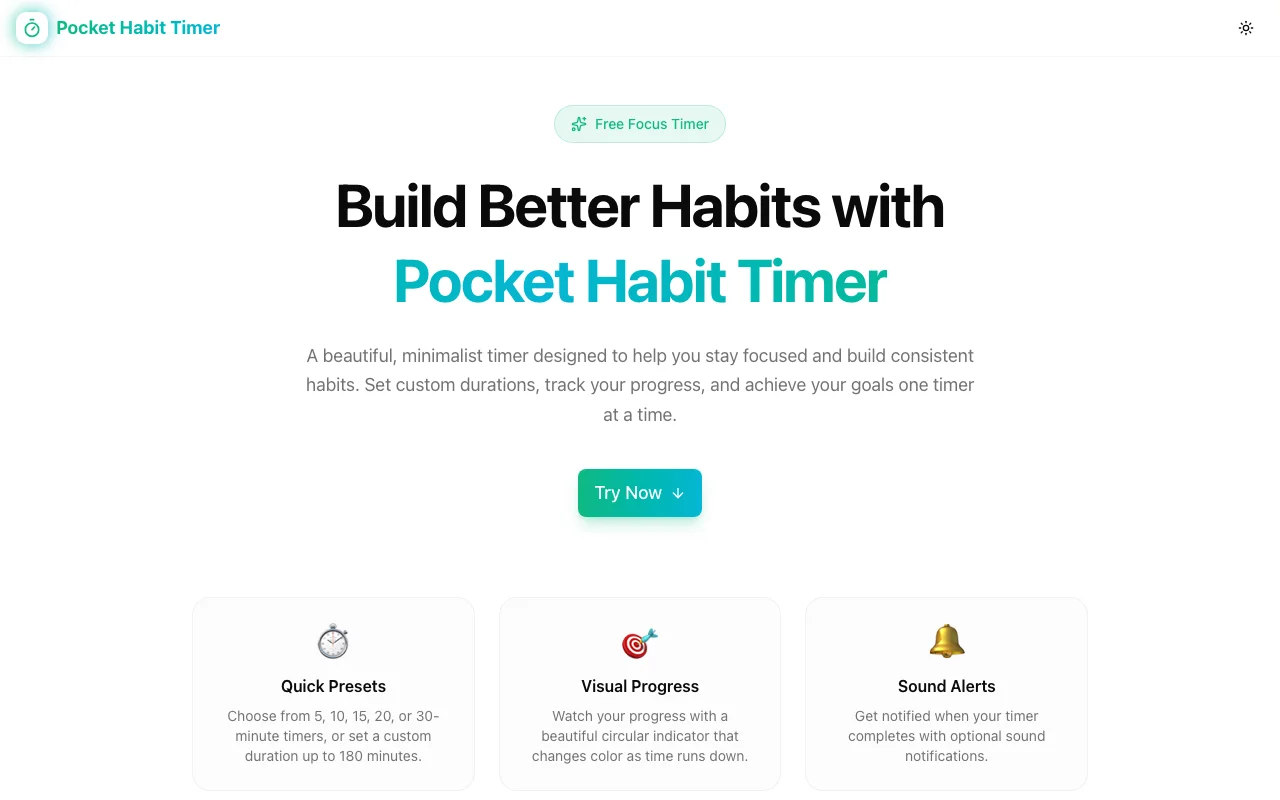
Build Better Habits One Timer at a Time — Introducing Pocket Habit Timer
A free, minimalist focus timer built for habit formation. Preset durations, a beautiful visual progress circle, sound alerts, keyboard shortcuts, and zero tracking — all in your browser.
Build Better Habits One Timer at a Time — Introducing Pocket Habit Timer
The hardest part of building a habit isn't motivation — it's starting. You sit down to work, look for a timer app, download something, create an account, navigate a dashboard, and by the time you're ready to begin, you've already broken your momentum.
Pocket Habit Timer removes all of that friction. It's a free, minimalist focus timer that lives in your browser. Open it, press Start, and go.
Why a Dedicated Habit Timer?
Most timer apps fall into two camps: they're either too basic (just a countdown, nothing else) or they're bloated with features you don't need — streaks, gamification, subscriptions, syncing across devices. Neither serves someone who just wants a clean, reliable timer to structure their work sessions.
Pocket Habit Timer sits in the middle. It has everything you need for focused time blocks and nothing you don't.
What It Does
Quick Presets
The five most common focus durations — 5, 10, 15, 20, and 30 minutes — are one click away. No typing, no menus. The 10-minute default is already selected when you open it.
These presets map neatly to common habit-building approaches: a 5-minute morning journaling session, a 20-minute deep work block, a 30-minute exercise window.
Custom Durations
Need 45 minutes for a focused writing session? Or 90 minutes for a long work block? Type any duration from 1 to 180 minutes and press Set. The timer updates immediately.
Visual Progress Circle
The circular progress indicator changes color as time runs down — giving you a constant, non-intrusive visual of how much time remains without needing to look at the numbers. You can keep it in the corner of your screen and glance at it passively.
Sound Alerts
An optional completion sound notifies you when the timer ends. You can keep it enabled to snap you out of focus mode, or disable it entirely if you're in a quiet environment. The setting persists across sessions.
Keyboard Shortcuts
Press Spacebar to start or pause the timer. No mouse required. When you're in the middle of something and need to pause, you don't want to reach for the trackpad.
Dark / Light Theme
Pocket Habit Timer adapts to your system preference automatically, with a manual toggle if you want to switch independently.
LocalStorage Persistence
Your duration preference is saved locally. If you close and reopen the tab, the timer remembers your last setting.
Privacy First
No accounts. No sign-up. No tracking. No data sent to servers. Everything runs 100% client-side in your browser.
This is a deliberate choice — a habit timer has no business knowing who you are or what you're working on.
Building Habits with Time Blocks
The science behind habit formation consistently points to one thing: consistency over intensity. A 10-minute daily session beats an occasional 90-minute marathon. The key is making it easy to start.
Here's a workflow that works well with Pocket Habit Timer:
- Anchor it to an existing routine — Open the timer right after your morning coffee, or right before lunch.
- Start with a preset — Don't overthink the duration. Pick 10 or 15 minutes.
- Use the Spacebar — No clicks, no friction. Just press Space.
- Let the visual circle do the work — Glance at it, don't stare at it.
- When it ends, that's enough — The goal is the session, not the output.
Free, Always
Pocket Habit Timer is a free tool from Jagodana. Part of the same suite as ViewPorter, Screenshot Beautifier, OG Preview, Favicon Generator, Regex Playground, and Logo Maker.
Try it at pocket-habit-timer.jagodana.com.