Introducing Reading Time Estimator: Know Exactly How Long Your Readers Will Stay
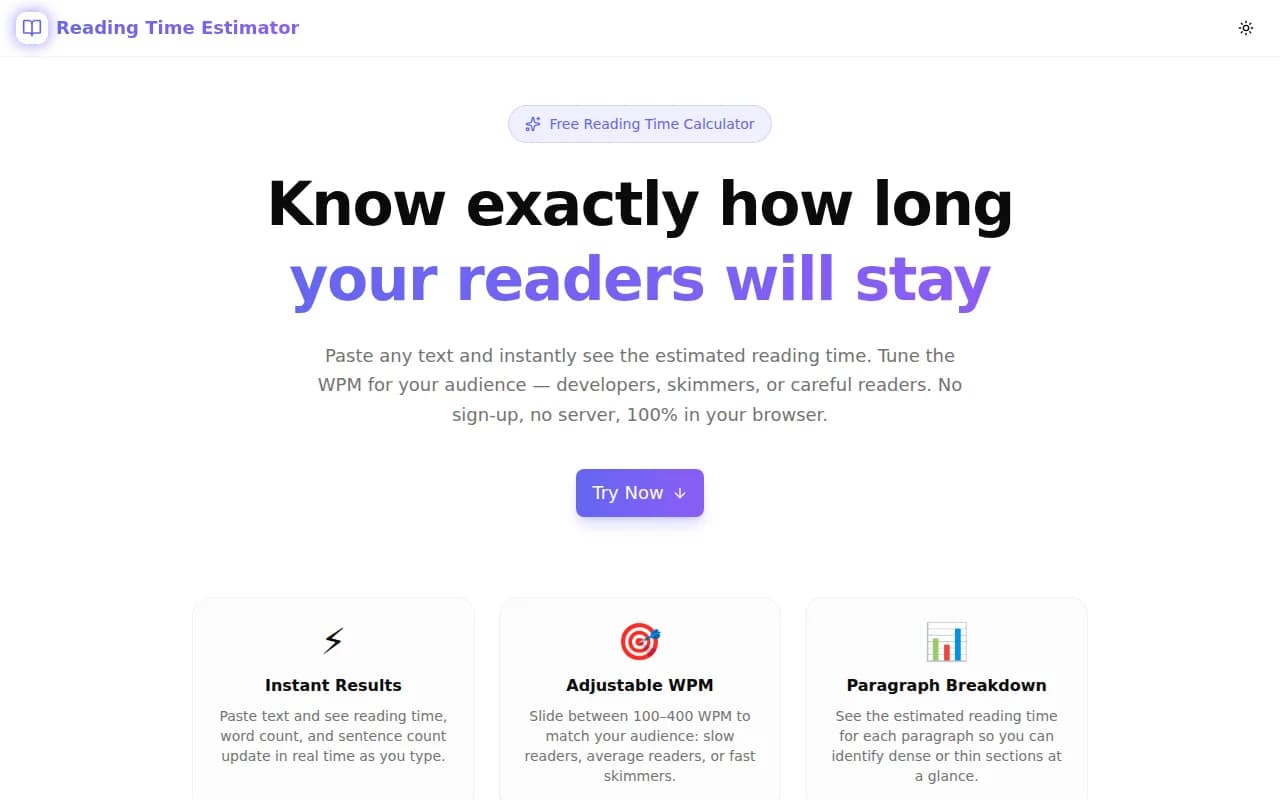
A free browser-based reading time calculator with adjustable WPM, word counts, per-paragraph breakdowns, and platform comparisons — built in one session and deployed in minutes.
Introducing Reading Time Estimator: Know Exactly How Long Your Readers Will Stay
Reading time is one of the most useful metrics a blogger or content creator can display — and one of the most misunderstood to calculate.
We built Reading Time Estimator as part of the 365 Tools Challenge: a free, browser-only tool that calculates how long any text takes to read, with controls that make the estimate actually useful.
Why Does Reading Time Matter?
Before we get into the tool, it's worth explaining why this metric matters at all.
Does Showing Reading Time Actually Help?
Research consistently shows that displaying estimated reading time reduces bounce rates and increases the depth of engagement. When readers know what they're committing to — "this is a 4-minute read" — they make an informed decision. If they stay, they're more likely to read to the end.
Medium popularized this pattern. Almost every major publishing platform adopted it. It's now a standard UX pattern for content-heavy sites.
How Do Content Creators Use Reading Time Estimates?
The most common use cases are:
- Newsletter planning — knowing a piece is 12 minutes tells you it's too long for email; split it or cut it
- Content calendar balance — mixing 2-minute quick reads with 8-minute deep dives serves different audience moods
- Blog post editing — if a draft is shorter than expected, the paragraph breakdown reveals which sections are thin
- Documentation planning — long docs need anchored navigation; knowing total read time helps decide when to split pages
What Makes a Good Reading Time Calculator?
Why Is Average WPM Not Enough?
Most reading time calculators pick one WPM value — usually 200 or 250 — and hardcode it. That's fine for a rough estimate, but it ignores the fact that different audiences read at very different speeds.
A developer reading dense API documentation reads at 150–180 WPM. A casual lifestyle blog reader skims at 250–300 WPM. A children's educational platform might target 100–150 WPM.
If you're writing for developers and your calculator uses 265 WPM (Medium's value), your estimates will be systematically too optimistic. The article your calculator says takes "4 minutes" will actually take your readers closer to 6–7 minutes.
How Do Different Platforms Calculate Reading Time?
This is where it gets interesting. The platforms all publish their formulas, and they differ:
| Platform | WPM Used | |---|---| | Medium | 265 | | Dev.to | 275 | | Ghost | 275 | | Substack | 200 |
The same 1,000-word article shows as "3 min read" on Medium but "5 min read" if you use Substack's WPM. Neither is wrong — they're targeting different reading contexts.
How Reading Time Estimator Solves This
What Does the WPM Slider Do?
The slider lets you set words-per-minute from 50 to 600. Four presets are available for common scenarios:
- 100 WPM — children's content
- 160 WPM — developer documentation
- 200 WPM — average adult (the default)
- 265 WPM — Medium's published formula
The main reading time display updates instantly as you move the slider, so you can see in real time how the estimate shifts for different audiences.
What Statistics Does It Show?
Beyond reading time, the tool shows five counts:
- Words — total whitespace-separated tokens
- Characters — total including spaces
- Characters (no spaces) — for character-limit calculations
- Sentences — approximate, based on punctuation
- Paragraphs — double-newline-separated blocks
These counts update in real time as you type or paste.
What Is the Paragraph Breakdown For?
This is the feature that makes the tool useful beyond a simple calculator.
The paragraph breakdown shows the estimated reading time for each individual paragraph in your text. This lets you answer questions like:
- Which sections are dense enough to slow readers down?
- Is any section noticeably shorter than the others (possibly too thin)?
- Where should I add subheadings to break up a long block?
It's the fastest way to identify structural editing targets without re-reading the entire piece.
How Does the Platform Comparison Work?
Below the paragraph breakdown, a "Platform Comparison" panel shows how Medium, Dev.to, Ghost, and Substack would each display the reading time for the same text, using their respective WPM values.
This is useful when you're publishing on multiple platforms and want to understand why the estimates differ — or when you're building your own reading time feature and want to match a specific platform's formula.
Is Reading Time Good for SEO?
Does Displaying Reading Time Affect Search Rankings?
Not directly — Google doesn't use reading time as a ranking signal. But it affects several factors that do influence rankings:
- Bounce rate — informed readers who stay reduce bounce signals
- Time on page — engaged readers produce better dwell-time signals
- Return visits — content that matches its advertised depth builds reader trust and repeat traffic
How Does Reading Time Fit into AEO and GEO?
Answer Engine Optimization (AEO) and Generative Engine Optimization (GEO) favor content that is clearly structured and delivers promised value. A stated reading time is a form of content transparency — it signals to both readers and AI systems that the content is self-aware about its depth and respects the reader's time.
Long-form content (8+ minutes) that delivers on its depth tends to be cited more often by AI-generated answers than short content on the same topic, because it contains more comprehensive coverage.
Technical Notes
Reading Time Estimator runs entirely in the browser. No text is sent to any server. The calculation is a single pure function:
const totalSeconds = Math.round((wordCount / wpm) * 60);Word count is computed by splitting on whitespace and filtering empty tokens. Paragraphs are split on double newlines. The same formula runs per-paragraph for the breakdown and four times (once per platform WPM) for the comparison panel.
The tool is built with Next.js 16, TypeScript in strict mode, Tailwind CSS v4, and shadcn/ui — the same stack as every tool in the 365 Tools Challenge series.
Get Started
Reading Time Estimator is free, requires no login, and works offline once the page loads.
Paste your next blog post, adjust the WPM for your audience, and see where your readers will slow down before you publish.
Live tool: reading-time-estimator.tools.jagodana.com
Source code: github.com/Jagodana-Studio-Private-Limited/reading-time-estimator