SQL JOIN Visualizer: The Visual, Interactive Reference Every Developer Needs
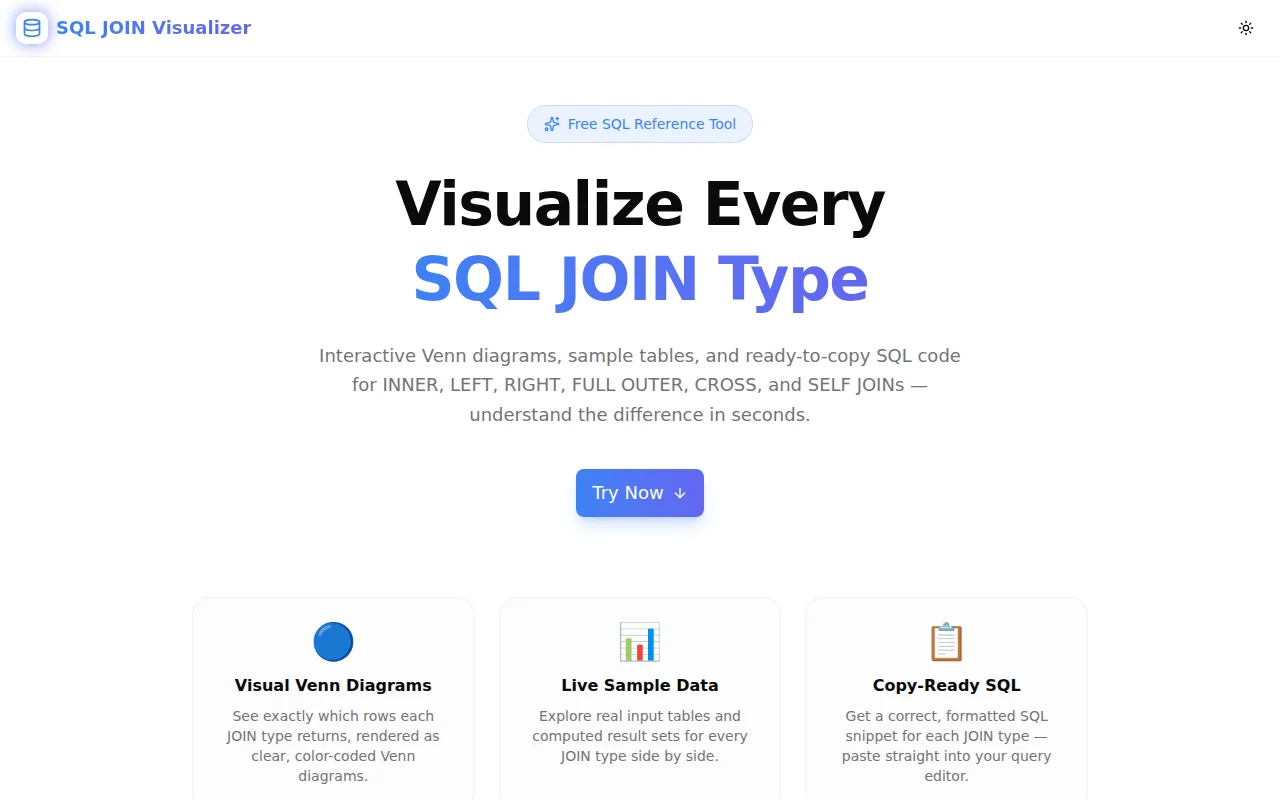
Learn exactly how every SQL JOIN type works — INNER, LEFT, RIGHT, FULL OUTER, CROSS, and SELF JOIN — with Venn diagrams, sample data, and copy-ready SQL. Completely free and runs in your browser.
SQL JOIN Visualizer: The Visual, Interactive Reference Every Developer Needs
Every developer learns SQL JOINs. Every developer also forgets the exact difference between a FULL OUTER JOIN and a LEFT JOIN at some point — usually right before a code review or an interview.
The usual fix is a Google search, a Stack Overflow tab, or a documentation page you've read three times before. None of them show you what you actually need: input tables, result rows, and the SQL — at the same time, for every JOIN type.
We built SQL JOIN Visualizer to fix that. It's a free, browser-based tool with interactive Venn diagrams, live sample data, and copy-ready SQL snippets for all six JOIN types. No database. No account. Just open it and understand JOINs.
What Is a SQL JOIN?
A SQL JOIN combines rows from two or more tables based on a related column. The type of JOIN determines which rows from each table appear in the result — specifically what happens when a row in one table has no matching row in the other.
Understanding this is the difference between queries that return the right data and queries that silently return the wrong data.
What Types of SQL JOINs Are There?
SQL JOIN Visualizer covers all six JOIN types you'll encounter in practice.
What Does INNER JOIN Return?
INNER JOIN returns only the rows where a match exists in both tables. If a row in Table A has no corresponding row in Table B (based on the join condition), that row is excluded from the result entirely.
SELECT a.id, a.name, b.dept
FROM employees a
INNER JOIN departments b ON a.id = b.id;
When to use it: You need data that exists in both tables — for example, employees who have an assigned department. Employees without a department are excluded.
Common mistake: Using INNER JOIN when you actually need LEFT JOIN. If your query is returning fewer rows than expected, this is the first thing to check.
What Is the Difference Between LEFT JOIN and INNER JOIN?
LEFT JOIN (also called LEFT OUTER JOIN) returns all rows from the left table, plus matching rows from the right. Where there is no match in the right table, the right-table columns are filled with NULL.
SELECT a.id, a.name, b.dept
FROM employees a
LEFT JOIN departments b ON a.id = b.id;
When to use it: You want all records from the left table regardless of whether they have a match — for example, all employees including those without a department assignment.
What makes it different from INNER JOIN: LEFT JOIN preserves unmatched rows from the left table. INNER JOIN drops them.
When Should You Use RIGHT JOIN?
RIGHT JOIN returns all rows from the right table, plus matching rows from the left. Unmatched left-table columns become NULL. It is functionally identical to swapping the tables in a LEFT JOIN.
SELECT a.id, a.name, b.dept
FROM employees a
RIGHT JOIN departments b ON a.id = b.id;
When to use it: When you want all records from the right table — for example, all departments, including departments with no employees yet.
Practical note: Most developers prefer LEFT JOIN and swap the table order rather than using RIGHT JOIN. Consistent use of LEFT JOIN makes queries easier to read.
What Does FULL OUTER JOIN Return?
FULL OUTER JOIN returns all rows from both tables. Where there is no match on either side, NULL fills the unmatched columns. It is the union of LEFT JOIN and RIGHT JOIN.
SELECT a.id, a.name, b.dept
FROM employees a
FULL OUTER JOIN departments b ON a.id = b.id;
When to use it: You want to see all records from both tables, including unmatched rows on either side — for example, employees without departments AND departments without employees.
Database support: Not all databases support FULL OUTER JOIN natively. MySQL requires a UNION of LEFT and RIGHT JOIN as a workaround. PostgreSQL and SQL Server support it directly.
What Is a CROSS JOIN in SQL?
CROSS JOIN returns the Cartesian product — every possible combination of rows from both tables. There is no ON condition.
SELECT a.id, a.name, b.dept
FROM employees a
CROSS JOIN departments b;
A CROSS JOIN of a 4-row table and a 3-row table produces 12 rows.
When to use it: Generating all possible combinations — every size paired with every colour in a product catalog, every date in a range combined with every product in a list.
Common mistake: Accidentally using CROSS JOIN by omitting the ON clause in an old-style comma join. Always use explicit JOIN syntax to avoid this.
What Is a SELF JOIN?
A SELF JOIN joins a table to itself using two aliases. There is no special SELF JOIN keyword — it is a regular JOIN (usually LEFT JOIN) where both sides reference the same table.
SELECT e.id AS emp_id, e.name AS emp_name,
       m.id AS manager_id, m.name AS manager_name
FROM employees e
LEFT JOIN employees m ON e.manager_id = m.id;
When to use it: Hierarchical data where a row references another row in the same table — employee–manager relationships, parent–child categories, comment threads.
What makes it different: Both sides of the JOIN reference the same table, so aliases are required to distinguish them.
How Does SQL JOIN Visualizer Help?
The tool addresses the core problem: JOIN types are hard to hold in working memory because you rarely need all six at once. When you need one, you want to see it — not read about it.
Each JOIN type in the visualizer shows:
- A Venn diagram — color-coded to show which portions of Tables A and B appear in the result
- Input tables — the actual sample data (employees table and departments table, with intentionally mismatched IDs so NULLs appear where expected)
- Result table — the computed output with NULL cells clearly marked as distinct badges
- SQL snippet — a formatted query using the sample tables, ready to copy
Switching JOIN types takes one click. The panel animates to the new type. The mental model updates visually before you read a single word.
At the bottom, a comparison grid shows all six types summarized in one view — useful when you need a quick reminder of which type returns what.
How Do I Use SQL JOIN Visualizer?
Step 1: Open the tool
Go to sql-join-visualizer.tools.jagodana.com. No account, no install.
Step 2: Click a JOIN type
The tab bar shows INNER, LEFT, RIGHT, FULL OUTER, CROSS, SELF. Click the one you want to understand or review.
Step 3: Read the Venn diagram
The diagram highlights which regions of Tables A and B are included. INNER shows only the overlap. LEFT shows all of A. RIGHT shows all of B. FULL OUTER shows both. CROSS and SELF have custom diagrams.
Step 4: Check the sample data
The input tables use a simple schema: employees (id 1–4) joined to departments (id 2, 3, 5). The mismatch is intentional — ids 1 and 4 have no department, and id 5 has no employee — so every JOIN type produces meaningful NULL rows.
Step 5: Copy the SQL
Hit "Copy SQL" to grab the snippet. Paste it into your query editor, your interview answer, or your team's documentation.
Who Is SQL JOIN Visualizer For?
Junior Developers Learning SQL
The first time you see a JOIN, the concept makes sense. The second time, the differences between types start to blur. The visualizer gives you a concrete reference that takes less than a minute to consult.
Developers Preparing for Technical Interviews
SQL JOINs are standard interview material. Being able to explain the difference between INNER JOIN and LEFT JOIN with an example — not just a definition — is the answer interviewers are looking for.
Data Analysts Writing Complex Queries
When a query returns unexpected row counts, the fastest debugging step is confirming the JOIN type. The visualizer makes the expected behavior explicit.
Backend Engineers Reviewing Query Changes
A PR that changes LEFT JOIN to INNER JOIN is a behavior change, not just a style change. The visualizer helps reviewers quickly understand the impact.
Technical Writers and Educators
The Venn diagrams and sample data tables are clear enough to screenshot for documentation or teaching materials.
Does SQL JOIN Visualizer Run Against a Real Database?
No. All logic runs entirely in your browser using TypeScript. The sample tables and join results are computed from pre-defined static datasets. No database connection, no server requests, no data collection. The tool works offline once loaded.
This also means the results are deterministic — the same input always produces the same output. The NULL patterns you see in the LEFT JOIN result will always match what a real database would produce for the same tables and join condition.
What Databases Does the SQL Syntax Work With?
The SQL snippets use standard SQL syntax that works in:
- PostgreSQL — all six JOIN types, including FULL OUTER JOIN
- MySQL / MariaDB — all types except FULL OUTER JOIN (use UNION of LEFT and RIGHT JOIN instead)
- SQL Server — all six JOIN types
- SQLite — INNER, LEFT, CROSS (no FULL OUTER JOIN or RIGHT JOIN)
- Oracle — all six JOIN types
The column and table aliases follow ANSI SQL conventions. You can drop the snippets into any of these environments with minor schema adjustments.
Try SQL JOIN Visualizer Now
Stop re-reading the same Stack Overflow answer. See every SQL JOIN type in one place, with the exact rows it produces.
Free. Instant. No signup. Works in any browser.
Part of the 365 Tools Challenge — building one free developer tool every day.
More tools from Jagodana:
- SQL Formatter — Format and beautify SQL queries
- JSON Formatter — Format and validate JSON
- Cron Expression Builder — Build and understand cron schedules visually
- Regex Playground — Build and test regular expressions in real time