Introducing Theme Contrast Checker: Verify WCAG Color Contrast Instantly
Check any foreground/background color pair against WCAG 2.1 contrast requirements. See AA and AAA results, a live text preview, and copy CSS—all client-side, free, no signup.
Introducing Theme Contrast Checker: Verify WCAG Color Contrast Instantly
Color contrast matters more than most developers realize. Nearly 1 in 12 men have some form of color vision deficiency. Low-contrast text is hard to read in bright sunlight. And WCAG 2.1 compliance isn't optional if you care about accessibility—or if your client does.
That's why we built Theme Contrast Checker—a free, instant tool to verify any color combination against WCAG accessibility standards.
The Contrast Problem
WCAG 2.1 defines minimum contrast ratios for text readability:
| Level | Normal Text | Large Text | |-------|------------|------------| | AA (minimum) | 4.5:1 | 3:1 | | AAA (enhanced) | 7:1 | 4.5:1 |
But here's the thing: you can't eyeball contrast ratios. A color pair that looks fine on your calibrated monitor might fail WCAG on a cheaper display. And "close enough" isn't close enough—4.4:1 fails AA even though 4.5:1 passes.
Most developers either:
- Skip contrast checks entirely and hope for the best
- Use browser DevTools (buried under several clicks)
- Upload colors to a third-party website
None of these are great for quick iteration.
A Better Way
Theme Contrast Checker makes it dead simple: pick two colors, get results instantly.
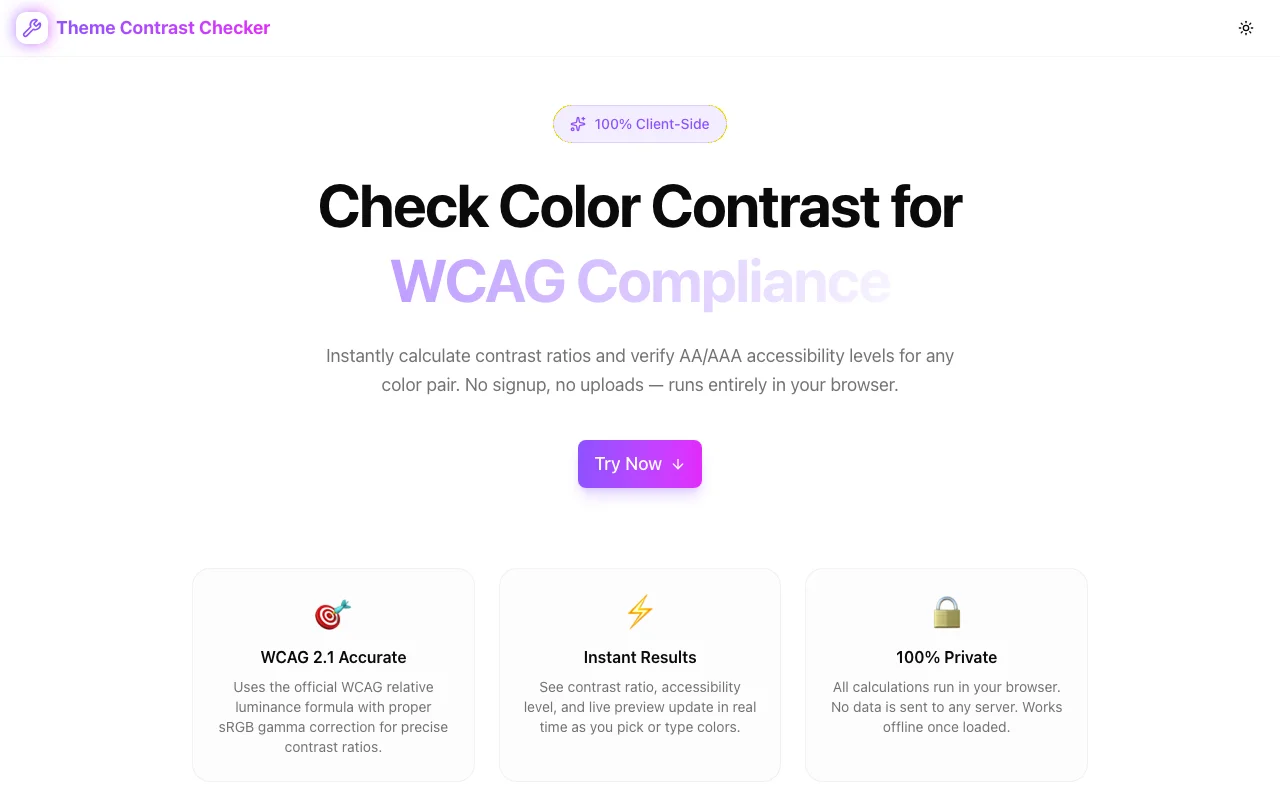
🎯 WCAG 2.1 Accurate
The contrast calculation follows the exact W3C specification—hex to RGB, sRGB gamma correction, relative luminance, contrast ratio. The same math your browser DevTools uses, with no approximations.
⚡ Real-Time Results
Everything updates as you type or pick colors:
- Contrast ratio (e.g., 21.00:1 for black on white)
- Overall level badge — AAA, AA, AA Large, or Fail
- Per-criterion breakdown — Normal text AA, Normal text AAA, Large text AA, Large text AAA
- Live text preview — Heading, paragraph, small text, and button samples rendered in your chosen colors
No "submit" button. No loading spinner. Just instant feedback.
🔒 100% Private
Your colors never leave your browser. All calculations happen client-side. No uploads, no server processing, no tracking. Works offline once the page loads.
How to Use It
- Pick a foreground color — Type a hex code or use the color picker
- Pick a background color — Same options
- Read the results — Contrast ratio, AA/AAA pass/fail, live preview
- Swap if needed — One-click swap to test the inverse combination
- Copy CSS — Get
colorandbackground-colorready to paste
That's it. Five seconds to check, zero friction.
The Math Behind It
For those who care about what's under the hood, here's how WCAG contrast is calculated:
// Step 1: sRGB linearization (gamma correction)
function linearize(channel: number): number {
  const c = channel / 255;
  return c <= 0.03928 ? c / 12.92 : Math.pow((c + 0.055) / 1.055, 2.4);
}

// Step 2: Relative luminance
function relativeLuminance(r: number, g: number, b: number): number {
  return 0.2126 * linearize(r) + 0.7152 * linearize(g) + 0.0722 * linearize(b);
}

// Step 3: Contrast ratio
function contrastRatio(L1: number, L2: number): number {
  const lighter = Math.max(L1, L2);
  const darker = Math.min(L1, L2);
  return (lighter + 0.05) / (darker + 0.05);
}
The 0.03928 threshold and 2.4 exponent come directly from the sRGB spec. The luminance weights (0.2126, 0.7152, 0.0722) reflect how human eyes perceive brightness—green contributes most, blue the least.
Handy Features
- Swap colors — Quickly test the inverse combination
- Copy CSS —
color: #000000; background-color: #ffffff;on your clipboard in one click - Recent combinations — Last 5 pairs saved locally, click to reload any of them
- Responsive — Works on your phone if you're checking colors on the go
Common Color Pairs and Their Ratios
| Foreground | Background | Ratio | Level |
|-----------|-----------|-------|-------|
| #000000 | #ffffff | 21.00:1 | AAA |
| #333333 | #ffffff | 12.63:1 | AAA |
| #666666 | #ffffff | 5.74:1 | AA |
| #767676 | #ffffff | 4.54:1 | AA |
| #777777 | #ffffff | 4.48:1 | Fail |
| #ffffff | #0066cc | 5.26:1 | AA |
Notice that #777777 on white just barely fails AA at 4.48:1. This is exactly the kind of thing you can't eyeball.
Try It Now
Ready to check your colors?
Free, instant, and completely private. No signup required.
Part of Our Developer Tools Suite
Theme Contrast Checker joins our growing collection of free developer tools:
- Favicon Generator — All favicon sizes + manifest in seconds
- OG Preview — See how your links look on social media
- Theme Contrast Checker — WCAG color contrast verification
All built with the same principles: fast, free, and privacy-first.
What's Next?
We're already thinking about enhancements:
- Color suggestions — When a pair fails, suggest the closest passing color
- Palette mode — Check an entire color palette at once
- Export report — Generate a PDF accessibility audit for stakeholders
- Browser extension — Check contrast on any website without leaving the page
Have suggestions? We'd love to hear them.
Stop guessing about contrast. Try Theme Contrast Checker →