Robots.txt Generator: Free Online Tool to Create & Validate robots.txt Files
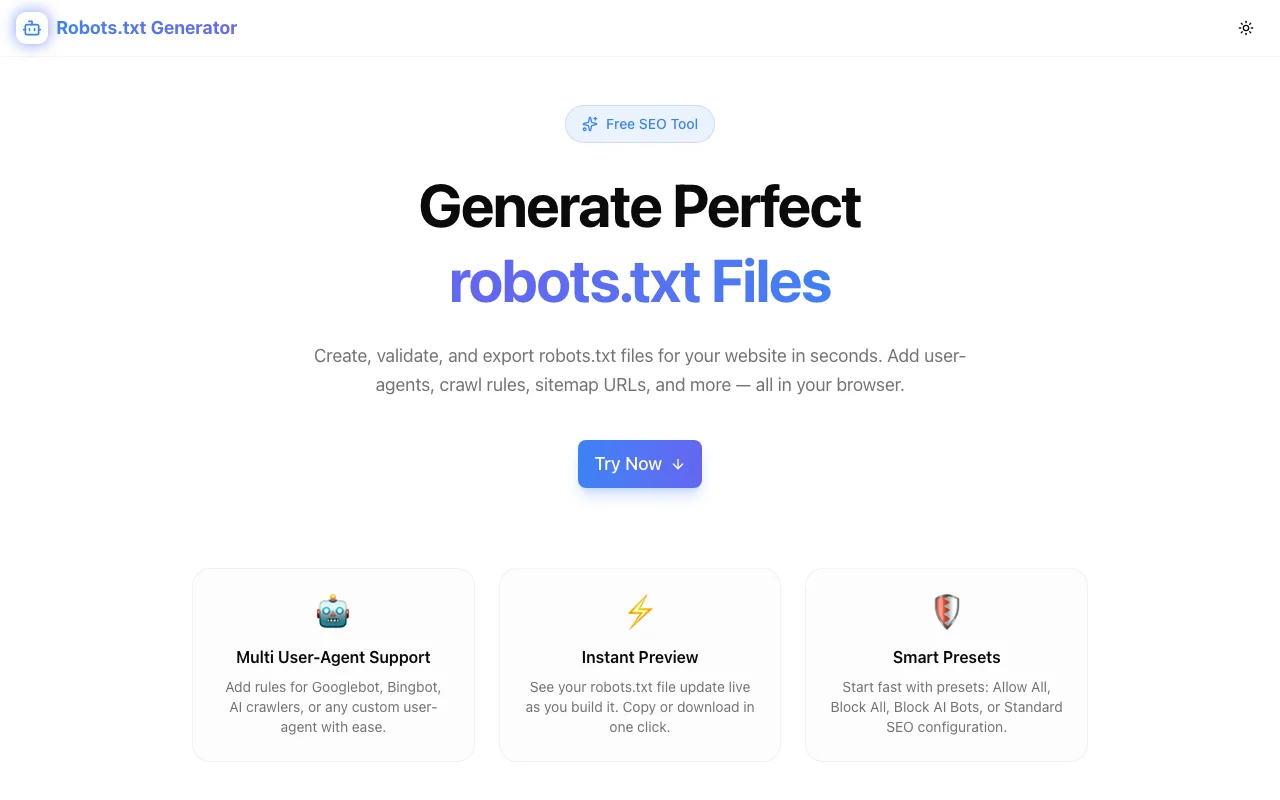
Free online robots.txt generator — build crawler rules visually, validate syntax in real time, and export a spec-compliant robots.txt file in minutes. No sign-up, 100% client-side.
Robots.txt Generator: Free Online Tool to Create & Validate robots.txt Files
You're launching a website and you need a robots.txt file. You vaguely remember the syntax — User-agent, Disallow, something about wildcards — so you copy one from Stack Overflow and hope it's right.
Then six months later, Google Search Console tells you Googlebot is blocked from half your site.
The Robots.txt Generator at robots-txt-generator.tools.jagodana.com solves this: build crawler rules visually, validate the output in real time, and export a clean robots.txt file in under two minutes. No account. No install. 100% client-side.
What Is robots.txt and Why Does It Matter?
Every website has a robots.txt file at its root (e.g., https://example.com/robots.txt). It tells web crawlers — search engines, AI scrapers, archive bots — which parts of your site they're allowed or not allowed to access.
It's not a security mechanism. A malicious bot can ignore it entirely. But every major search engine respects it by default, which means it's your primary lever for controlling how your site is indexed.
What's at Stake
A misconfigured robots.txt causes real problems:
- Blocking Googlebot by accident — one bad
Disallow: /blocks your entire site from Google's index. Your rankings disappear. - Leaking admin paths — robots.txt is public. A
Disallow: /admin/entry tells every attacker exactly where your admin panel is. - Missing your sitemap — without a
Sitemap:directive, search engines have to discover your sitemap on their own. They often don't. - Not blocking AI crawlers — if you don't want your content used for AI training, explicit rules for GPTBot, CCBot, and others are the first line of defense.
robots.txt Syntax: The Basics
User-agent
Specifies which crawler the following rules apply to:
User-agent: *          # All crawlers
User-agent: Googlebot  # Google only
User-agent: GPTBot     # OpenAI's crawler
Each block of rules starts with one or more User-agent: lines, followed by the directives for that crawler.
Disallow
Prevents a crawler from accessing a path:
User-agent: *
Disallow: /admin/
Disallow: /api/
Disallow: /private/
An empty Disallow: means "allow everything":
User-agent: *
Disallow:
A Disallow: / means "block everything" — and it applies only to the User-agent it's paired with.
Allow
Explicitly permits access to a path, even when a broader Disallow rule would block it:
User-agent: Googlebot
Disallow: /private/
Allow: /private/public-page/
Allow overrides a matching Disallow when the allowed path is more specific.
Sitemap
Tells search engines where to find your XML sitemap. Placed at the file root, not inside a User-agent block:
Sitemap: https://example.com/sitemap.xml
Sitemap: https://example.com/sitemap-news.xml
This is probably the most commonly misplaced directive. It belongs at the end of the file, outside all User-agent groups.
Crawl-delay
Sets how long (in seconds) a crawler should wait between requests. Supported by some crawlers (Bing, Yandex) but not Googlebot:
User-agent: Bingbot
Crawl-delay: 10
For Google, use Google Search Console's crawl rate settings instead.
Common robots.txt Mistakes (and How to Avoid Them)
1. Accidentally Blocking Everything
The most catastrophic mistake:
# WRONG — blocks all crawlers from everything
User-agent: *
Disallow: /
This is correct if you intentionally don't want search engine indexing (e.g., staging environments). It's catastrophic if you accidentally deploy it to production.
How to avoid it: Use Robots.txt Generator's validation — it flags Disallow: / on the wildcard User-agent and asks you to confirm the intent.
2. Forgetting the Trailing Slash on Directories
# This blocks /admin as a file (rare)
Disallow: /admin

# This blocks /admin/ and everything in it (what you want)
Disallow: /admin/
Path matching in robots.txt is prefix-based. /admin only matches a file named exactly admin. /admin/ matches the directory and all its contents.
3. Misplacing the Sitemap Directive
# WRONG — inside a User-agent block
User-agent: *
Disallow: /admin/
Sitemap: https://example.com/sitemap.xml  ← wrong position

# RIGHT — at the file root
User-agent: *
Disallow: /admin/

Sitemap: https://example.com/sitemap.xml  ← correct
The Sitemap: directive must appear outside any User-agent block. Some crawlers ignore it when it's misplaced.
4. Using Multiple User-agent Lines Incorrectly
# WRONG — this creates TWO separate blocks, not one combined block
User-agent: Googlebot
Disallow: /private/

User-agent: Bingbot
Disallow: /private/

# RIGHT — multiple agents in one block
User-agent: Googlebot
User-agent: Bingbot
Disallow: /private/
Consecutive User-agent: lines before any directives are treated as a group. As soon as you add a Disallow or Allow, the group ends.
5. Conflicting Allow/Disallow Rules
User-agent: *
Disallow: /docs/
Allow: /docs/public/
Disallow: /docs/public/old/   # This conflicts with the Allow above
When rules conflict, the more specific (longer) path wins. But when two rules have the same specificity, behavior is crawler-dependent. Keep your rules clean and non-contradictory.
Blocking AI Crawlers
AI training crawlers have proliferated since 2023. If you don't want your content used for AI model training, robots.txt is where you start:
User-agent: GPTBot
Disallow: /

User-agent: CCBot
Disallow: /

User-agent: Claude-Web
Disallow: /

User-agent: anthropic-ai
Disallow: /

User-agent: Google-Extended
Disallow: /

User-agent: Omgilibot
Disallow: /
Note: this relies on these crawlers respecting robots.txt. Reputable AI companies (OpenAI, Anthropic, Google) do. Others may not.
Robots.txt Generator has all major AI crawlers in its dropdown, so you can add these rules without looking up each agent name.
A Well-Structured robots.txt for a Typical Web App
Here's what a solid robots.txt looks like for a Next.js SaaS app:
# Standard crawlers — allow everything except internal paths
User-agent: *
Disallow: /api/
Disallow: /admin/
Disallow: /_next/
Disallow: /dashboard/
Allow: /

# Google — same rules, explicit for clarity
User-agent: Googlebot
Disallow: /api/
Disallow: /admin/
Disallow: /dashboard/

# AI training crawlers — block completely
User-agent: GPTBot
Disallow: /

User-agent: CCBot
Disallow: /

User-agent: Claude-Web
Disallow: /

User-agent: Google-Extended
Disallow: /

# Sitemap
Sitemap: https://example.com/sitemap.xml
This keeps internal API routes, admin panels, and user dashboards out of search indexes while explicitly allowing Googlebot to crawl public content. AI scrapers are blocked. The sitemap is correctly placed at the root.
How to Use Robots.txt Generator
Build a robots.txt from Scratch
- Open robots-txt-generator.tools.jagodana.com
- Select a User-agent from the dropdown (or
*for all crawlers) - Add
Disallowrules using the path input or quick-add presets - Add
Allowoverrides if needed - Add your sitemap URL in the Sitemap field
- Copy or download the generated file
Add AI Crawler Rules
- In the User-agent dropdown, select a crawler like
GPTBot - Click the preset button for
Disallow: / - Repeat for other AI crawlers
- The generator adds a correctly-structured block for each
Validate an Existing robots.txt
- The generator shows validation warnings as you build
- Each warning includes the issue and a suggested fix
- Warnings include path format issues, conflicting rules, and misplaced directives
robots.txt vs. noindex: Which One Do You Need?
These are frequently confused:
| Directive | Where | What It Does |
|-----------|-------|--------------|
| Disallow: /path/ | robots.txt | Prevents the crawler from visiting the page |
| <meta name="robots" content="noindex"> | HTML <head> | Allows crawling but blocks indexing |
| X-Robots-Tag: noindex | HTTP header | Same as noindex meta tag, for non-HTML files |
Critical distinction: Disallow prevents the crawler from fetching the page entirely. If a page is blocked in robots.txt, the crawler never sees the noindex tag — and might still index it based on external links pointing to it.
For pages you want crawled but not indexed (e.g., thank-you pages, parameterized search pages), use noindex in the HTML. For pages you want neither crawled nor indexed (e.g., admin panels, API endpoints), use Disallow in robots.txt.
Testing Your robots.txt
After deploying, verify it works:
- Google Search Console — the URL Inspection tool shows whether Googlebot can access a specific URL based on your robots.txt
- Google's Robots Testing Tool — paste your robots.txt and test URLs against it
- Direct URL — open
https://yoursite.com/robots.txtand verify the raw output matches what you intended
The most common issue at this stage: forgetting to deploy the file to the production server, or having a CDN cache serving an old version.
Why Robots.txt Generator Exists
Every developer tool in the Jagodana suite exists because the existing options leave something to be desired. For robots.txt, that gap is clear:
- CMS generators (WordPress Yoast, etc.) are tied to a specific platform and don't let you set per-crawler rules
- Online reference docs explain syntax but don't let you build interactively
- Handwriting requires memorizing syntax and offers no validation
Robots.txt Generator is platform-agnostic, fully interactive, validates in real time, and runs entirely in your browser. It's the right tool for a task that every web project needs done correctly.
No account. No install. Takes two minutes.
Built by Jagodana Studio — we build developer tools that remove friction from everyday workflows.